























Feature · About 2 minutes
Ask, and the record comes up
Standing at the passport office, on the phone with the insurer, at the pharmacy counter. Type or say what you need, and KinLine finds it.
By the KinLine team · Updated
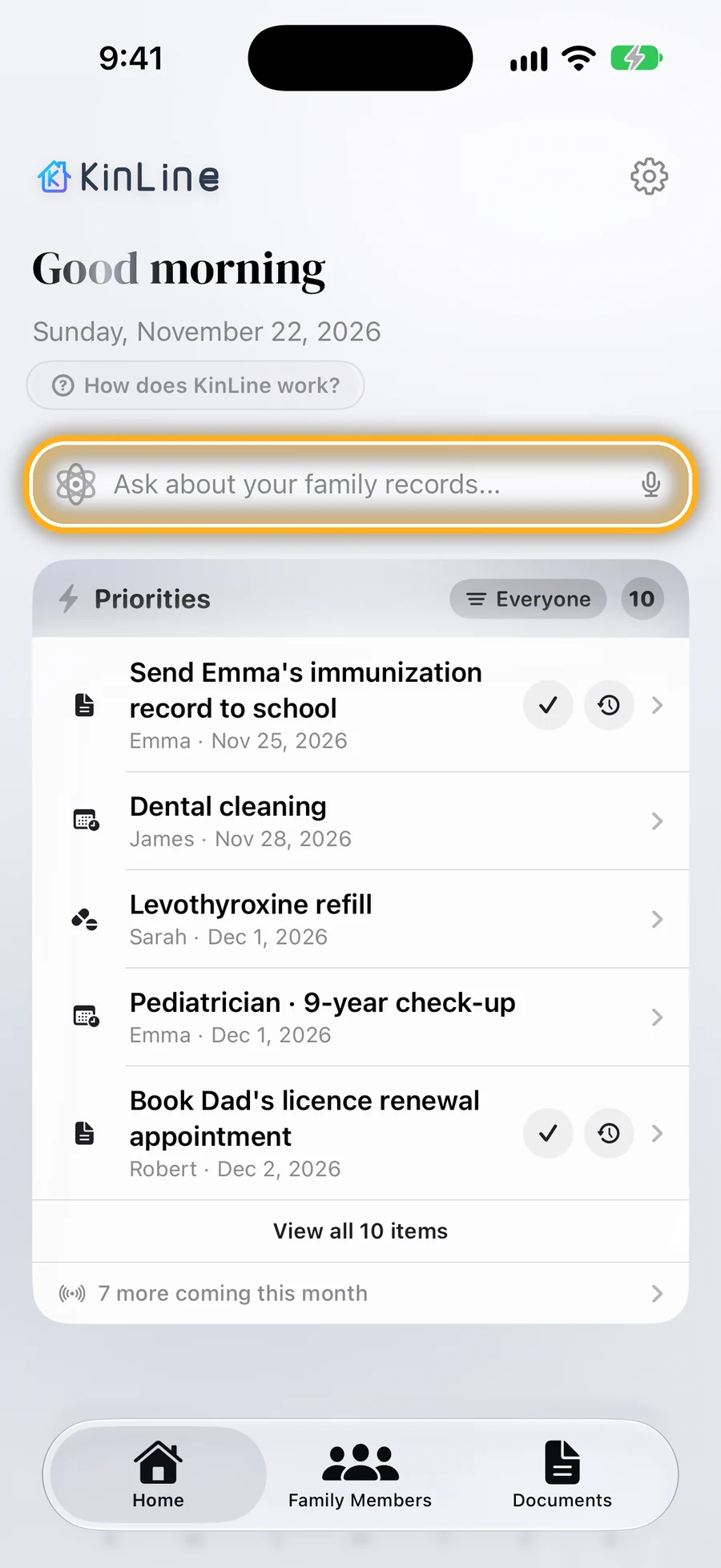
Step 1: Tap “Ask about your family records” on Home
It's at the top of Home. Type, or tap the mic and say it.
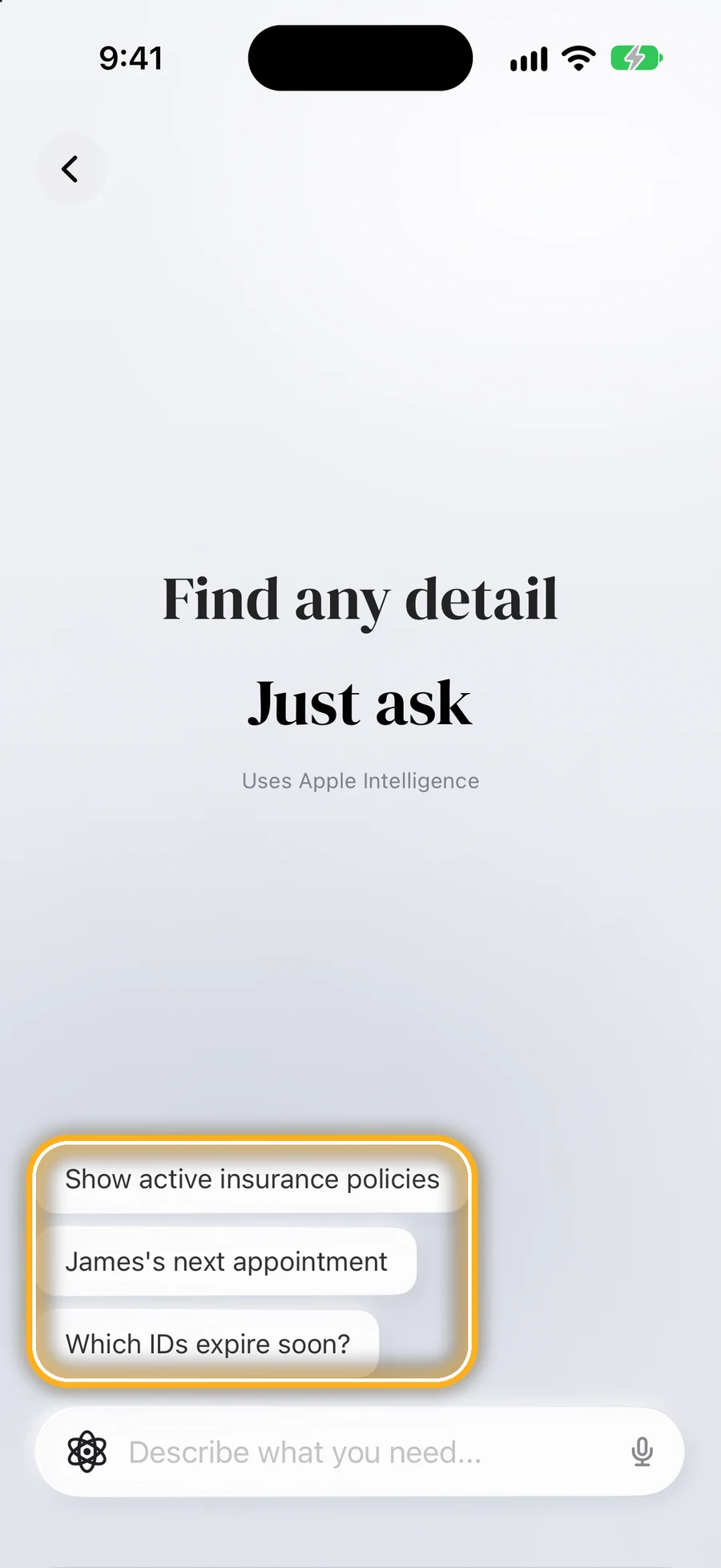
Step 2: Ask in your own words, or tap a suggestion
A name plus what you need works best, like “Emma passport”.
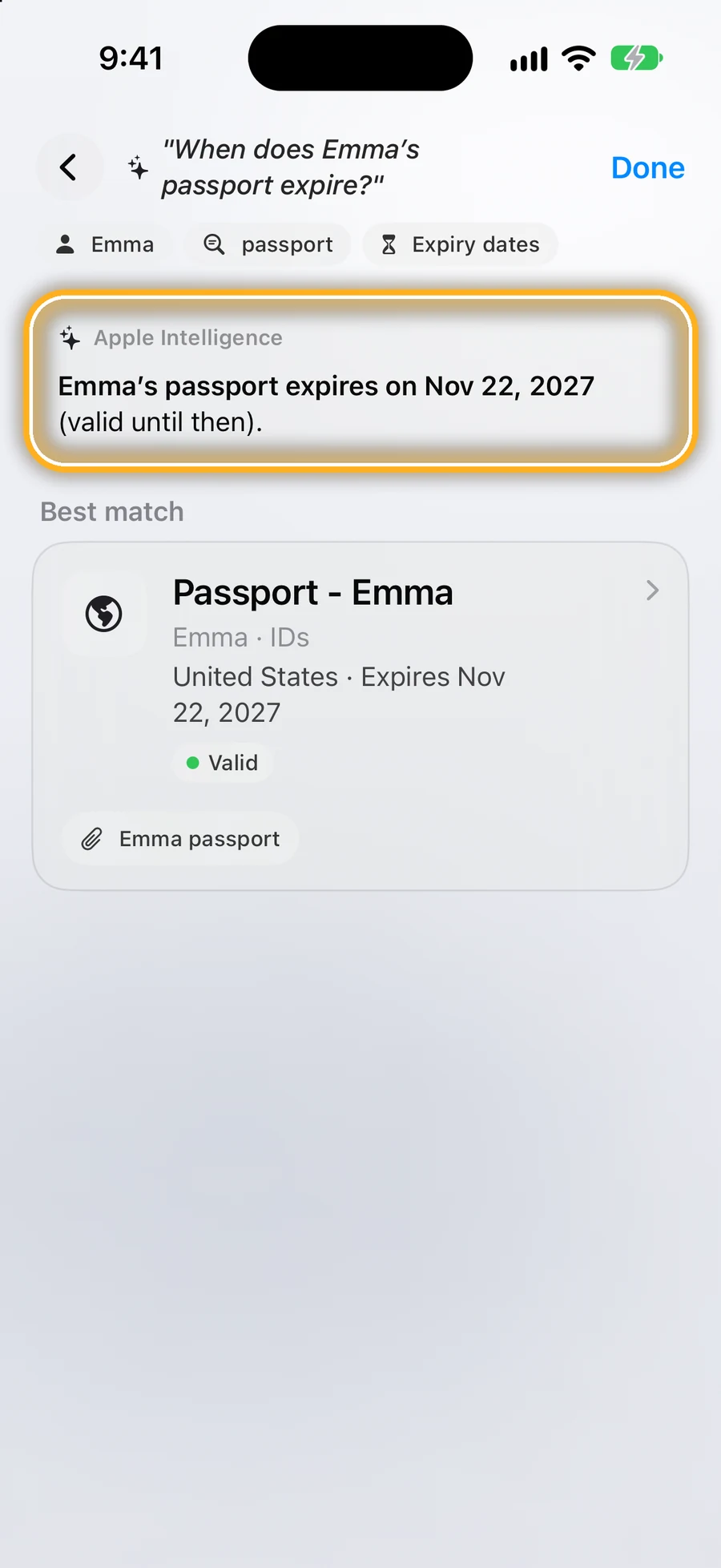
Step 3: The answer, with the record under it
Tap the record to open it. On iPhones with Apple Intelligence, a short answer shows on top.
Quick questions
- What can I ask?
- Things like “When does Emma's passport expire?”, “James's next appointment” or “Show active insurance policies”. Use a name plus what you need.
- Does it need Apple Intelligence?
- The search itself works on any iPhone. On iPhones with Apple Intelligence turned on, you also get a short written answer on top.
- Does my question leave the phone?
- The Apple Intelligence answer is made on your iPhone. KinLine doesn't send your records anywhere to answer it.
- Is it on Android?
- Android has search inside Documents. Asking questions like this is on iPhone.
Find it in seconds, not drawers.
KinLine is free to start. No account, no sign-up.


Free to download · No account needed