


Feature · About 2 minutes
Every family ID, with a nudge before it expires
Four passports, two licenses, the kids' birth certificates. Keep the numbers and dates in one place, and stop finding out at the airport.
By the KinLine team · Updated
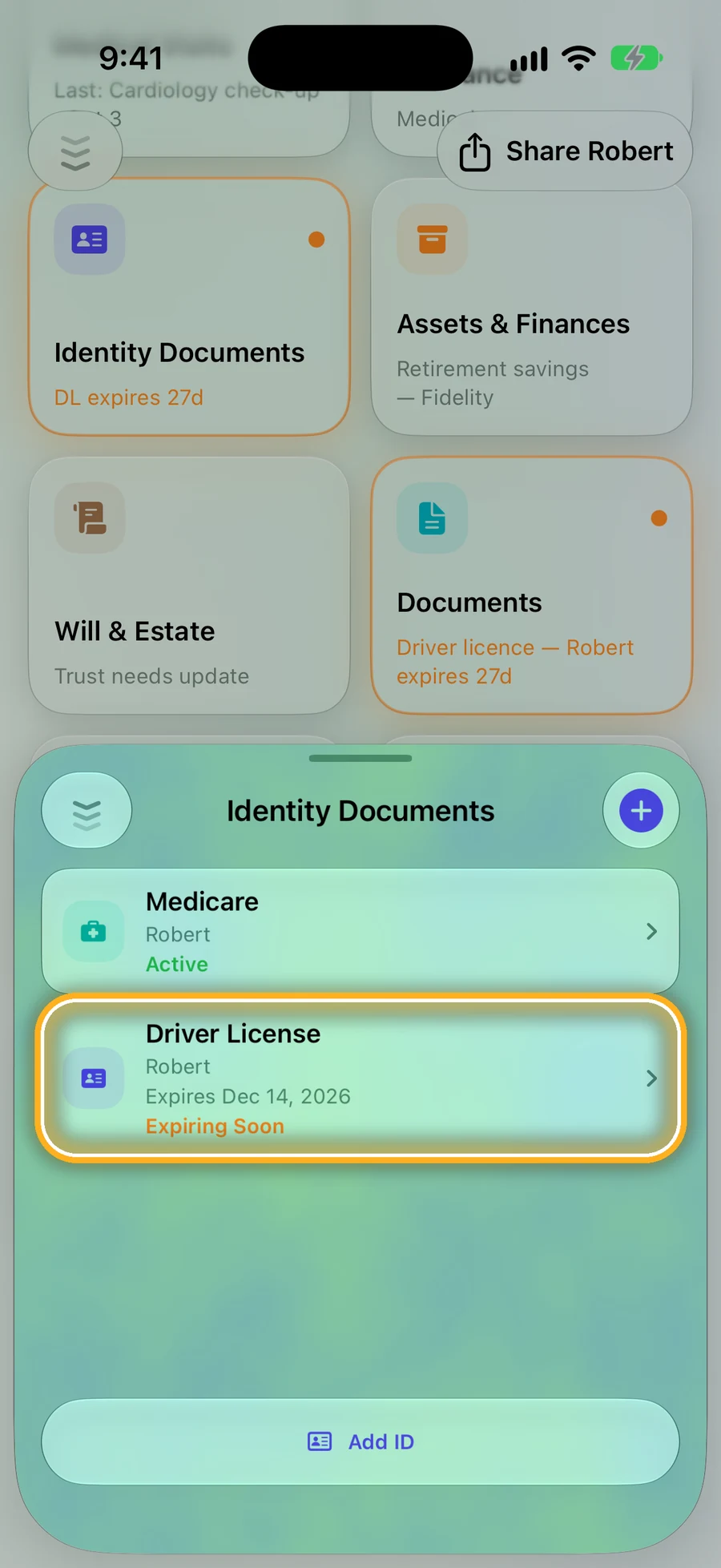
Step 1: Each person's IDs, in one list
Open someone and tap Identity Documents, then Add ID. An ID close to expiring is marked Expiring Soon.
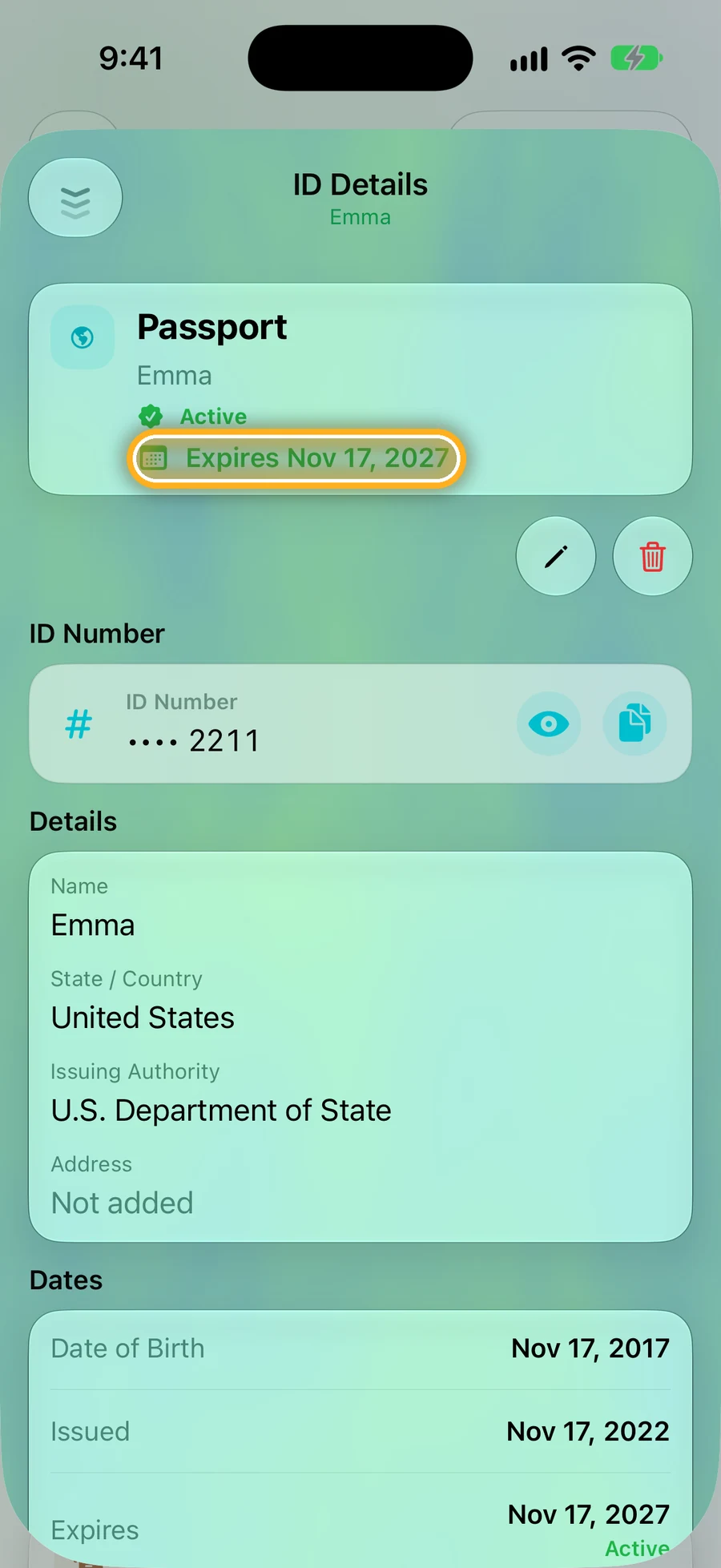
Step 2: Number hidden, dates in plain sight
The ID number stays hidden until you tap the eye. Add when it was issued and when it expires.
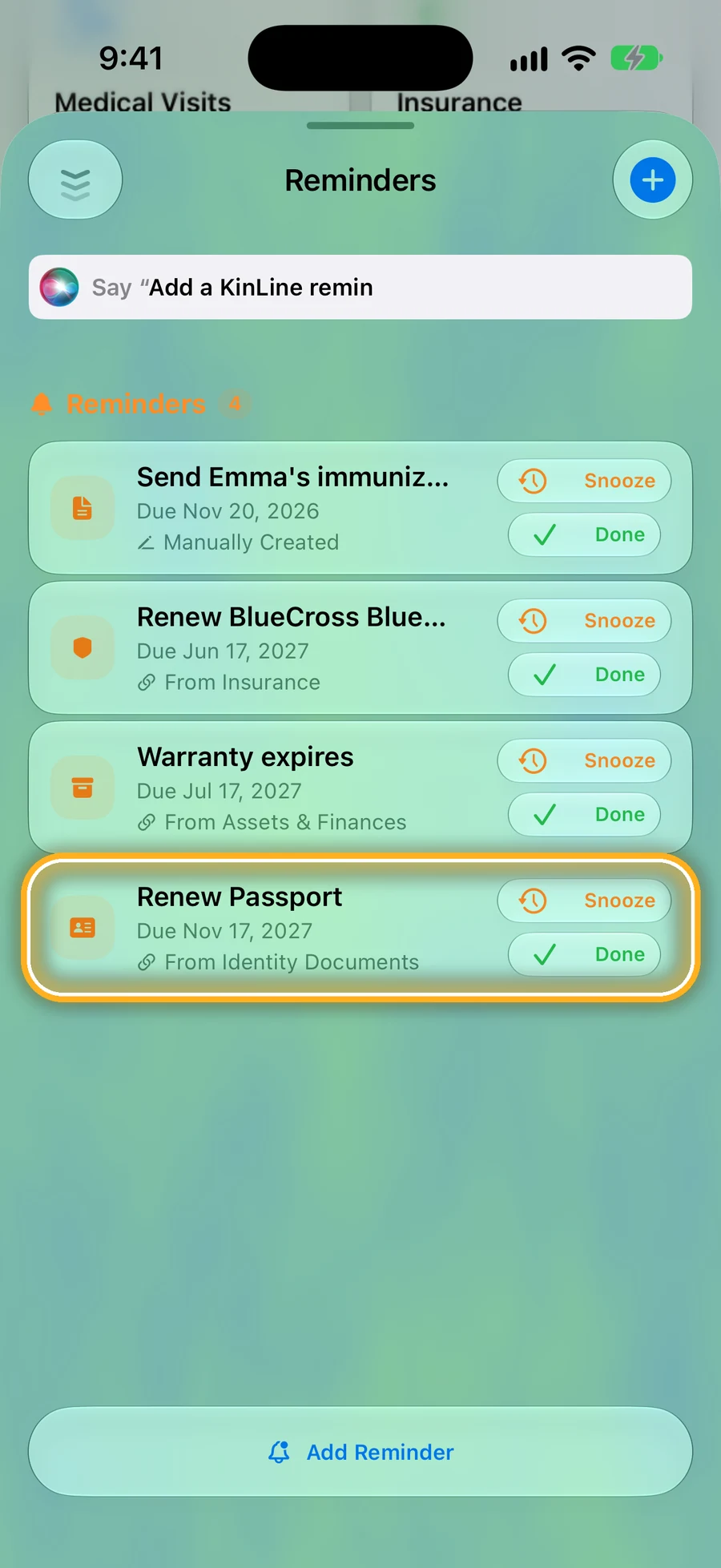
Step 3: The renewal reminder adds itself
Save an expiry date, and a reminder to renew shows up on its own. Tap Snooze or Done.
Quick questions
- Which IDs can I keep?
- Driver's licenses, state IDs, passports, visas, green cards, Social Security cards, birth certificates, Medicare cards and more, for everyone in the family.
- Does a photo of my passport replace the real one?
- No. A copy helps if the original is lost or stolen, but you still need the real ID to travel or prove who you are.
- Will KinLine tell me before an ID expires?
- Yes. Add the expiry date and KinLine adds a renewal reminder by itself, and marks the ID Expiring Soon as the date gets close.
No more expired passports at the airport.
KinLine is free to start. No account, no sign-up.


Free to download · No account needed