


Feature · About 2 minutes
Reminders before anything is due
Passports expire. Pills run out. Shots come due. Add the date once, and KinLine tells you before it sneaks up on you.
By the KinLine team · Updated
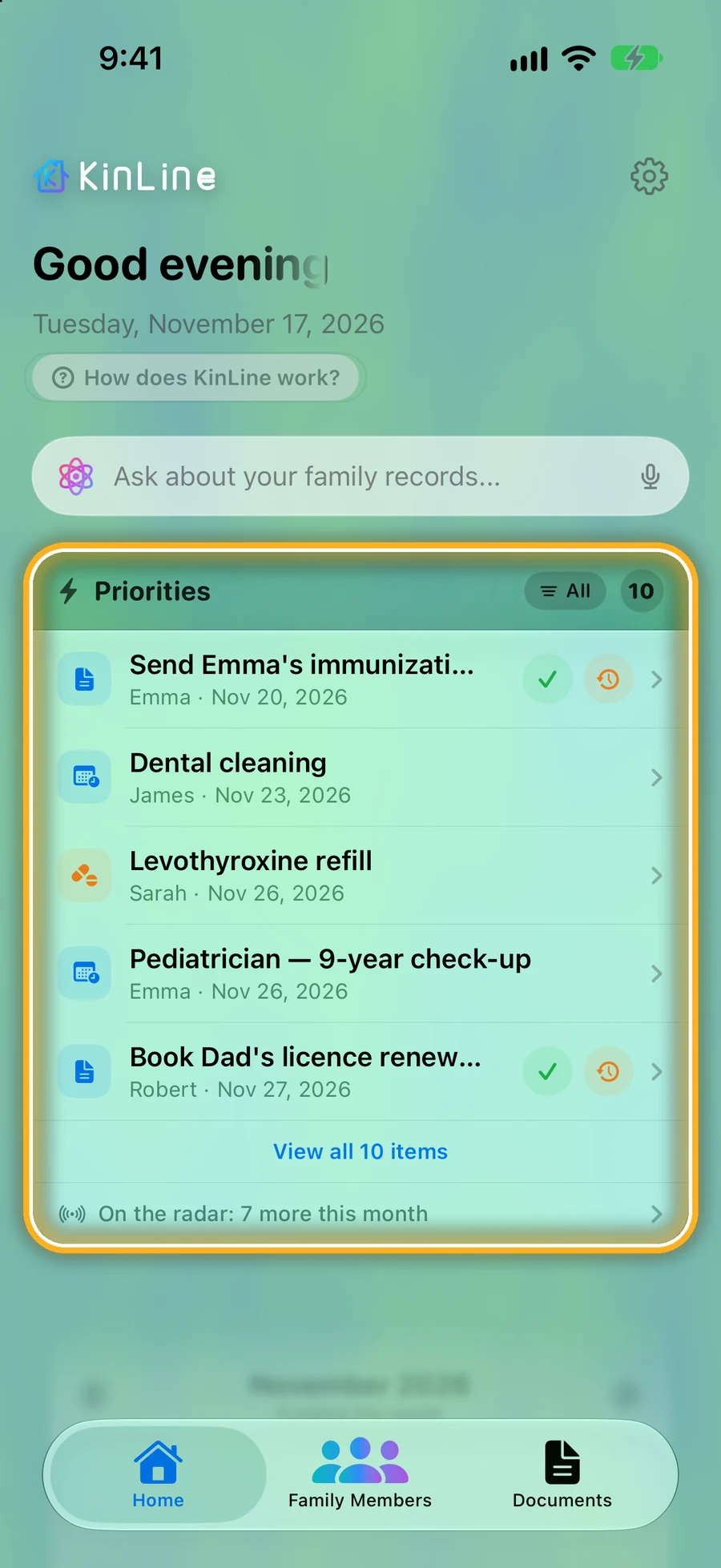
Step 1: Everything that's coming up, on Home
Priorities lists the whole family's next things, soonest first: forms, appointments, refills and check-ups.
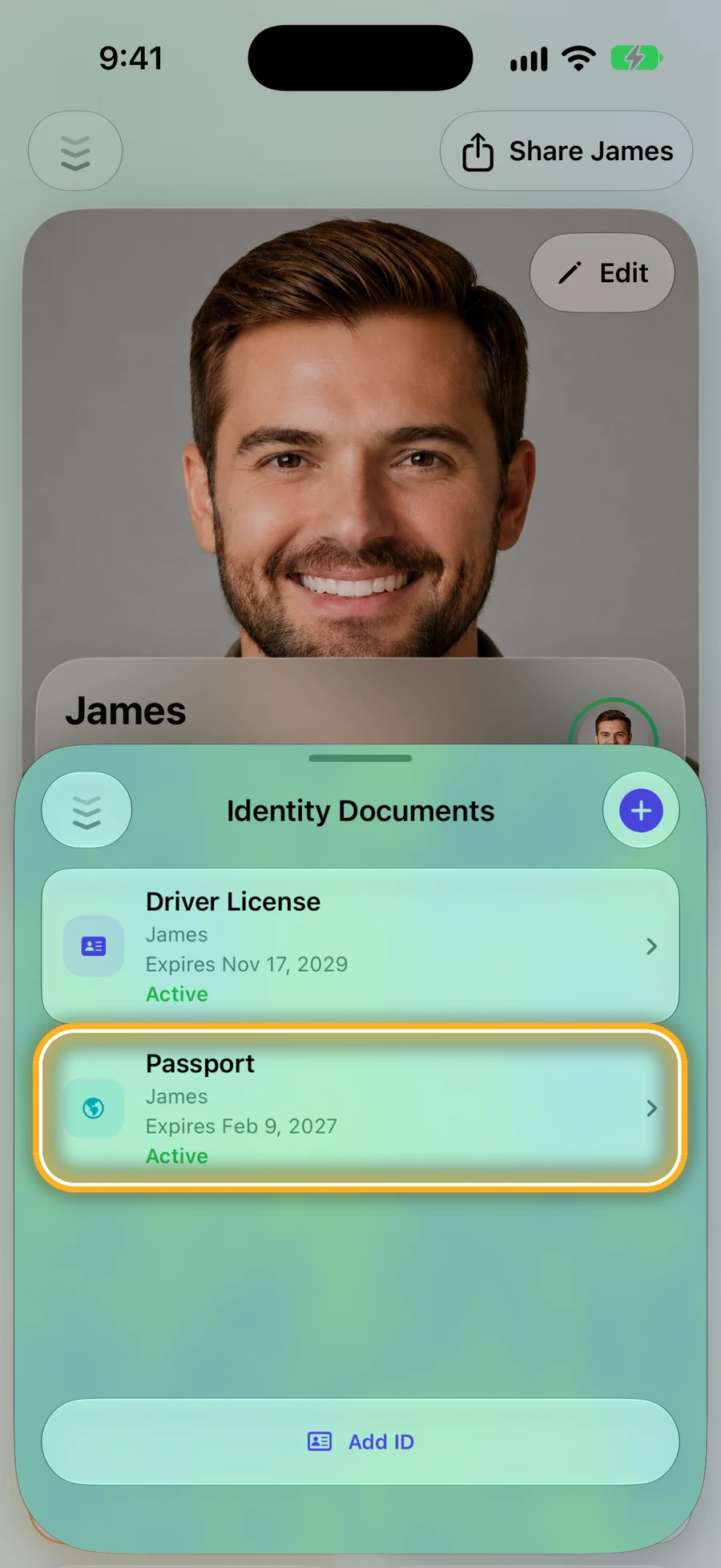
Step 2: IDs warn you before they expire
Add a passport or license with its expiry date. KinLine marks it as the date gets close.
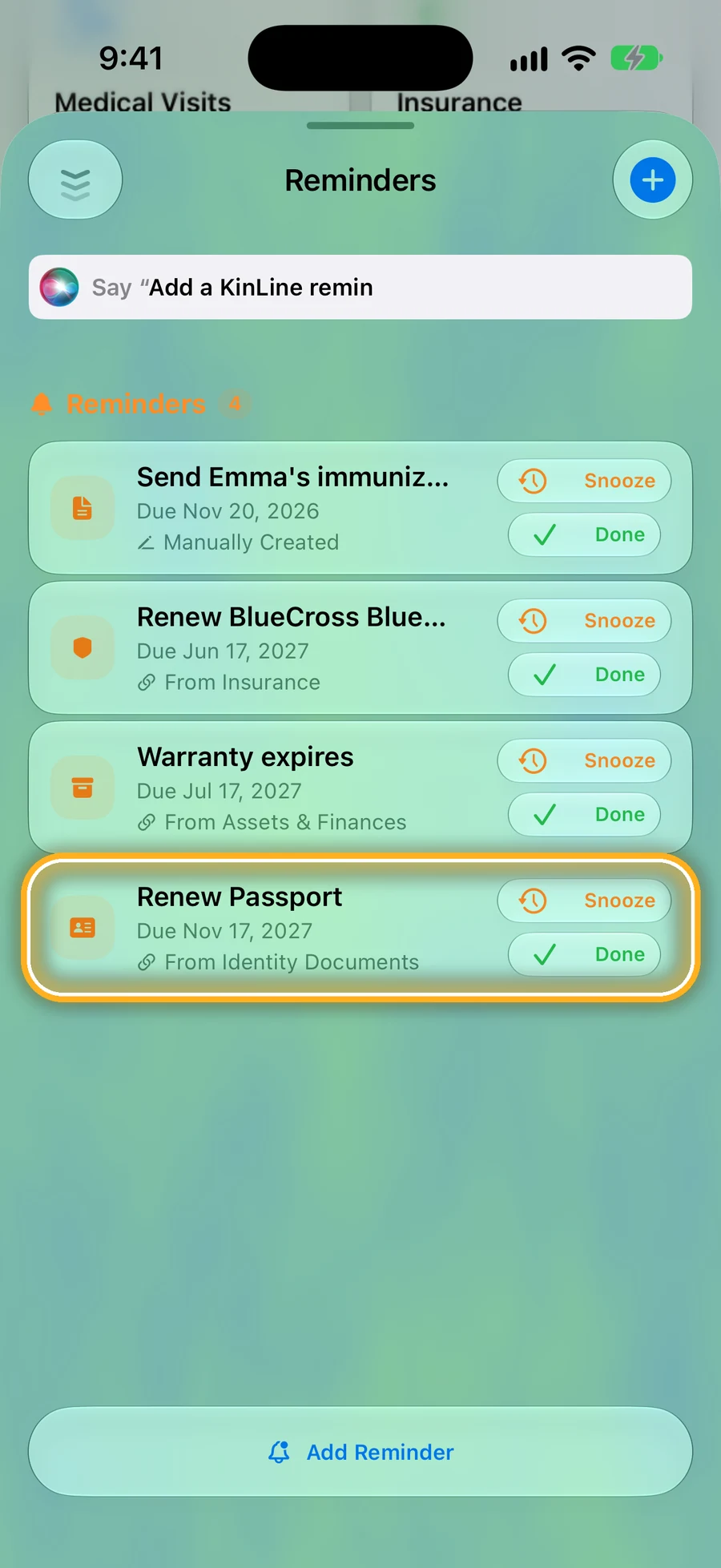
Step 3: Dates turn into reminders by themselves
Emma's passport, insurance and school iPad warranty each added a reminder on their own. Tap Snooze or Done.
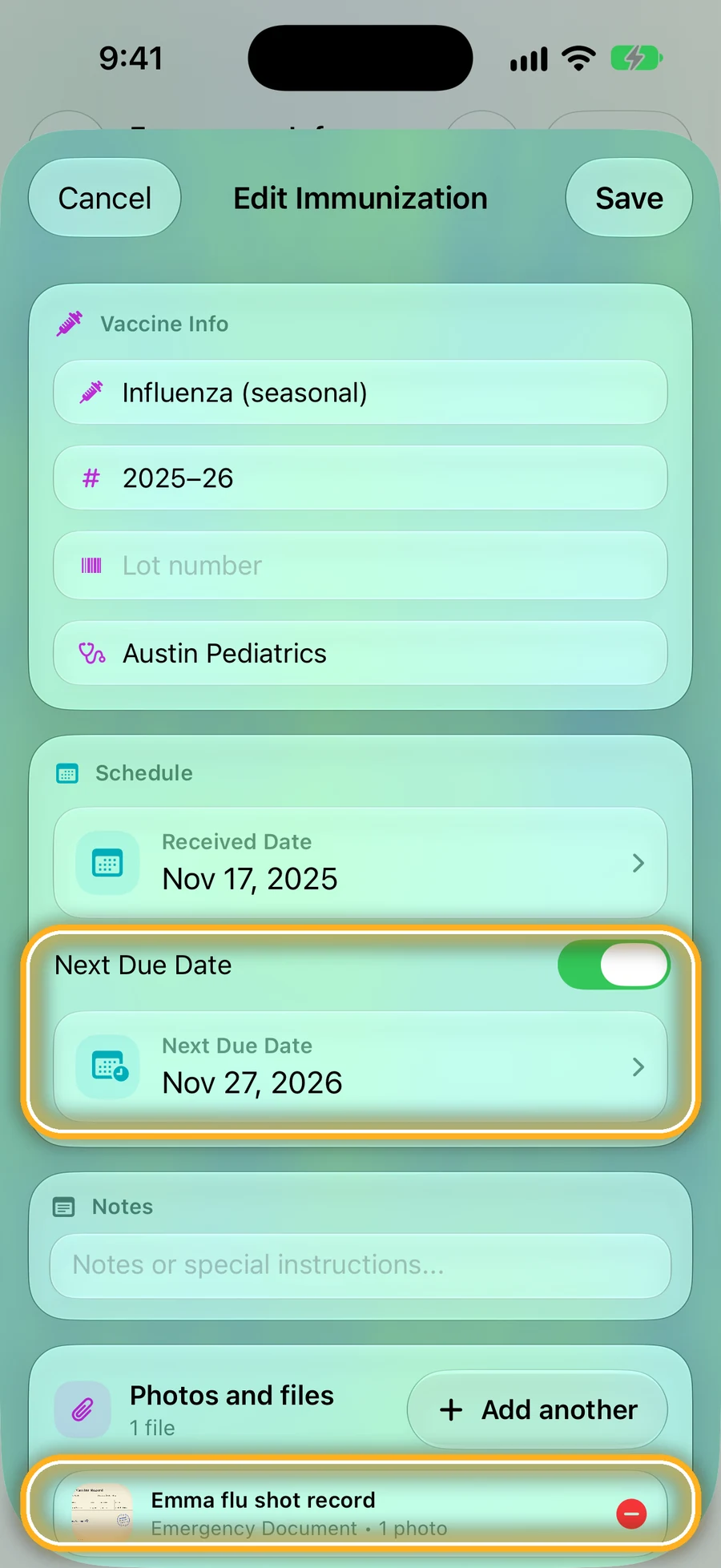
Step 4: Shots with their next due date
Add the next due date to a shot, and it shows on Home before it's due.
Quick questions
- Do I have to set every reminder myself?
- No. Add a date to anything, like a passport expiry, a refill or a shot's next due date, and KinLine adds it to Home before it's due. You can also add your own reminders.
- Can I snooze a reminder?
- Yes. Each reminder has Snooze and Done buttons.
- Does it work for the whole family?
- Yes. Home shows what's coming up for everyone, soonest first, with each person's name.
You don't have to remember. KinLine does.
KinLine is free to start. No account, no sign-up.


Free to download · No account needed