


Feature · About 2 minutes
A medicine list for everyone, with refill reminders
What Dad takes, how much, when, and which pharmacy has it. On your phone when the nurse asks, and a nudge before the bottle runs out.
By the KinLine team · Updated
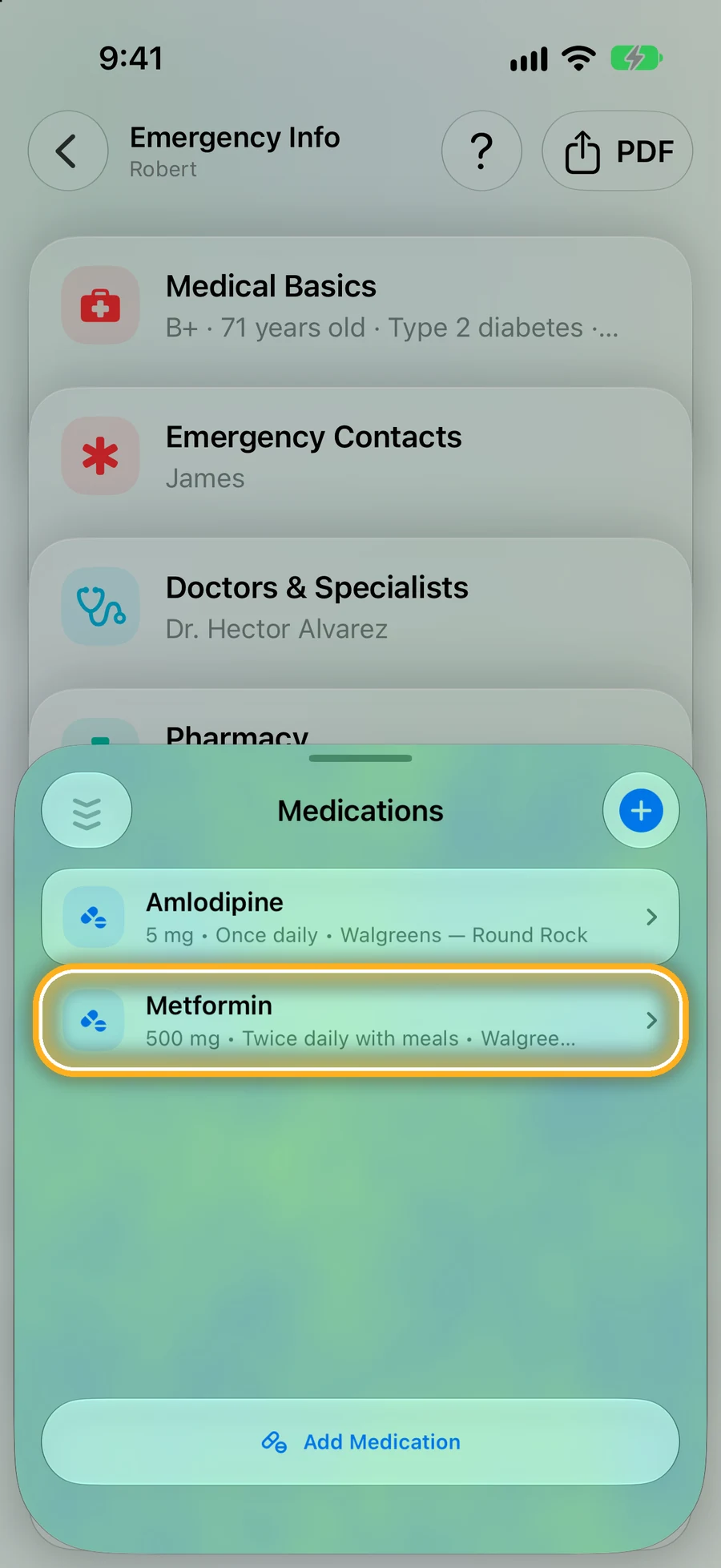
Step 1: Each person's medicines, in one list
Open someone, tap Emergency Info, then Medications.
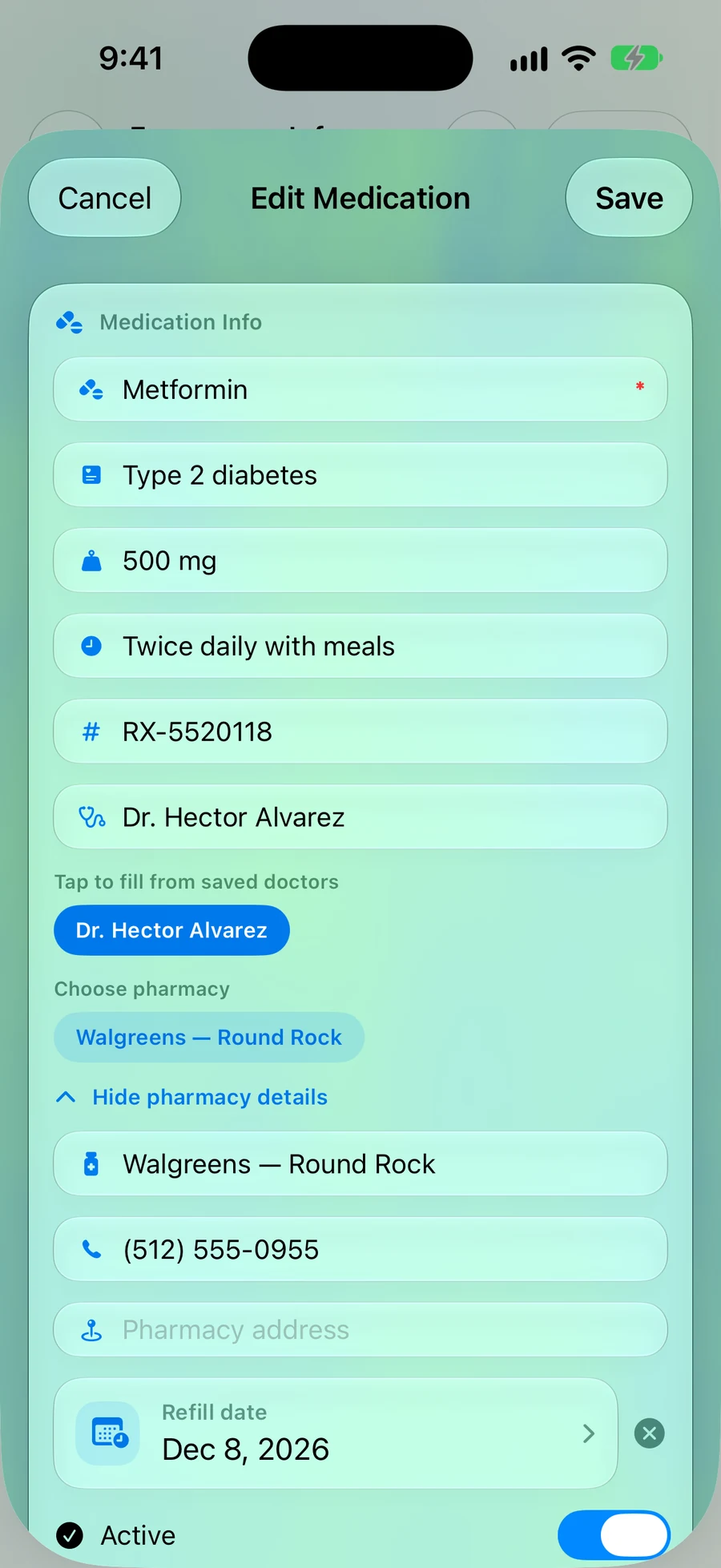
Step 2: Dose, schedule, doctor and pharmacy
Everything the pharmacist or a new doctor will ask, including the prescription number.
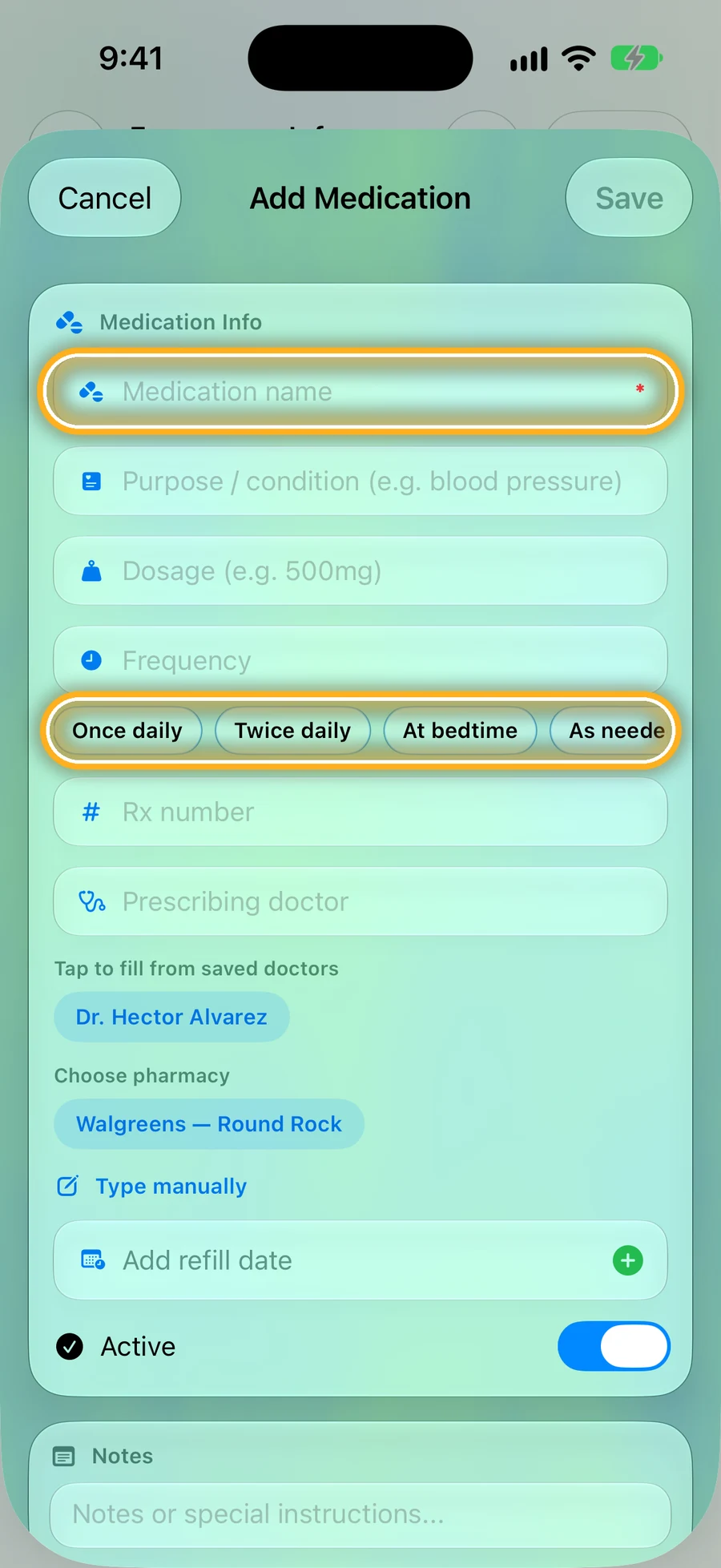
Step 3: Quick to add
Type the name, then tap a quick button like Twice daily instead of typing.
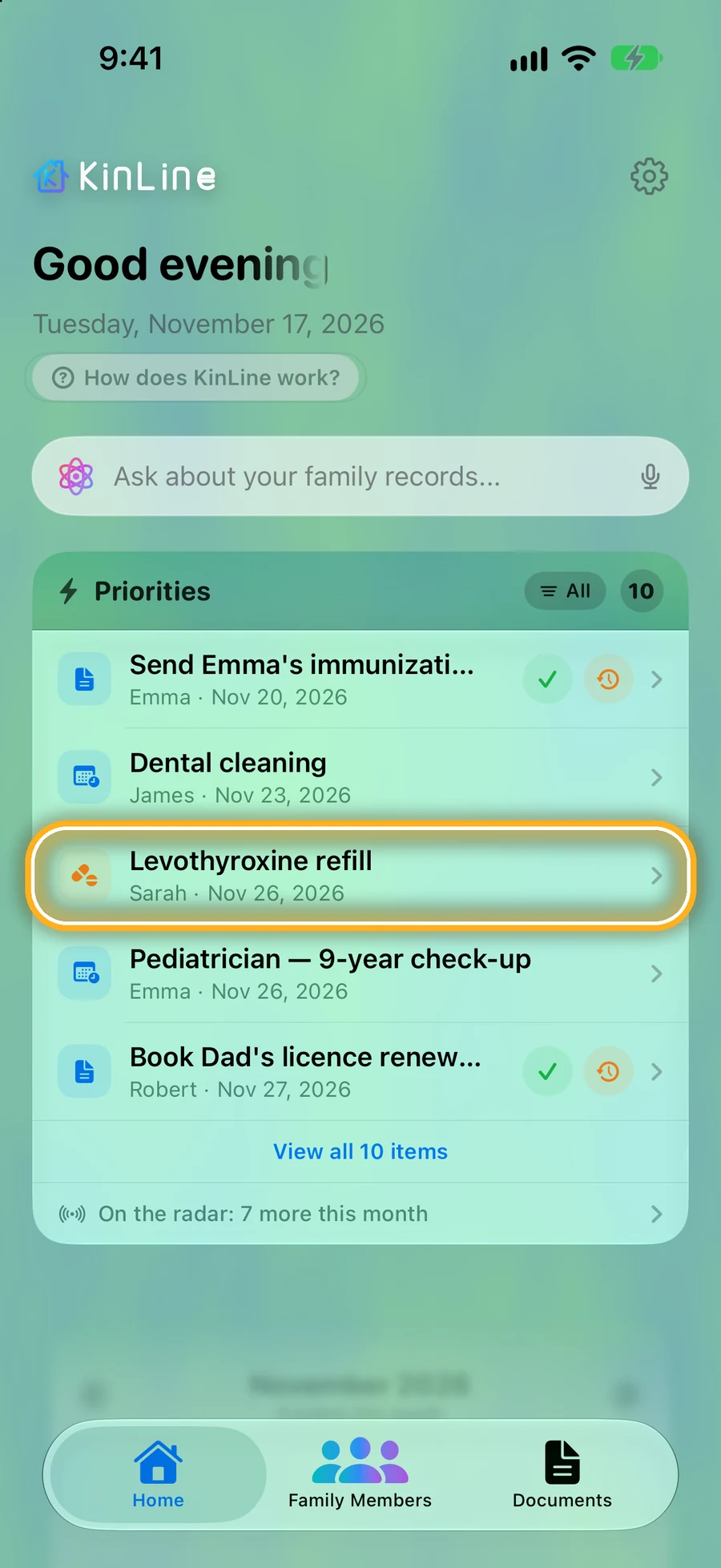
Step 4: A reminder before the refill
Add a refill date and it shows on Home, for the whole family, before it's due.
Prefer paper for the fridge? Get the free printable medication list.
Quick questions
- Does KinLine remind me to refill?
- Yes. Add a refill date and KinLine shows it on Home before it's due, and can send you a notification.
- Can I keep medicine lists for my parents and kids too?
- Yes. Each person has their own list. Free for 2 family members; KinLine+ adds more.
- Can I print the list?
- On iPhone, the emergency PDF includes medicines. Or use our free printable medication list for the fridge.
Never run out by surprise.
KinLine is free to start. No account, no sign-up.


Free to download · No account needed