


Guide for caregivers · About 5 minutes
How to keep a medicine list for an elderly parent
When the hospital calls and asks what medicines Dad takes, you want the answer in ten seconds. Here's how to make that list once and keep it right.
By the KinLine team · Updated
Why it matters
The more medicines someone takes, the harder they are to remember. Some medicines shouldn't be taken with certain other medicines, foods or supplements, so doctors and pharmacists need the whole list to avoid mistakes. The FDA calls a medication list a lifesaving tool in an emergency.
Make the list in 5 steps
1. Gather every bottle and box
Sit with your parent and put everything on the table: prescriptions, pills from the store, vitamins, supplements, eye drops, inhalers and creams. Don't forget the ones they only take “when needed”.
2. Write one line per medicine
- Name, copied exactly from the label
- Strength, like 500 mg
- What it's for, like blood pressure
- When and how much, like twice a day with meals
- Who prescribed it and which pharmacy fills it
3. Add allergies and who to call
Write any allergies and what happens (for example, “sulfa drugs: rash”), plus the doctor, the pharmacy and an emergency contact.
4. Give copies to the right people
One for your parent, one for you, and one for anyone who goes to appointments or might speak for them, like a brother, sister or home aide. Keeping one next to their insurance card works well.
5. Update it every time something changes
A new prescription, a new dose, a medicine stopped: change the list the same day, and write the date at the top. Check it after every doctor visit or hospital stay.
Want paper? Use our free printable medication list.
Doing it in KinLine
Here is Robert, a dad of 71 from our sample family. His medicines live in his Emergency Info, next to his allergies and doctors.
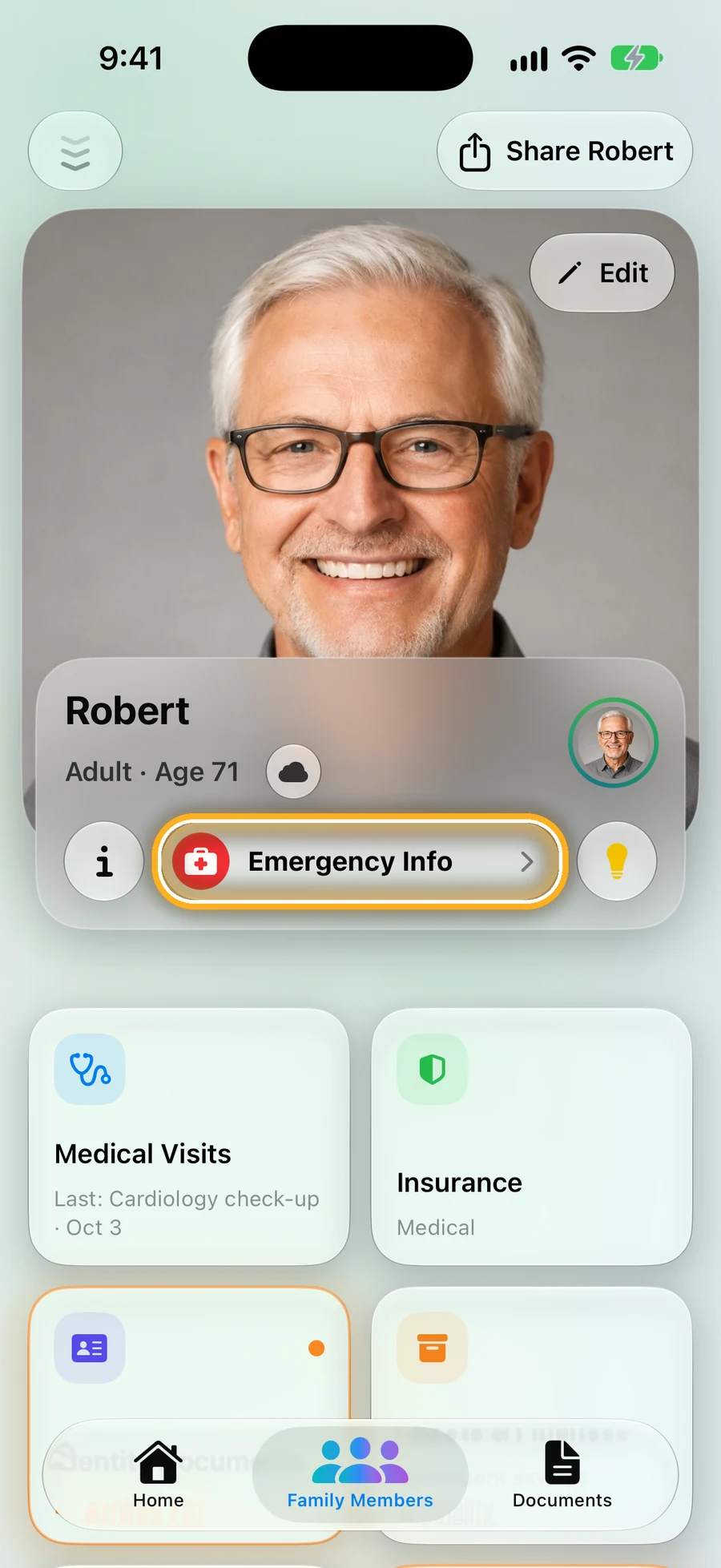
Step 1: Open Dad's page and tap Emergency Info
It's the red button under his name.
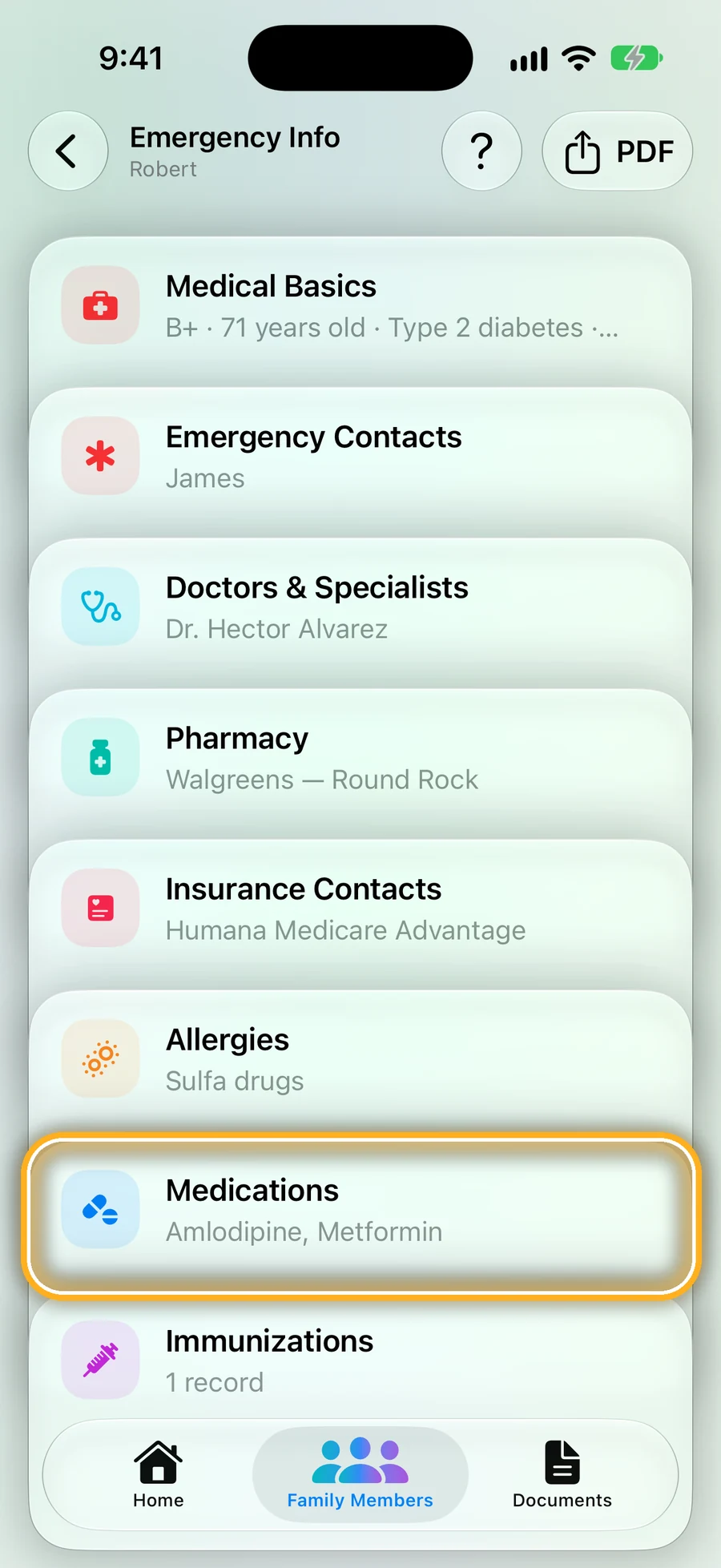
Step 2: Tap Medications
Allergies sit two rows above, so the nurse sees both at once.
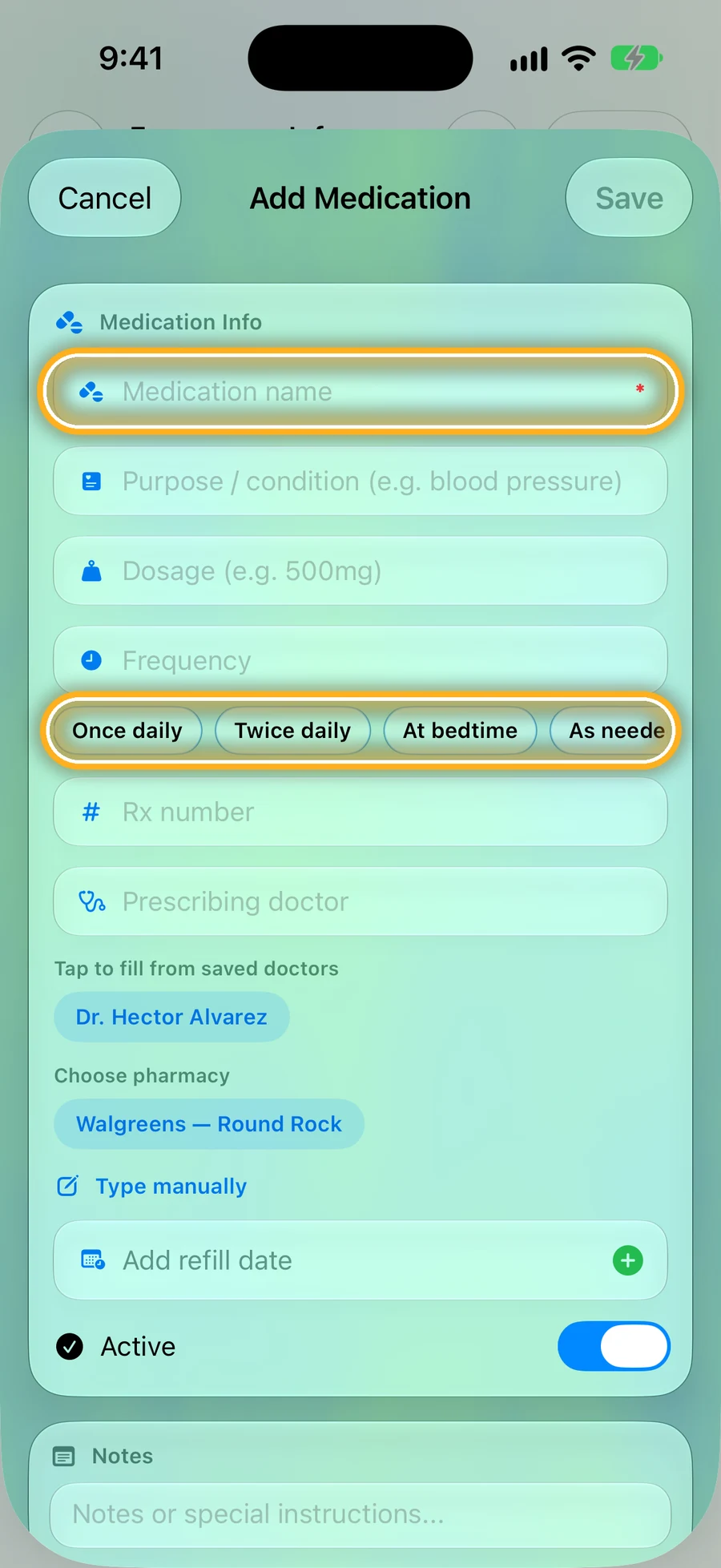
Step 3: Tap +, type the name, pick when
Quick buttons fill in “Once daily”, “Twice daily”, “At bedtime” or “As needed”. Doctors and pharmacies you've saved before are one tap.
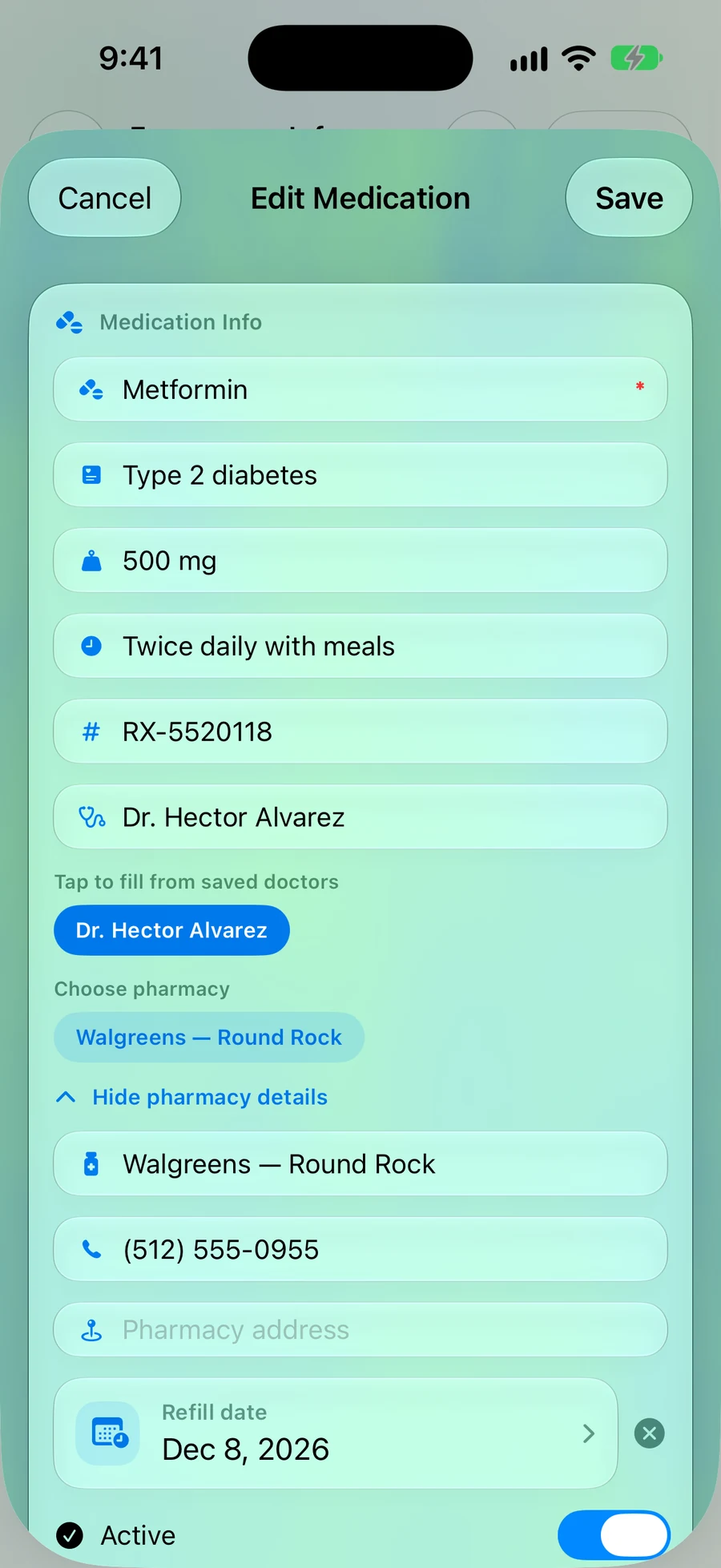
Step 4: Add the refill date
Every detail in one place: dose, doctor, the pharmacy's phone, and when it runs out.
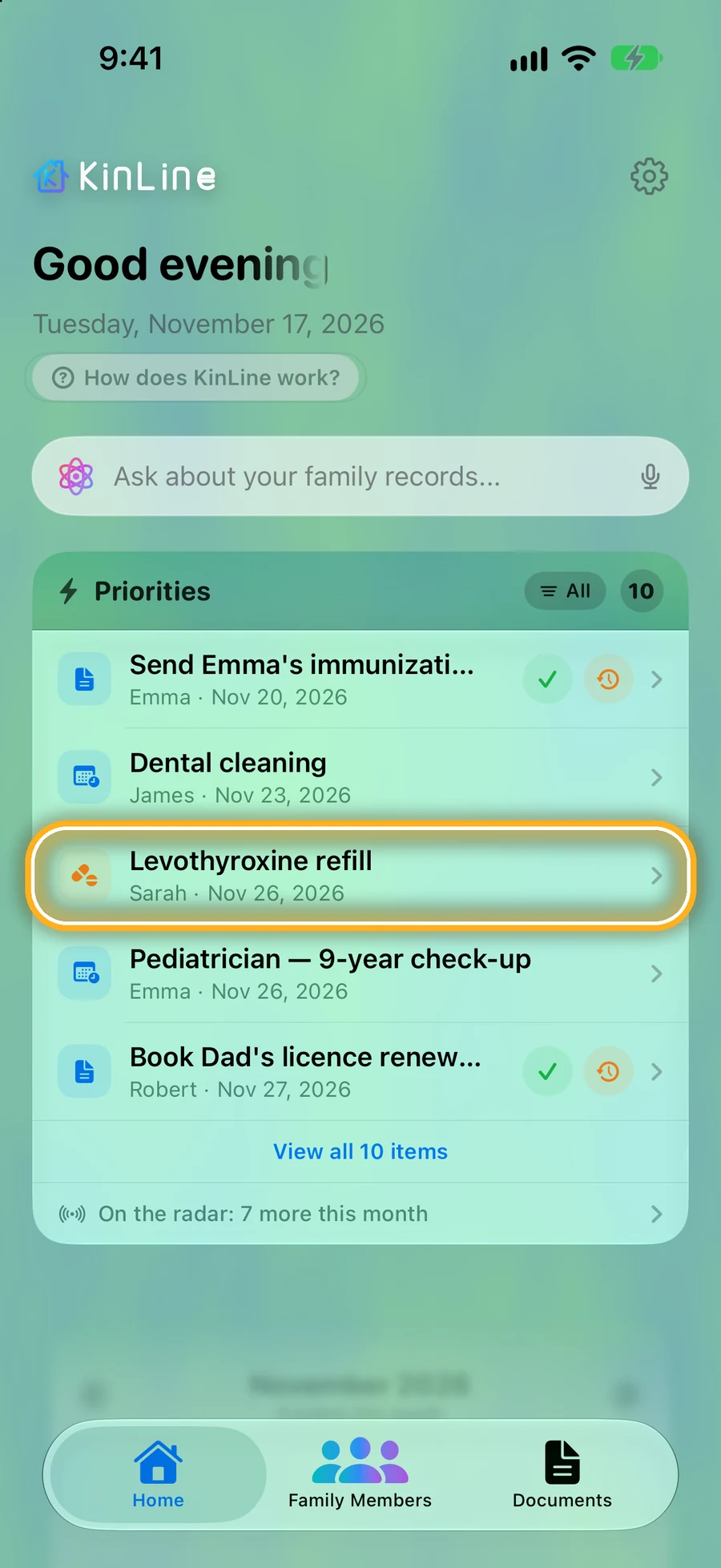
Step 5: Refills show up on Home
KinLine's Home lists what's coming up for the whole family, refills included, soonest first.
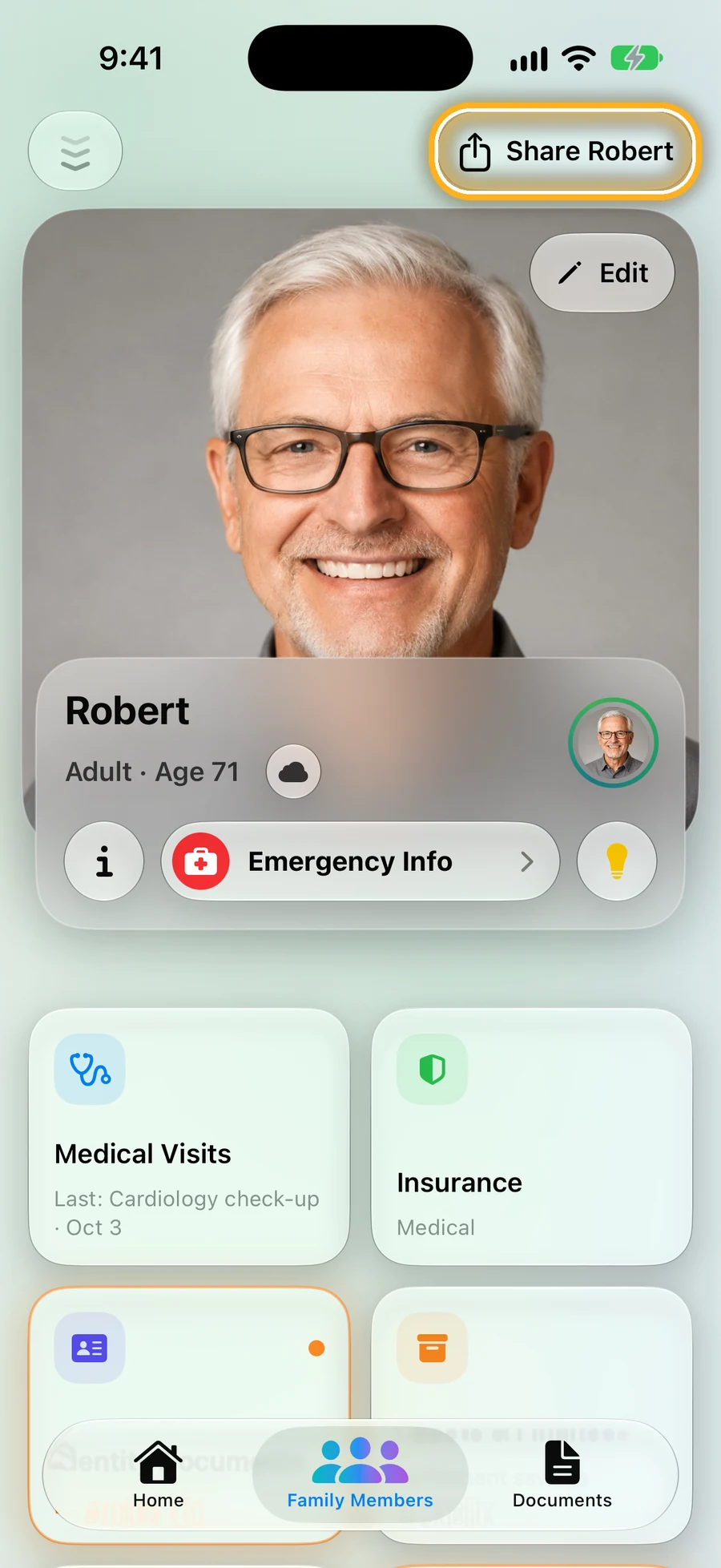
Step 6: Share Dad's page with your brother or sister
On iPhone, tap Share and share through iCloud: they see the same list, and every change you make. Family on Android? Send them a copy.
Quick questions
- What should be on an elderly parent's medicine list?
- Every prescription, every medicine from the store, vitamins and supplements. For each one: the name, the strength, what it's for, and when and how much to take. Add allergies and who to call in an emergency.
- Who should have a copy?
- Your parent, you, and anyone who goes to appointments with them or might speak for them in an emergency, like a brother, sister or home aide.
- How often should we update it?
- Whenever something changes: a new prescription, a new dose, or a medicine they stopped. A good time to check it is right after every doctor visit.
- My parent lives in another city. How do I keep track?
- Ask for a photo of every bottle label, write the list from those, and keep it somewhere you can both see. In KinLine on iPhone, you can share your parent's page so you both see the same list.
Read next
Sources
This page is general information, not medical advice. Ask a doctor, nurse or pharmacist about your own situation.
Make Mom or Dad's list tonight.
KinLine is free to start. No account, no sign-up.


Free to download · No account needed