


Free printable
Free printable medication list
One page for every medicine, vitamin and supplement someone takes. Print it, fill it in by hand, and keep it in a wallet, on the fridge or in the hospital bag.
By the KinLine team · Updated
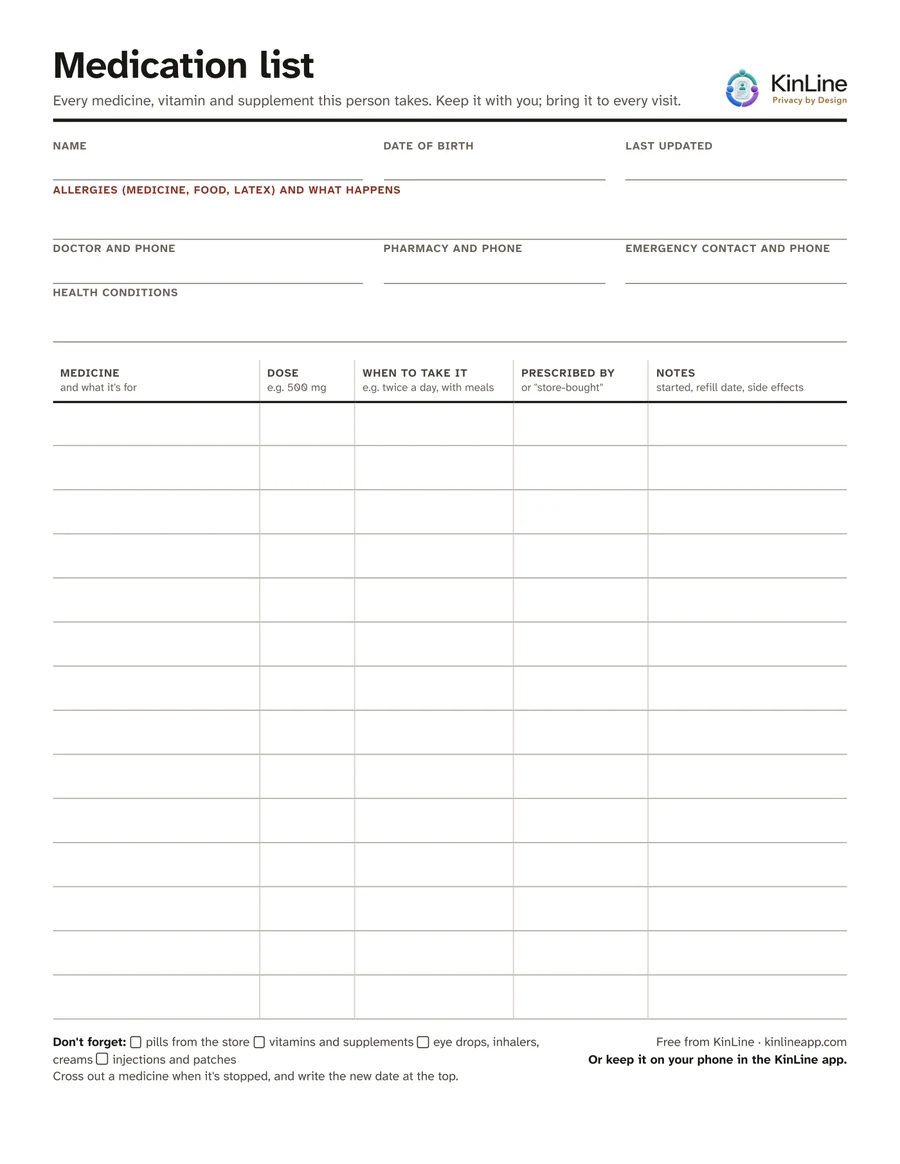
Download the PDF
Large, clear print. One page. Prints well in black and white.
Free. No sign-up, no email.
How to fill it in
- Put every bottle and box on the table. Include the ones from the store, not only the doctor's.
- Write one medicine per row: its name, what it's for, the dose (like 500 mg) and when to take it (like twice a day, with meals).
- Fill in the top: allergies and what happens, the doctor, the pharmacy and who to call.
- Write today's date next to “Last updated”.
- Make copies: one in the wallet, one on the fridge, one for a brother or sister.
Don't forget these
The FDA says a good list covers more than prescriptions. People often leave these off:
- Pills bought at the store, like pain relievers or sleep aids
- Vitamins and supplements
- Eye drops, ear drops, inhalers and creams
- Injections and patches
- Medicines taken only when needed
Keep it up to date
A list is only useful if it's right. Update it after every doctor visit or hospital stay, and whenever a medicine is started or stopped. Cross out the old one and write the new date at the top.
Paper gets lost. Keep the same list on your phone.
In KinLine, each person's medicines live in their Emergency Info. Here is Robert's, from our sample family.
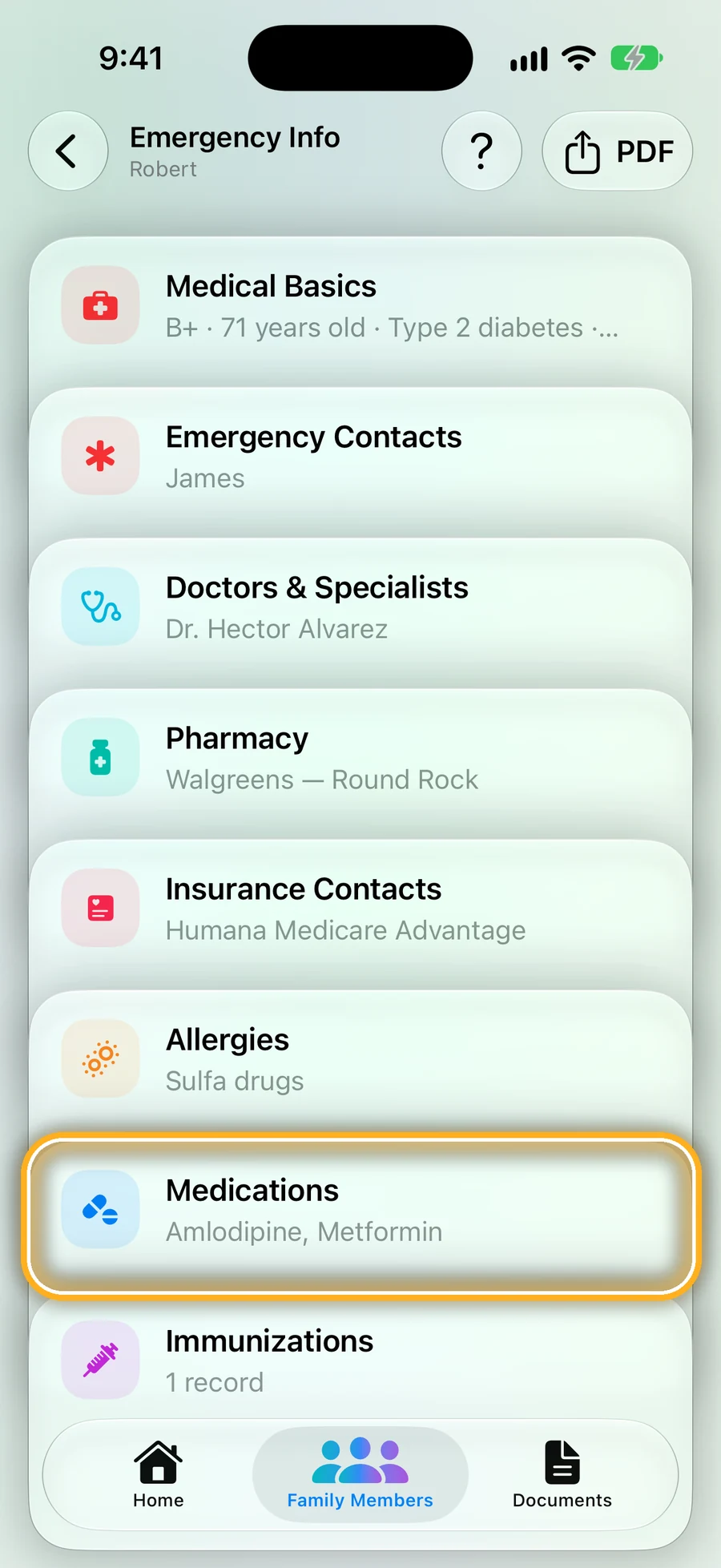
Step 1: Open the person, tap Emergency Info, then Medications
Every medicine for that person is in one list.
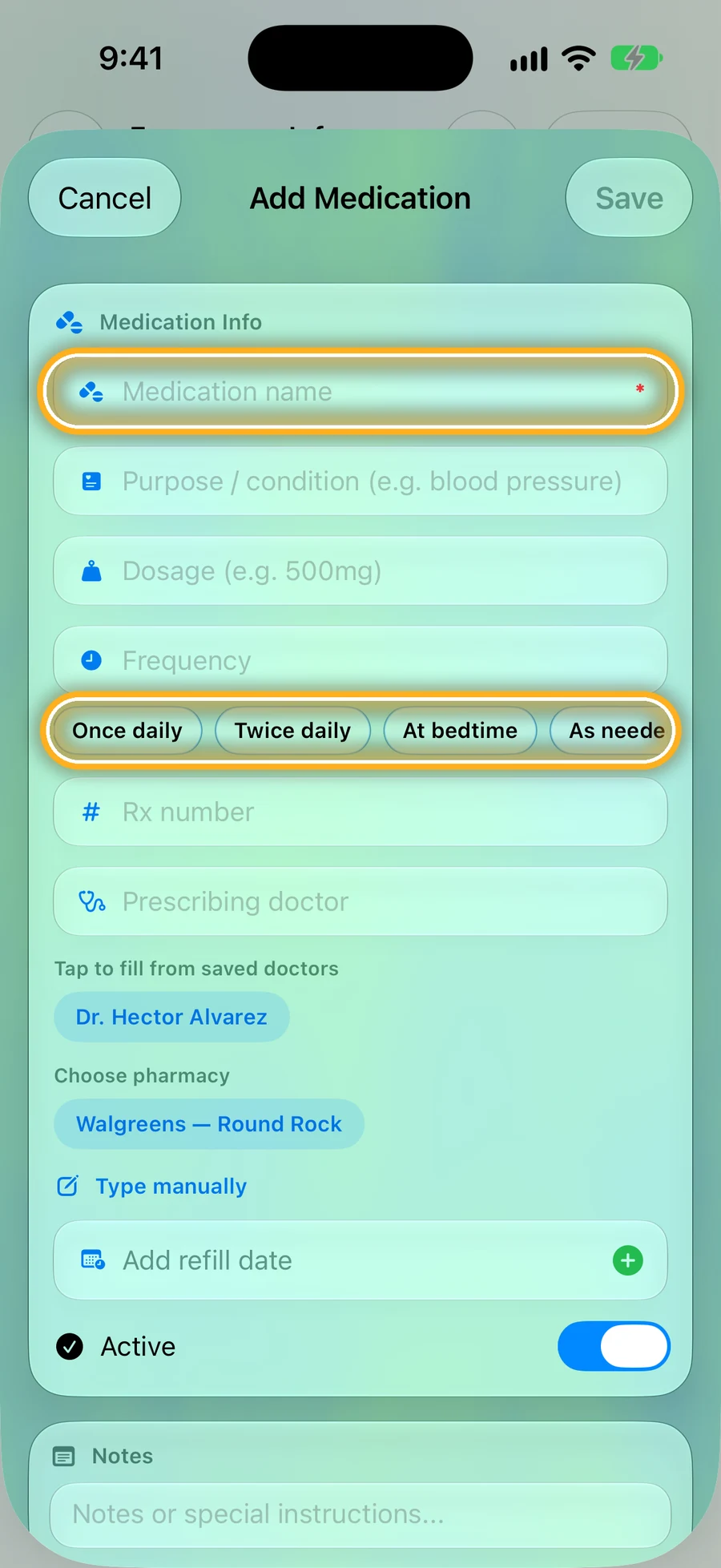
Step 2: Tap + and type the medicine
Type the name, then tap a quick button like Twice daily or At bedtime. Add the dose, the doctor and the pharmacy if you have them.
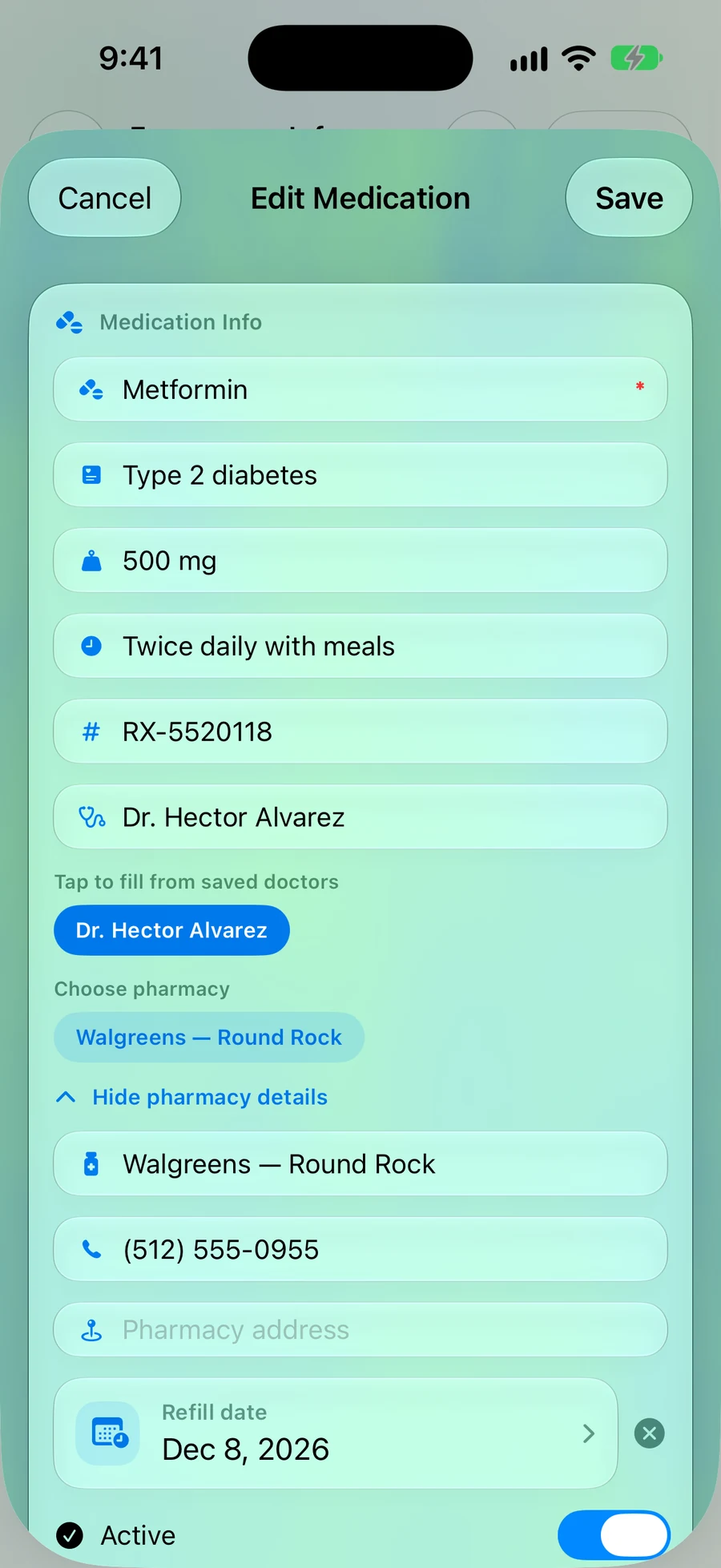
Step 3: Everything about it, in one place
Add a refill date and it shows on KinLine's Home before it runs out. On iPhone, family you share Robert's page with see the new list as soon as you change it.
Quick questions
- Is it really free?
- Yes. Download it, print as many copies as you like, and share it. There's no sign-up and no email.
- Letter or A4?
- Letter is the usual paper size in the US and Canada. A4 is used almost everywhere else, including India and the UK.
- What should go on a medication list?
- Every medicine the person takes: prescriptions, pills from the store, vitamins, supplements, eye drops, inhalers and creams. For each one, the name, what it's for, the dose and when to take it.
- How often should I update it?
- Every time something changes: after a doctor visit, a hospital stay, or when a medicine is started or stopped. Write the date at the top.
Read next
Sources
This page is general information, not medical advice. Ask a doctor, nurse or pharmacist about your own situation.
Keep it on your phone, ready when someone asks.
KinLine is free to start. No account, no sign-up.


Free to download · No account needed