


Feature · About 3 minutes
Emergency Info, and a one-page PDF for whoever needs it
When the nurse asks what Dad takes, or the sitter asks what to do if Emma eats a peanut, the answer is one tap away. And if they need it on paper, it's two taps more.
By the KinLine team · Updated
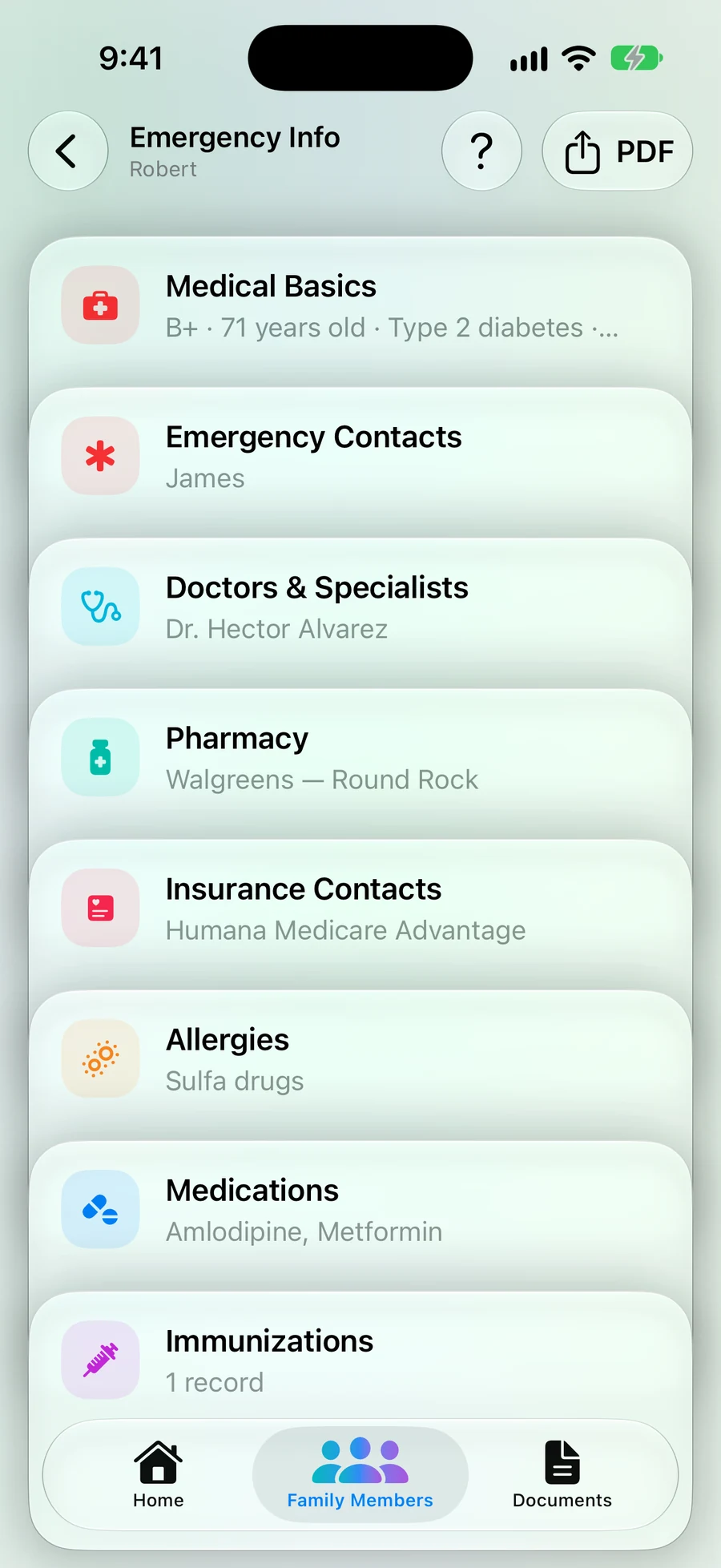
Step 1: One screen per person
Open someone and tap Emergency Info. Medical basics, contacts, doctors, pharmacy, insurance, allergies, medicines and shots, each with a one-line summary.
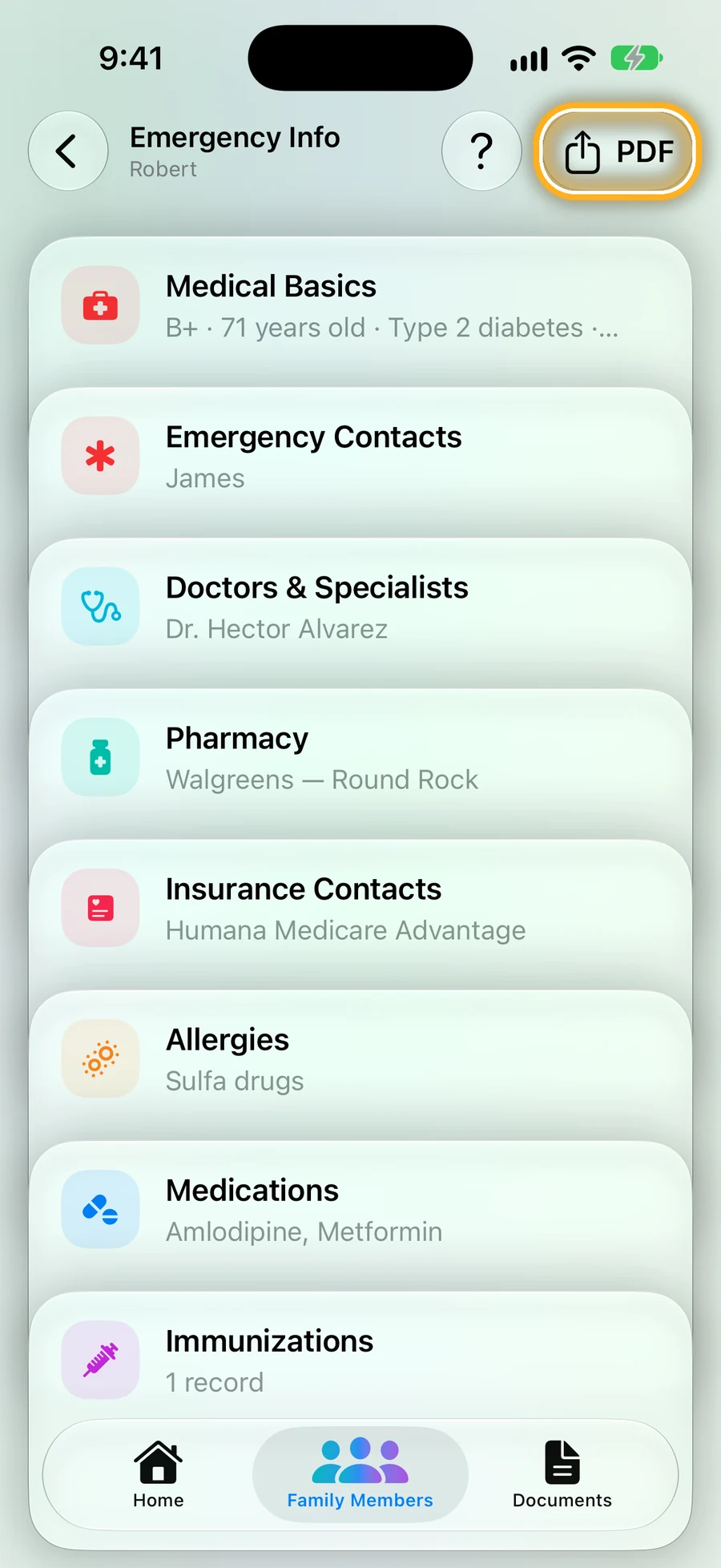
Step 2: Tap PDF
It's at the top right of Emergency Info. On iPhone.
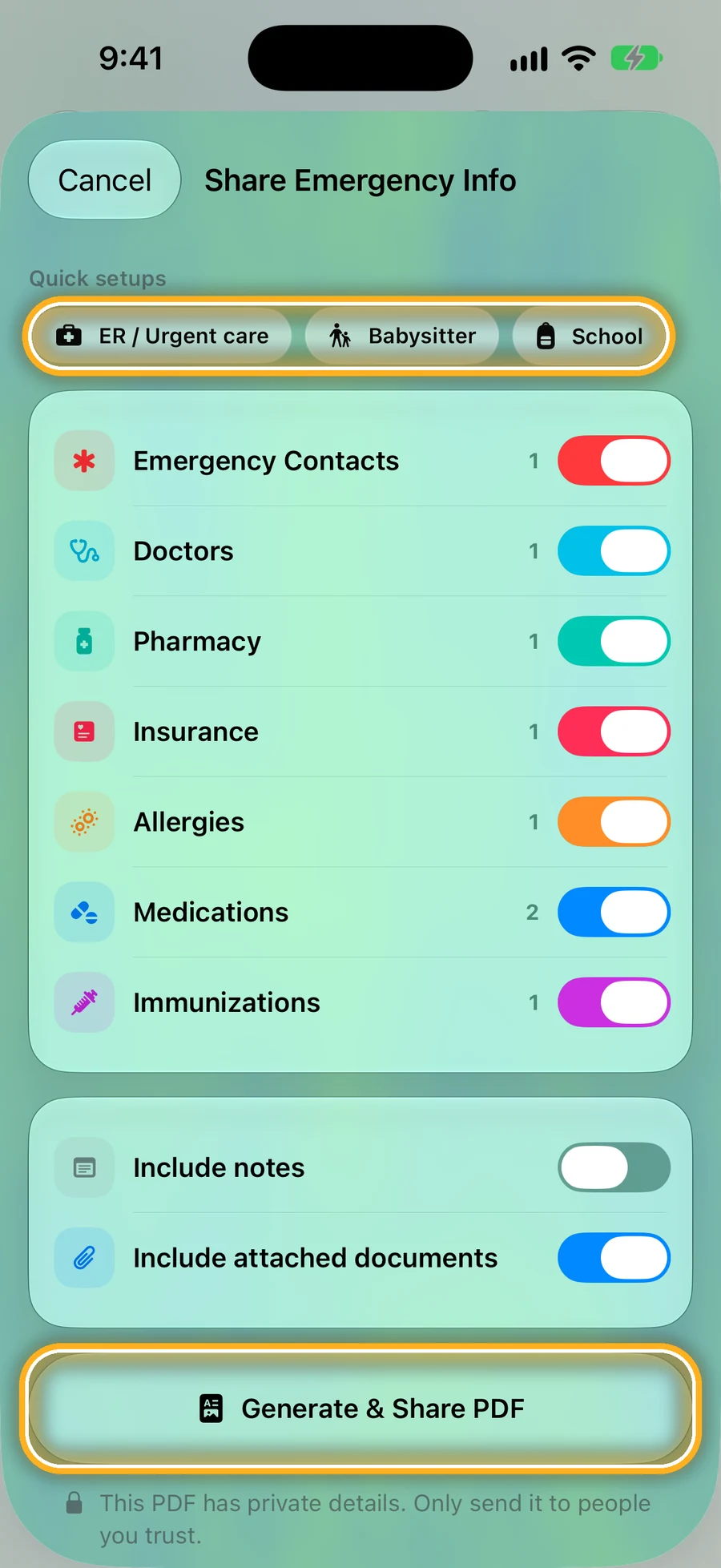
Step 3: Pick who it's for
ER / Urgent care, Babysitter or School picks the right parts. Or switch parts on and off yourself, and choose whether to add notes and attached documents.
Then tap Generate & Share PDF and send it, save it, or print it.
Three PDFs, three different jobs
Real pages from our sample family.
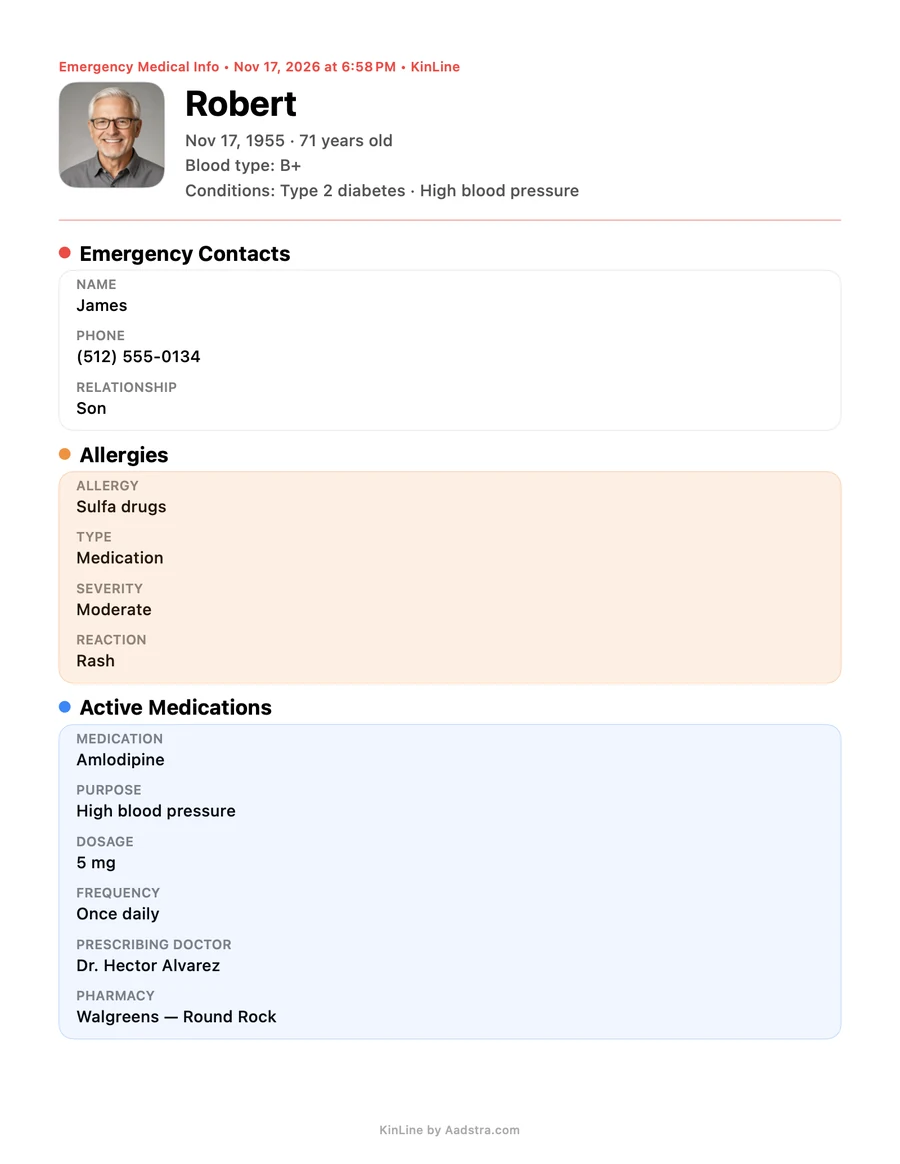
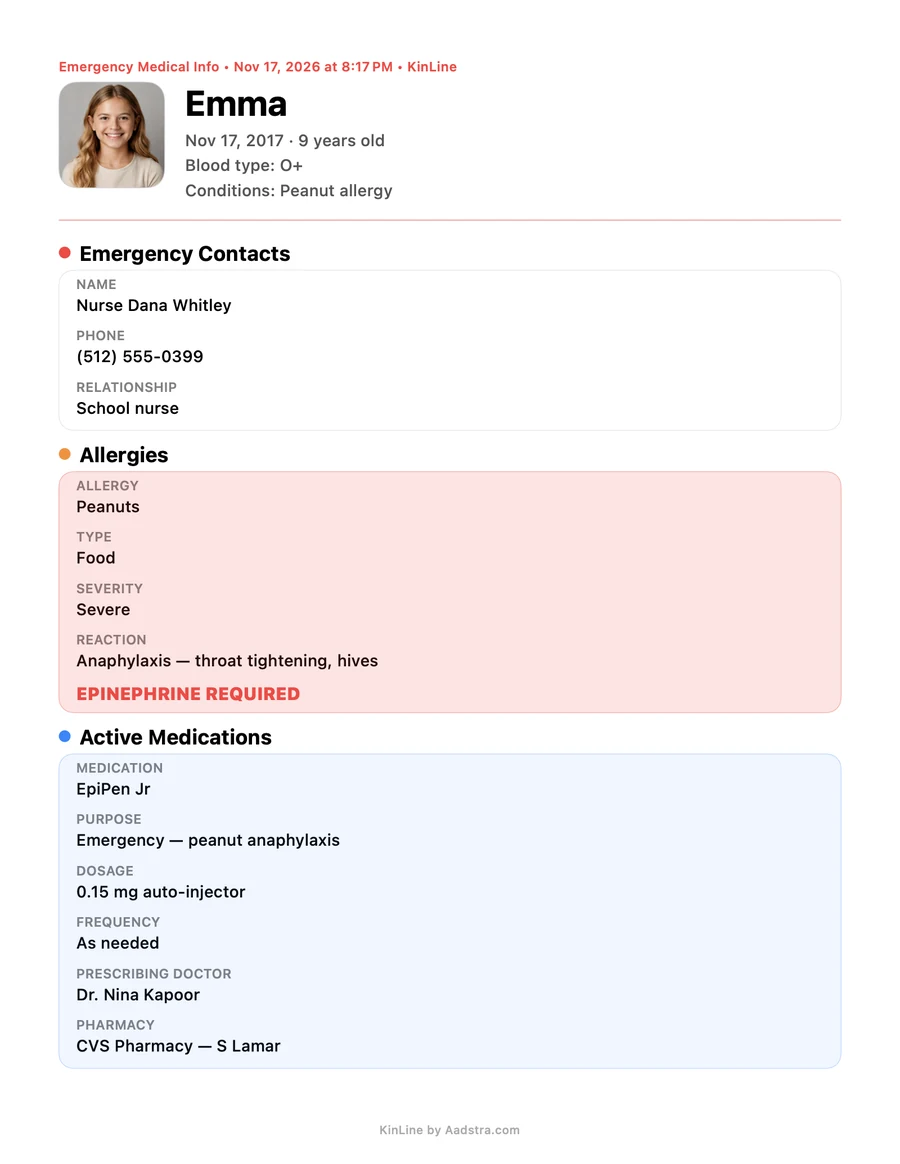
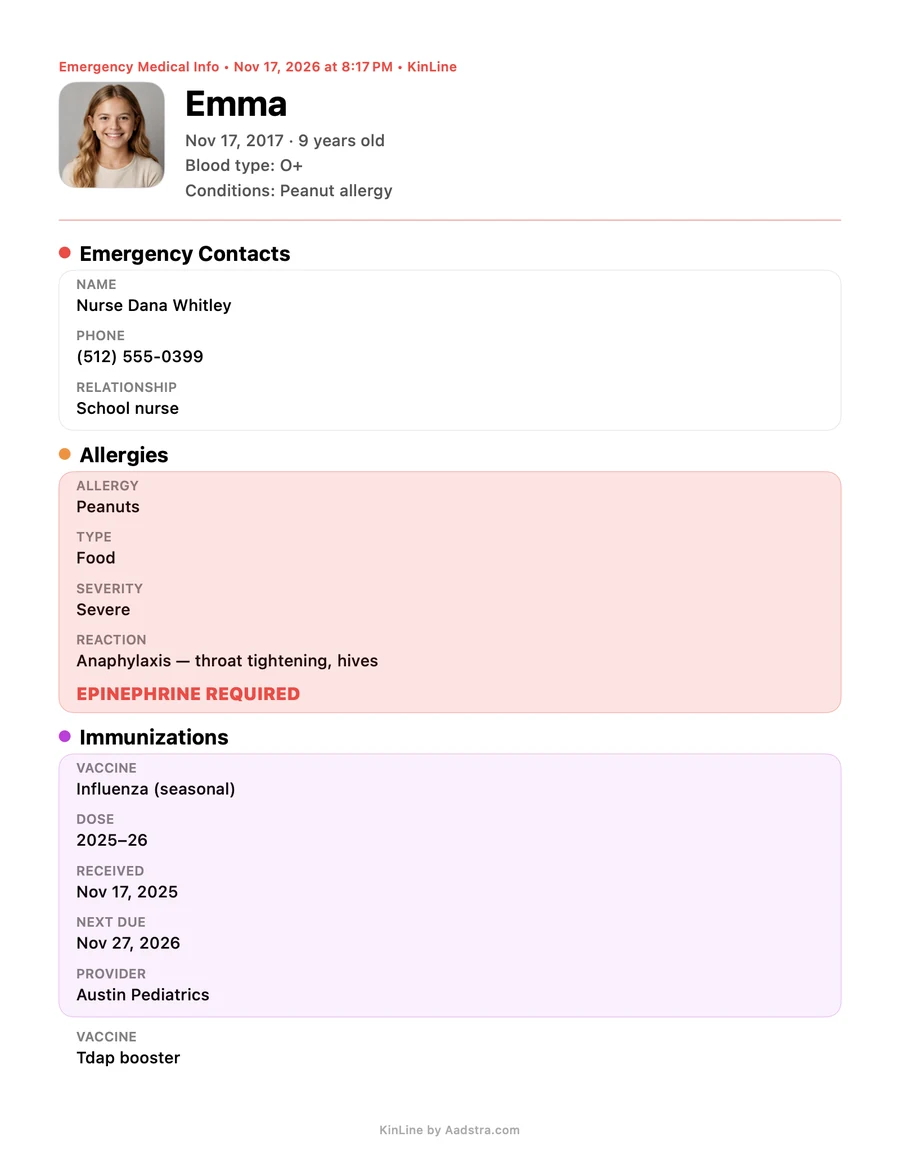
The PDF has private details, so only send it to people you trust. KinLine makes it on your phone; we never see it.
Quick questions
- What's in Emergency Info?
- Eight parts for each person: medical basics, emergency contacts, doctors and specialists, pharmacy, insurance contacts, allergies, medications and immunizations.
- Can I make the PDF on Android?
- Not yet. The one-page emergency PDF is on iPhone. Emergency Info itself is on both.
- Who sees the PDF?
- Only the people you send or hand it to. KinLine makes it on your phone. It has private details, so only send it to people you trust.
- Is KinLine free?
- Yes, for 2 family members. KinLine+ adds more people.
Ready before anyone asks.
KinLine is free to start. No account, no sign-up.


Free to download · No account needed