


Feature · About 2 minutes
Every family paper, sorted by person
Emma's passport. Dad's Medicare card. The school allergy plan. Scan them once, and find them in seconds, under the right name.
By the KinLine team · Updated
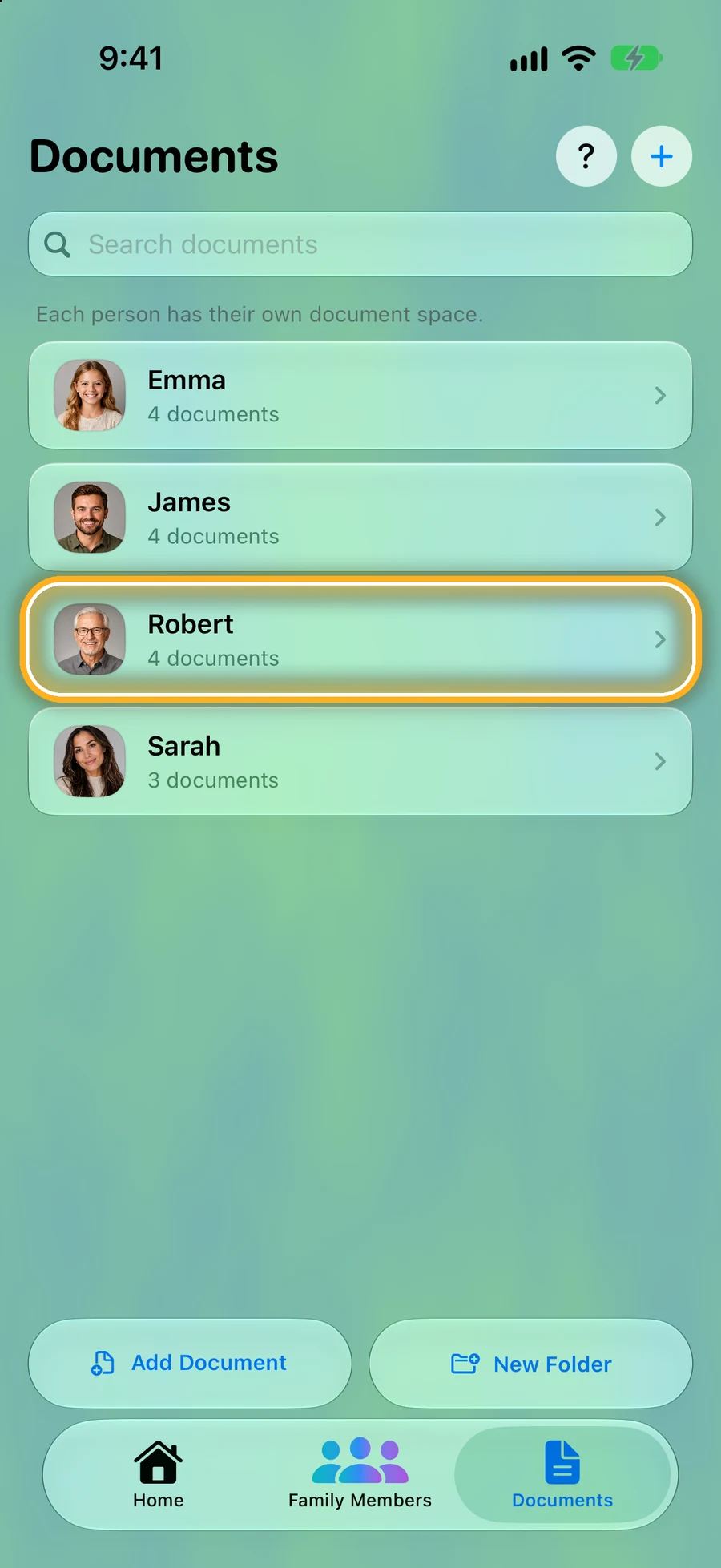
Step 1: Each person has their own space
Tap Documents at the bottom. Everyone in the family has their own list.
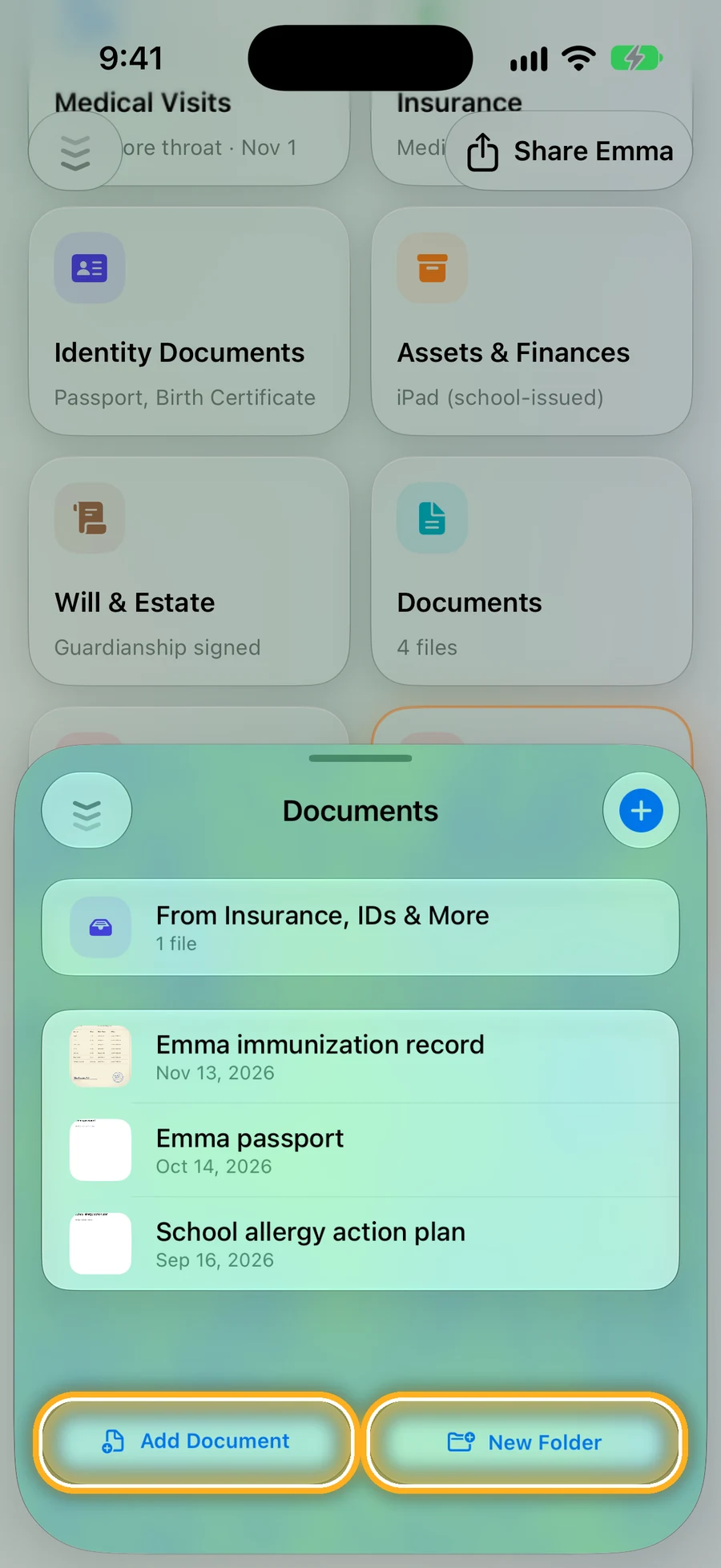
Step 2: Scan, add a photo, or a PDF
Tap Add Document, or + then Scan Documents to use the camera. Make folders for school, house or taxes.
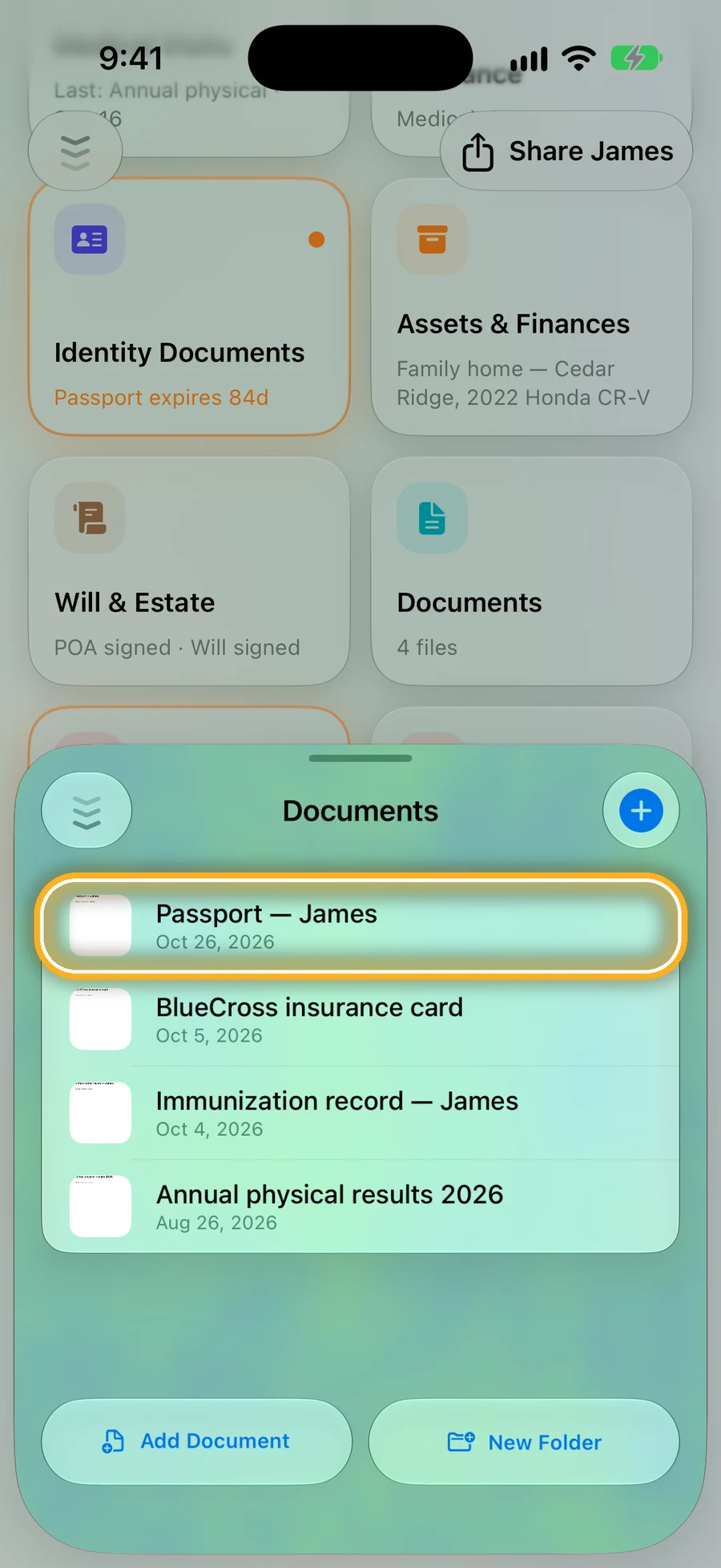
Step 3: Find it fast
Search by name, or sort the list. Add an expiration date to a document, and you'll see it before it runs out.
Your papers stay on your phone and in your own iCloud. Read how your privacy works.
Quick questions
- Where are my documents kept?
- On your phone. If you use iCloud, Apple keeps a copy in your own Apple Account. KinLine never keeps a copy.
- Can I scan paper documents?
- Yes. Tap +, then Scan Documents, and use the camera. Or add a photo or a PDF you already have.
- Can I add a file from another app?
- Yes. In Photos or Files, tap Share and choose KinLine.
Find any paper in seconds.
KinLine is free to start. No account, no sign-up.


Free to download · No account needed