


Guide for families · About 5 minutes
How to store important documents digitally, and keep them private
A photo of the insurance card has saved many a doctor's visit. But a photo in your camera roll, between 4,000 others, isn't really stored. Here's how to do it properly.
By the KinLine team · Updated
What to scan first
- Passports and driver's licenses (front and back)
- Health insurance and Medicare cards (front and back)
- Birth and marriage certificates
- Shot records
- Home and car insurance policies
- Wills, powers of attorney and health care proxies
Use your phone's camera in good light, flat on a table. Most phones can scan a page to PDF from the Notes or Files app (iPhone) or Google Drive (Android).
Where to keep them: the choices
A cloud drive (iCloud Drive, Google Drive, Dropbox)
Good: Easy to reach from any device.
Watch out: One account holds everything, so protect it with a strong password and two-step sign-in.
Email to yourself
Good: Quick.
Watch out: Hard to find later, and a hacked email account gives everything away. Best avoided for IDs.
A USB stick or external drive
Good: Nothing online.
Watch out: Easy to lose, and not with you when you need it.
An app built for family records, like KinLine
Good: Sorted by person, with expiry dates and reminders.
Watch out: Pick one that tells you plainly where your records are kept.
Keep it private
- Lock your phone with a passcode, Face ID or fingerprint.
- Keep your phone's software up to date.
- Turn on two-step sign-in for any cloud account that holds copies.
- Don't send IDs by text or email unless you must, and only to people you trust.
- Keep the paper originals too, in a safe place.
Want to know exactly where KinLine keeps things? Read how your privacy works.
In KinLine: no account, sorted by person
KinLine has no sign-up, so there's no KinLine account to break into. Your records stay on your phone, plus your own iCloud or Google backup if you turn it on.
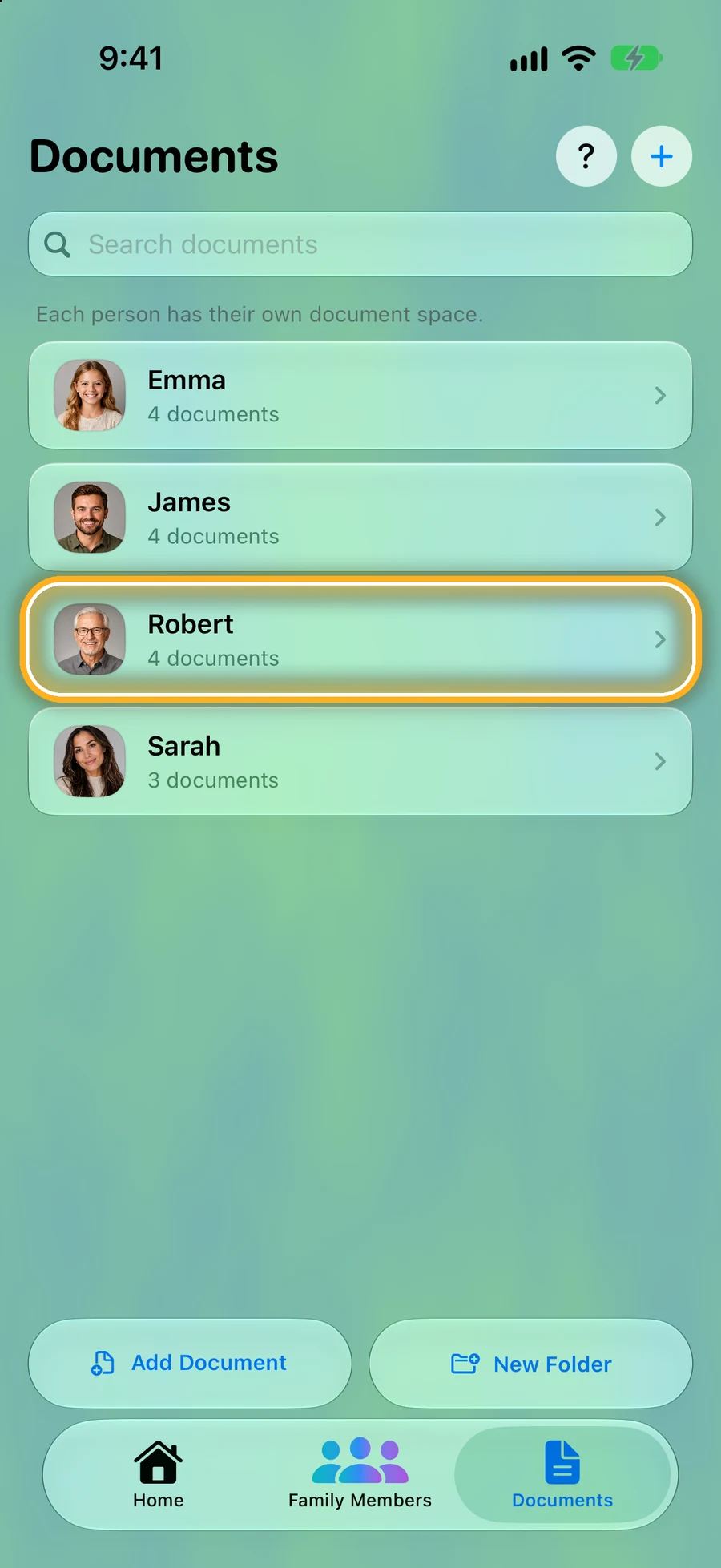
Step 1: Every person's papers in one tab
Tap Documents at the bottom. One row per person, so nothing gets lost in the camera roll.
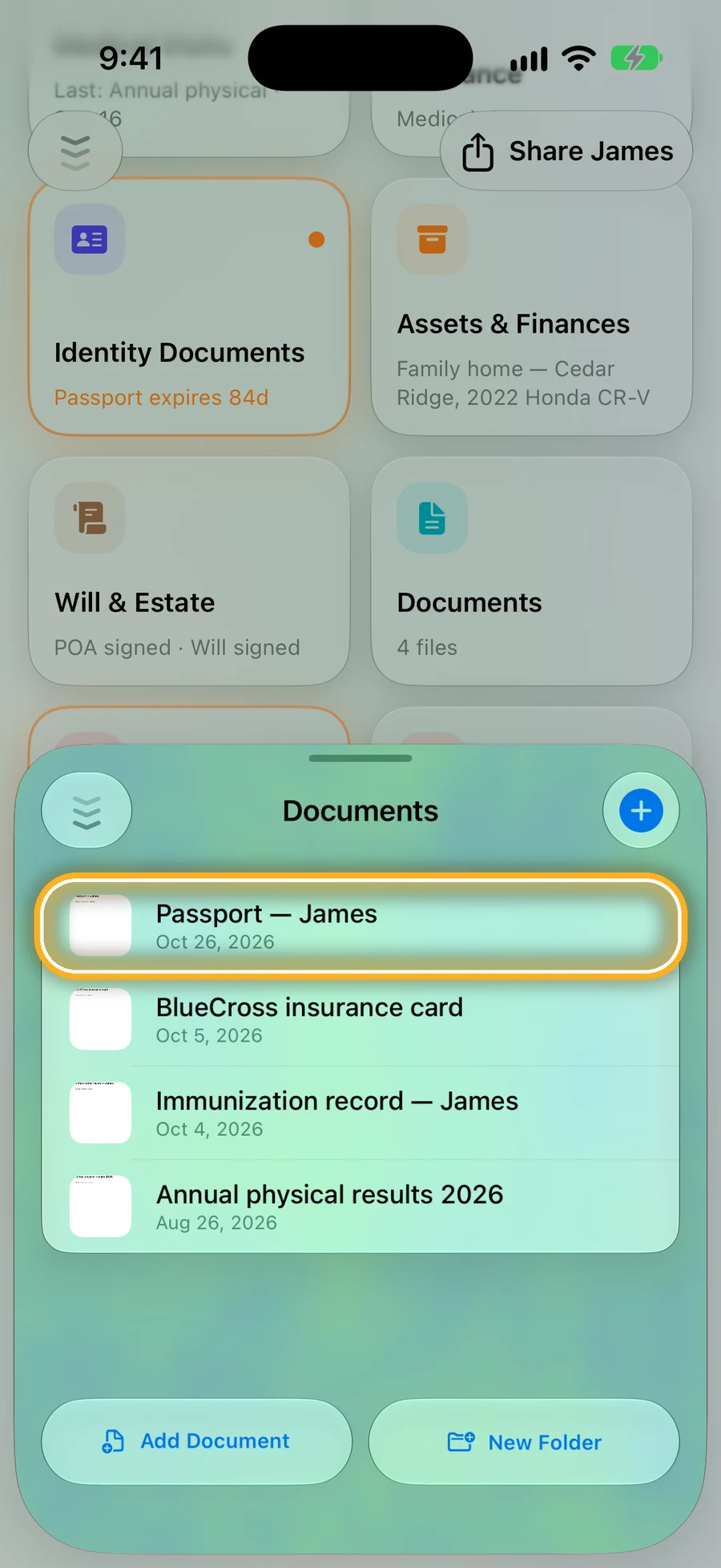
Step 2: Add a photo or PDF
Open the person, tap Documents, then Add Document.
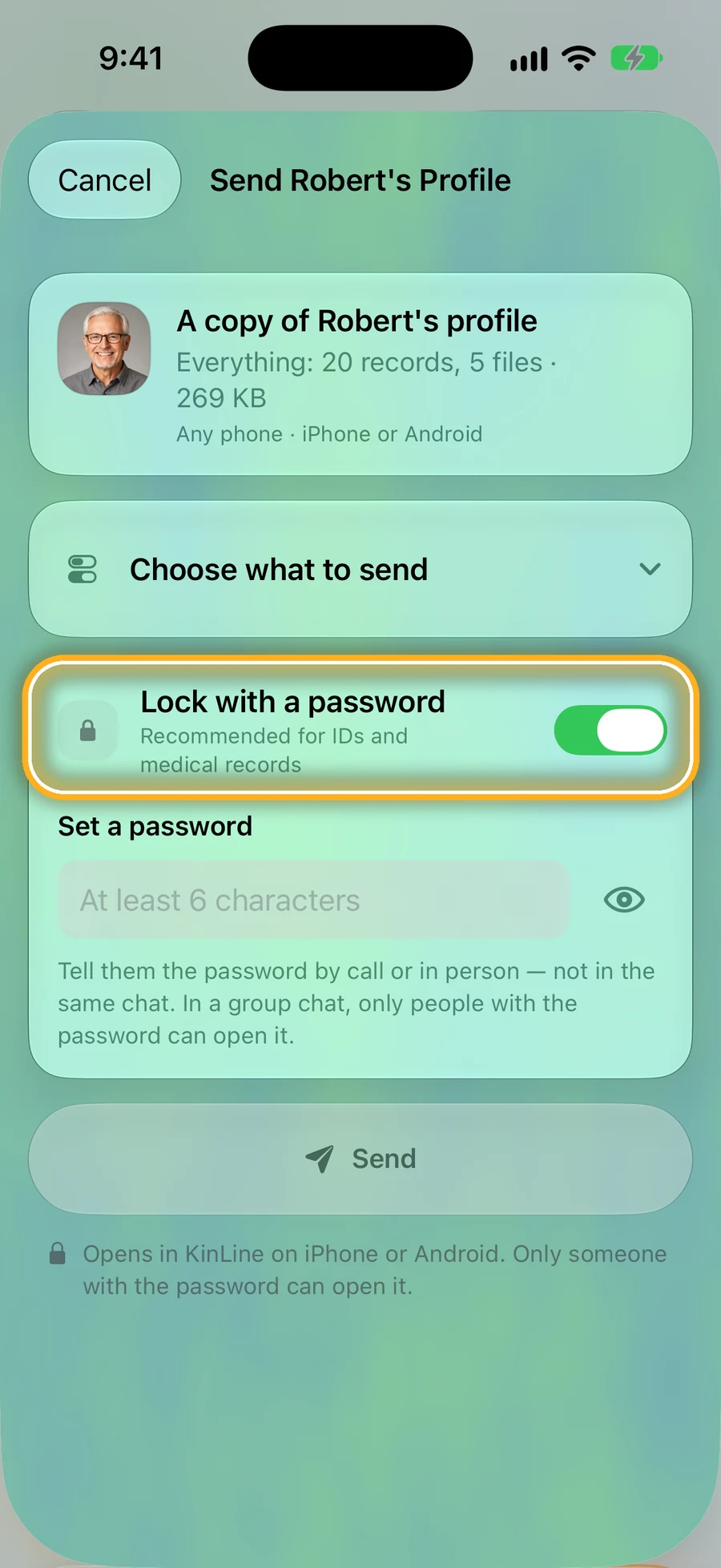
Step 3: Sharing? Lock it with a password
When you send a copy of someone's page, KinLine can lock it with a password. Tell them the password by phone, not in the same chat.
Quick questions
- Is it safe to keep a photo of my passport on my phone?
- It's much safer than having no copy, as long as your phone has a passcode or Face ID and you'd notice if it went missing. Don't post or text it to people you don't trust.
- Do I still need the paper originals?
- Yes. A digital copy helps you replace a document or answer a form, but many offices need the original or a certified copy. Keep originals in a fireproof and waterproof box or safe.
- Where does KinLine keep my documents?
- On your phone. There's no KinLine account. If you turn on iCloud (iPhone) or Google backup (Android), your own backup has a copy too. See how privacy works for the details.
Read next
Sources
- FTC: How to protect your phone and the data on it
- FTC: Creating strong passwords and other ways to protect your accounts
- Ready.gov: Low and no cost preparedness
This page is general information, not medical advice. Ask a doctor, nurse or pharmacist about your own situation.
Your copies, on your phone, in your hands.
KinLine is free to start. No account, no sign-up.


Free to download · No account needed