






















Feature · About 2 minutes
“Hey Siri, show emergency info for Dad”
Hands full at the pharmacy, or at the ER desk? Ask Siri. KinLine answers from what you've saved, without you opening the app.
By the KinLine team · Updated
Things you can say
On iPhone, say "Hey Siri" (or press and hold the side button), then:
- “Show emergency info in KinLine for Robert” Blood type, allergies, emergency contact and medicines, read out and shown.
- “What appointments do I have in KinLine?” What's coming up next.
- “What's expiring soon in KinLine?” IDs and documents that run out soon.
- “Show medications in KinLine” The medicines someone takes now.
- “Add a KinLine reminder” A new reminder. Siri asks who it's for and what.
- “Add a KinLine appointment” A new appointment, checked with you before it's saved.
- “Add a KinLine journal entry” A note or memory, without opening the app.
Use the name of anyone in your KinLine family.
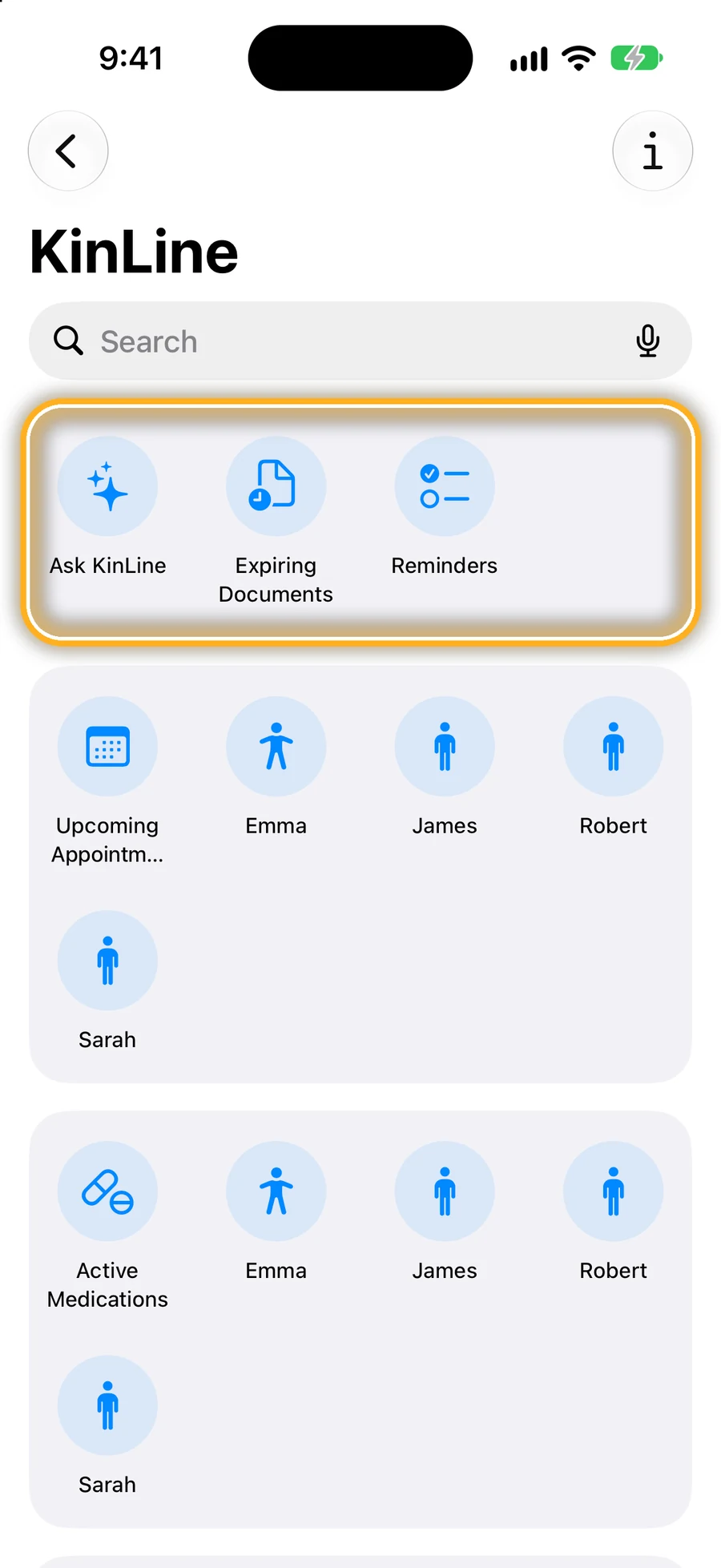
Step 1: See every KinLine shortcut
Open Apple's Shortcuts app, then tap KinLine under Apps. Tap one to run it.
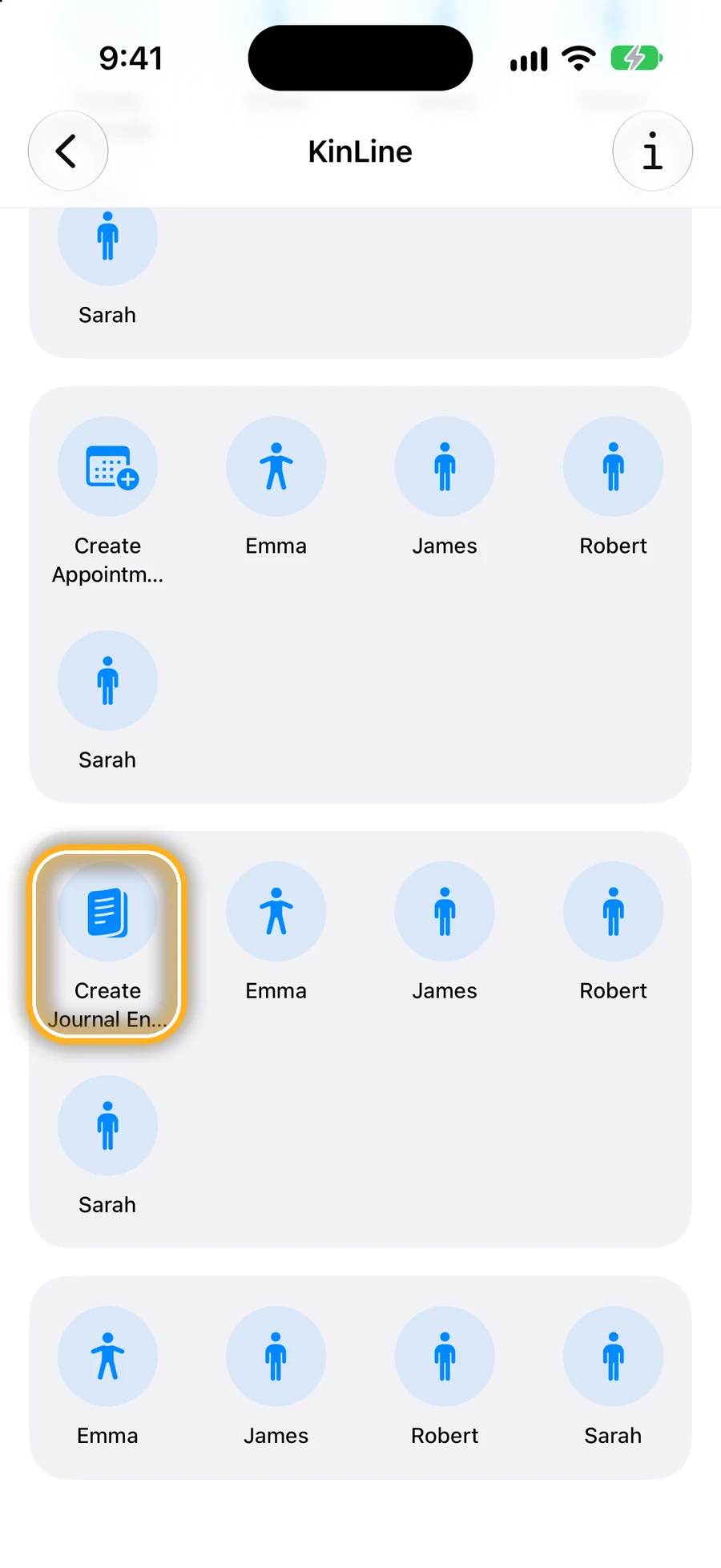
Step 2: Add things without opening KinLine
Create a reminder, an appointment or a journal entry. There's one for each person in your family, and KinLine shows it to you before it saves.
Quick questions
- Can someone hear my family's records from my locked phone?
- Only the emergency info: blood type, allergies, the emergency contact and medicines, on purpose, so a helper can get it in an emergency. Everything else, like appointments and documents, needs your phone unlocked first.
- Does Siri understand other languages?
- Today the KinLine phrases are in English. The app itself works in many languages.
- What is “Ask KinLine”?
- On iPhones with Apple Intelligence, you can ask a question in your own words, like “When does Dad's license expire?” The answer is worked out on the phone.
- Is this on Android?
- No. Siri and Shortcuts are on iPhone only.
Your family's records, a sentence away.
KinLine is free to start. No account, no sign-up.


Free to download · No account needed