
Guide · About 4 minutes
Medical ID on iPhone and Android: what it does, and what it doesn't
Your phone can show your allergies and emergency contacts on the lock screen, and it takes two minutes to set up. Here's how, and where it stops.
By the KinLine team · Updated
On iPhone: Medical ID
- Open the Health app and tap your picture.
- Tap Medical ID, then Get Started or Edit.
- Add allergies, medical conditions and medicines.
- Under Emergency Contacts, add one or two people.
- Switch on Show When Locked and Emergency Call.
On Android: Emergency information
- Open Settings and search for "Emergency information" (the name and place differ a little by phone).
- Add medical information: blood type, allergies, medicines.
- Add emergency contacts.
- Switch on Show when locked.
What it does well
- Paramedics can read it from your lock screen
- On iPhone, it can go along with a 911 call (US and Canada), and your emergency contacts get a text with your location
- It's free and already on your phone
What it can't do
- It's only for you. It can't hold your mom's details, or your child's, or anyone else you look after.
- It has no room for insurance cards, ID copies or doctor visits.
- You can't hand it to a babysitter or send it to the school nurse.
So set it up for yourself today. Then keep the rest of the family somewhere you can share.
For everyone else: Emergency Info in KinLine
Here's Emma, 9, from our sample family. She doesn't have a phone. Her mom's phone has everything.
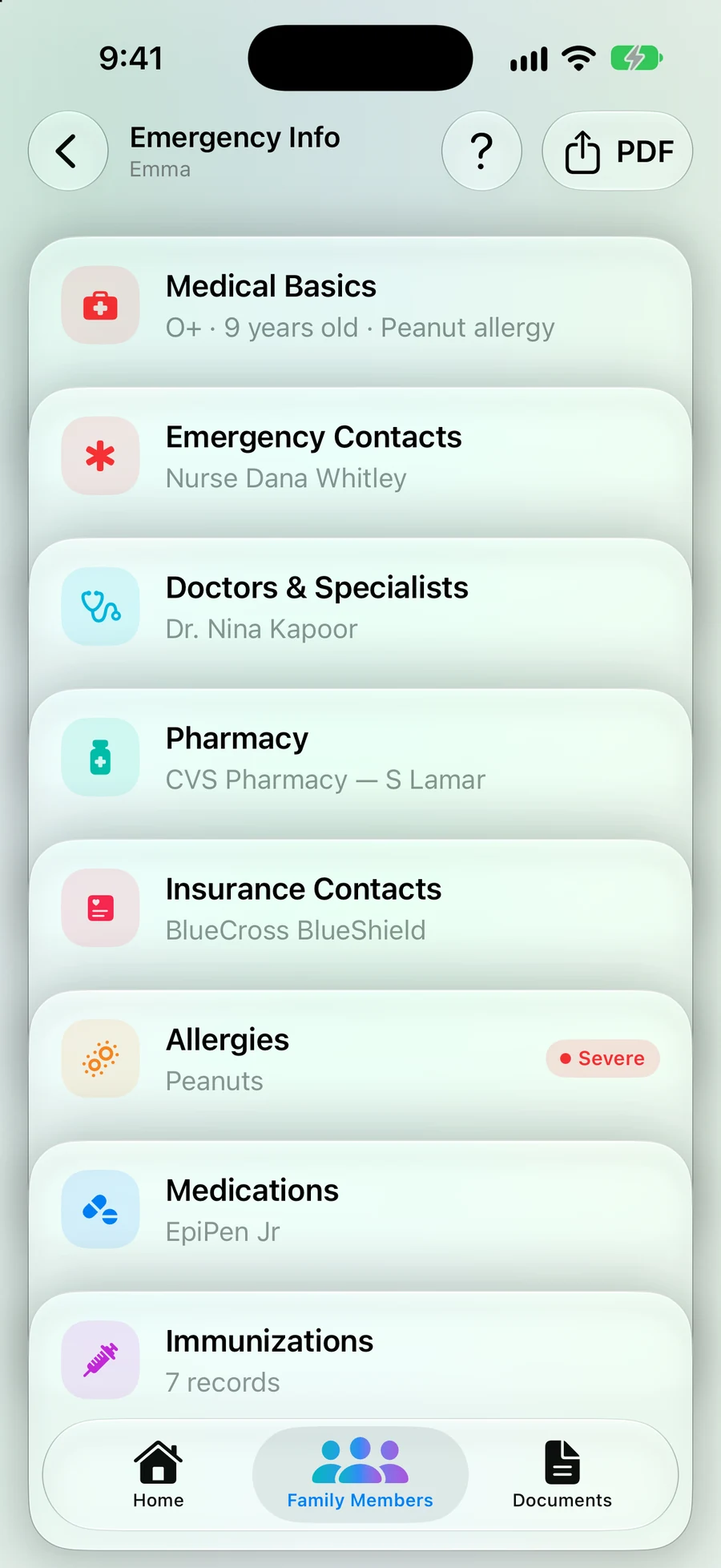
Step 1: One Emergency Info page per person
Open the person and tap Emergency Info: contacts, doctors, pharmacy, insurance, allergies, medicines and shots.
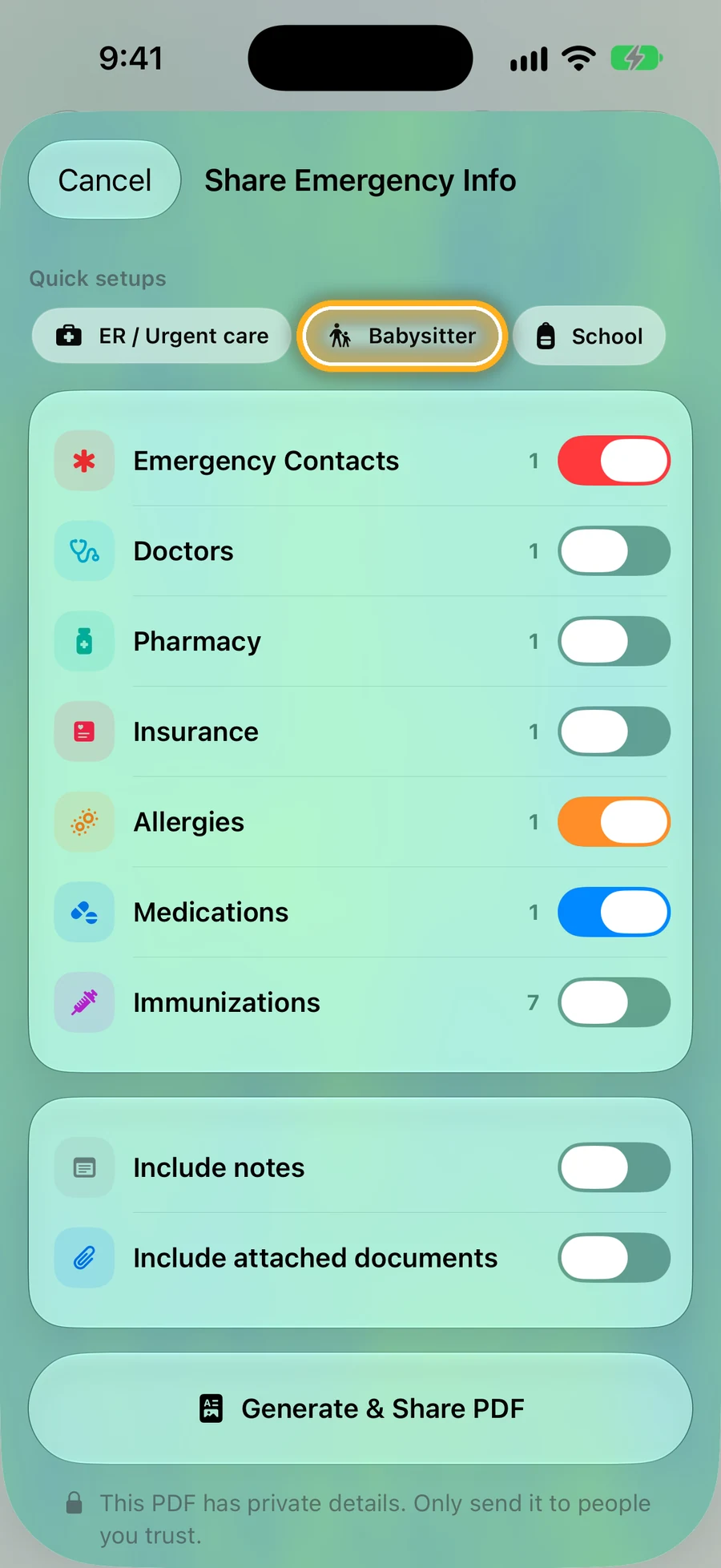
Step 2: Need it on paper? Tap PDF
Pick ER / Urgent care, Babysitter or School, and send or print a one-page summary. On iPhone.
Quick questions
- Can paramedics see my Medical ID if my phone is locked?
- Yes, if you switch on Show When Locked. On iPhone, they swipe up, tap Emergency, then Medical ID. On Android, turn on Show when locked in Emergency information.
- Does my iPhone tell my emergency contacts if I call 911?
- Yes, if you've added them to Medical ID. After an emergency call, iPhone texts your emergency contacts and shares your location, unless you cancel. In the US and Canada, iPhone can also share your Medical ID with the 911 call.
- Can I keep Medical ID for my mom or my child on my phone?
- No. Medical ID and Android's Emergency information are about the phone's owner. For a parent, a child, or anyone without their own phone, keep their details somewhere else, like a wallet card or KinLine.
- Is it worth setting up if I use KinLine?
- Yes. Medical ID works from the lock screen without anyone opening an app. Set it up for yourself, and use KinLine for everyone you look after.
Read next
Sources
This page is general information, not medical advice. Ask a doctor, nurse or pharmacist about your own situation.
Set up your own Medical ID. Keep everyone else in KinLine.
KinLine is free to start. No account, no sign-up.

Free to download · No account needed