


Guide for caregivers · About 5 minutes
How to share a parent's medical info with your brothers and sisters
One of you goes to the appointments. One lives far away. One handles the bills. And everyone asks, 'What did the doctor say?' Here's how to keep everyone on the same page.
By the KinLine team · Updated
1. Ask your parent first
It's their health and their information. Sit down together and ask who they want to know, and how much. Most parents say yes when it means fewer phone calls.
2. Let the doctors know
Under HIPAA, a doctor's office may talk with family who help with a patient's care if the patient agrees or doesn't object. To make it simple, have your parent tell each office, or sign its release form, naming every brother and sister who should be able to call.
3. Split the jobs
- One person who goes to appointments and talks to the doctors
- One person for medicines and refills
- One person for insurance, bills and paperwork
- Everyone: a regular call, even a short one
4. Keep one record, not a group chat
Group texts scroll away. Keep one shared list of medicines, doctors, appointments and insurance, and after every visit, whoever went writes down three things: what changed, what to watch for, and when to go back.
Share Dad's page, not your whole phone
Here's Robert, 71, from our sample family. His son James looks after his records.
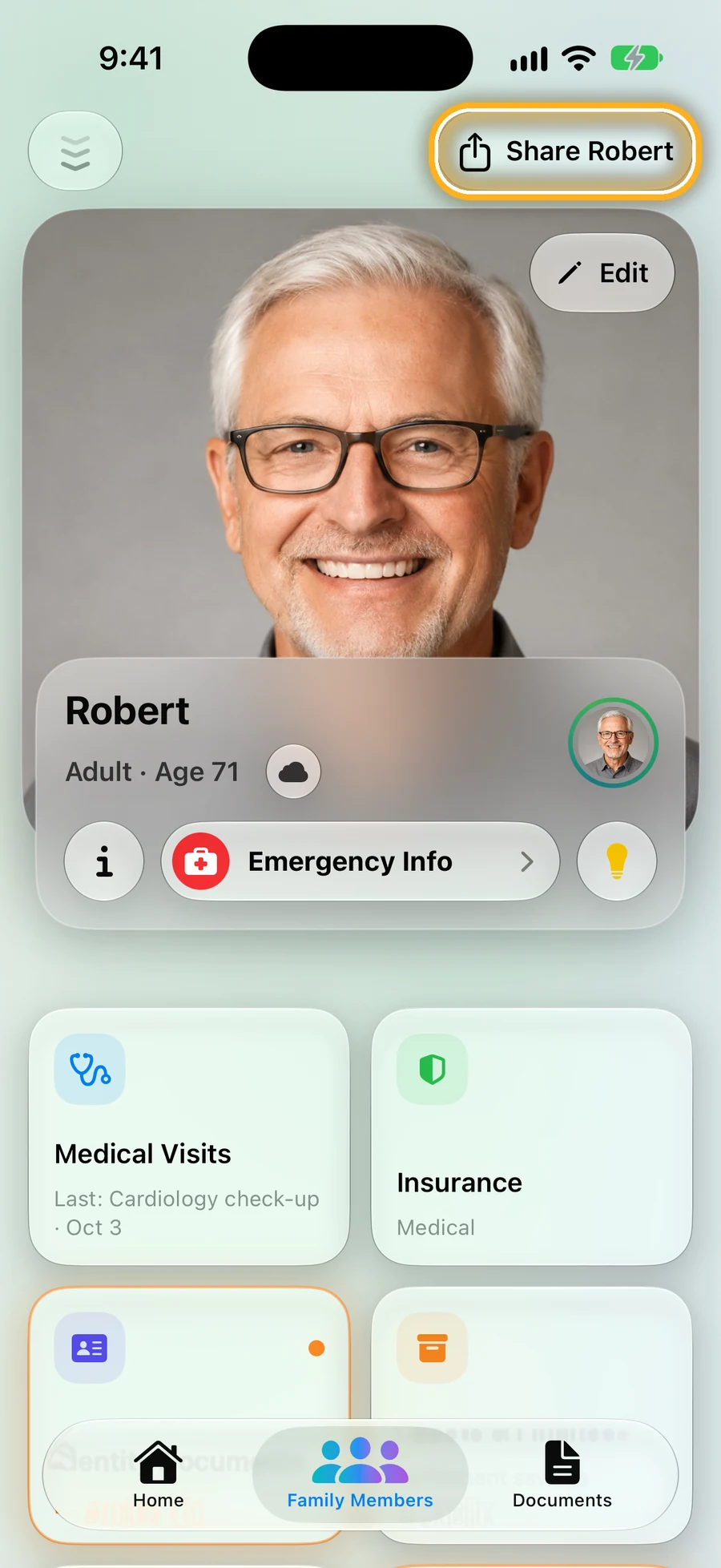
Step 1: Open Dad's page and tap Share
You share one person at a time, never your whole family.
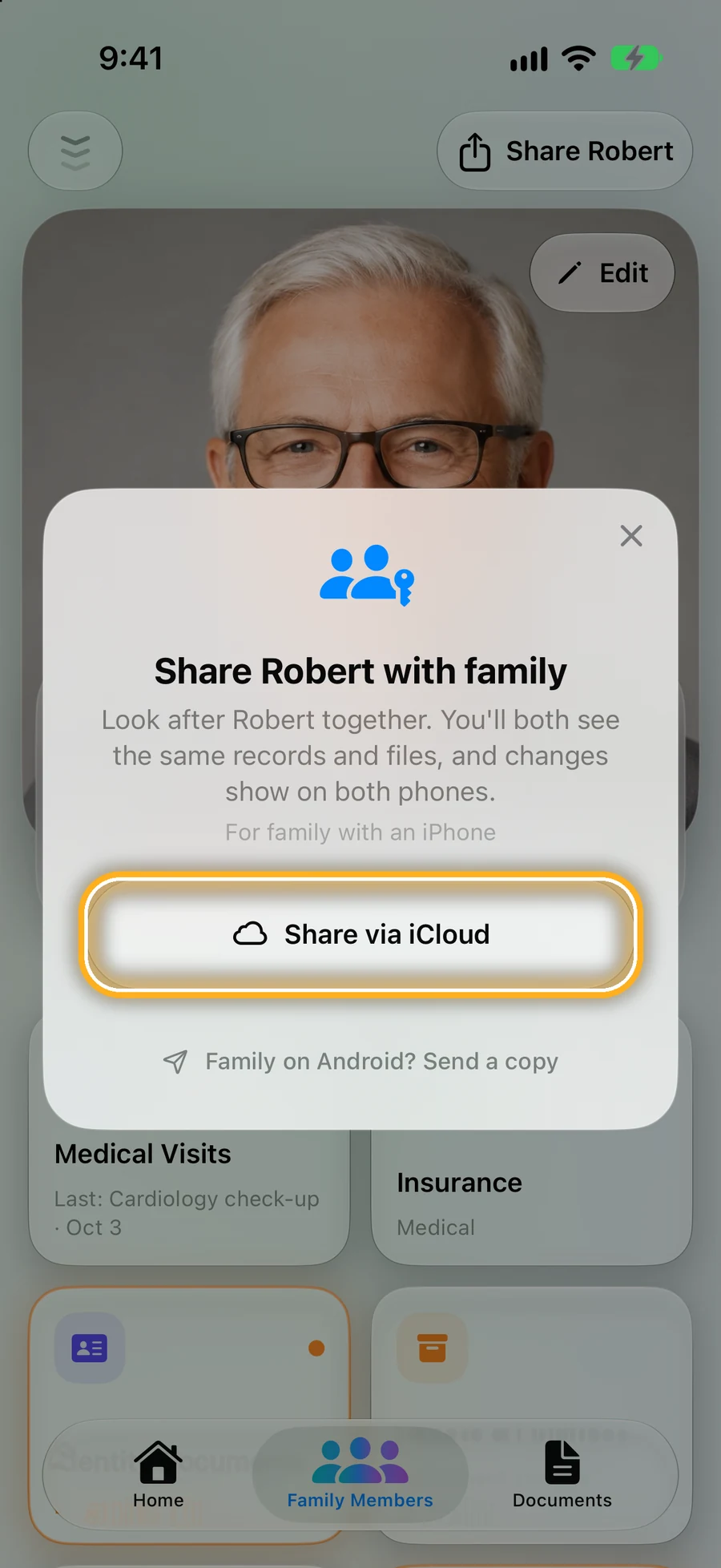
Step 2: Brother or sister on iPhone: Share via iCloud
Send them a private invite. When you add something to Dad's page, it shows up on their phone too. You choose if they can only look, or also add and change things.
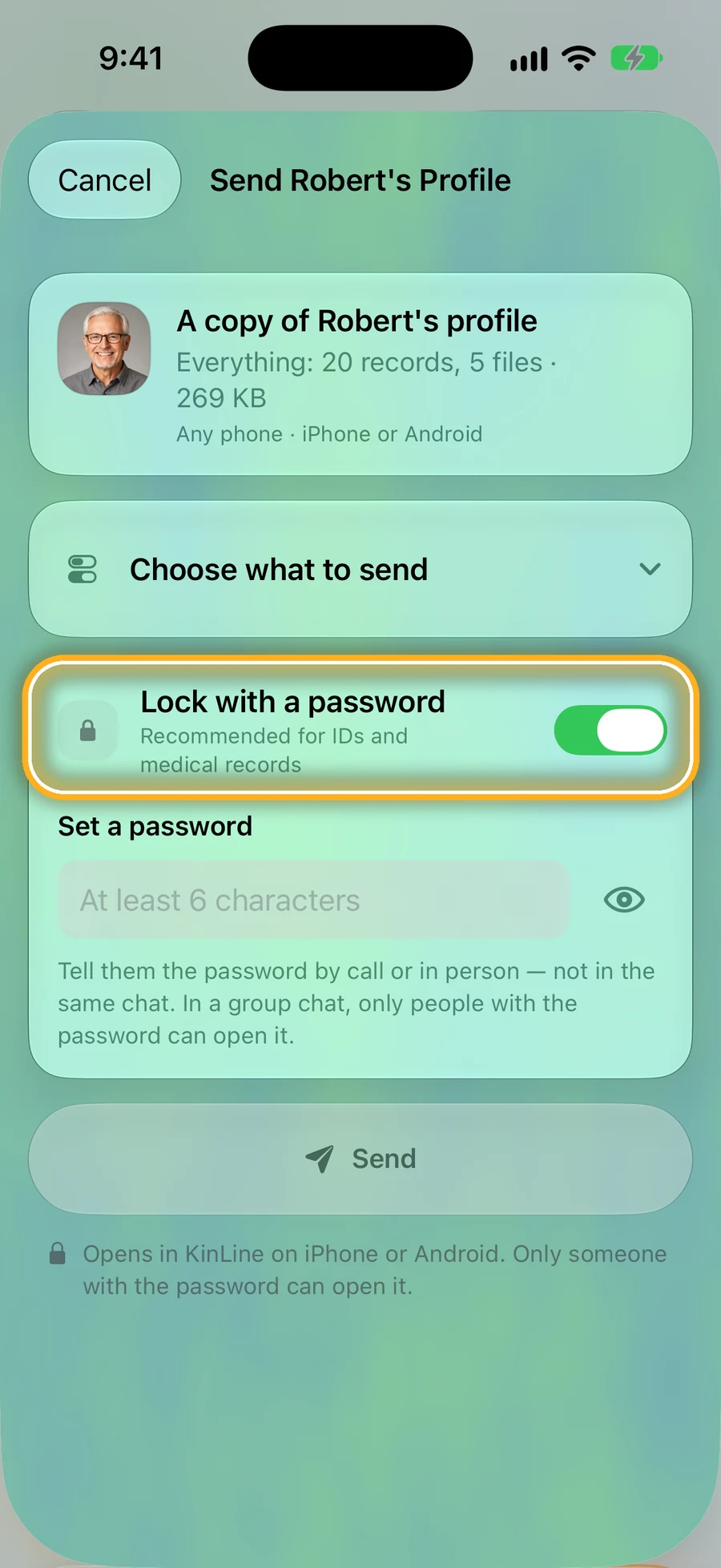
Step 3: On Android? Send a copy
Tap Family on Android? Send a copy. Lock it with a password and tell them the password by phone. They open the file in KinLine, and Dad is added as their own copy.
iCloud sharing uses your own iCloud from Apple. KinLine doesn't keep a copy of Dad's records.
Quick questions
- Can Dad's doctor talk to me and my sister?
- Often, yes. Under HIPAA, a doctor can talk with family members who are involved in a patient's care if the patient says it's OK or doesn't object. The easiest way: your parent tells the office, or signs the office's form, naming each of you.
- Does the doctor have to tell us?
- No. HIPAA allows it but doesn't require it, unless you're your parent's personal representative, for example the person named in a health care power of attorney when it's in effect.
- Can my brother see it if he has an Android phone?
- Yes. On iPhone, KinLine shares a person live through iCloud with family on iPhone. For family on Android, send a copy: they open the file in KinLine and get their own copy of Dad's page.
- Is this legal advice?
- No. A lawyer or the doctor's office can tell you which forms your parent needs to sign in your state.
Read next
Sources
This page is general information, not medical advice. Ask a doctor, nurse or pharmacist about your own situation.
One record for the whole family, instead of a long group chat.
KinLine is free to start. No account, no sign-up.


Free to download · No account needed