


Feature · About 2 minutes
Share one person with the family who helps
Your sister takes Mom to the doctor. You handle the pharmacy. Share Mom's page, and you both see the same medicines, visits and papers.
By the KinLine team · Updated
Share via iCloud
For family with an iPhone
Uses your own iCloud from Apple. You both see the same records and files, and changes show on both phones. You choose if they can only look, or also add and change things.
Google Drive
On Android
Shares through your own Google Drive, as one locked file.
Send a Copy
For anyone, iPhone or Android
A file you send by WhatsApp, Messages, AirDrop or email, locked with a password. They open it in KinLine and get their own copy.
Want the details? Read how your privacy works.
How it looks on iPhone
Here's Robert, 71, from our sample family.
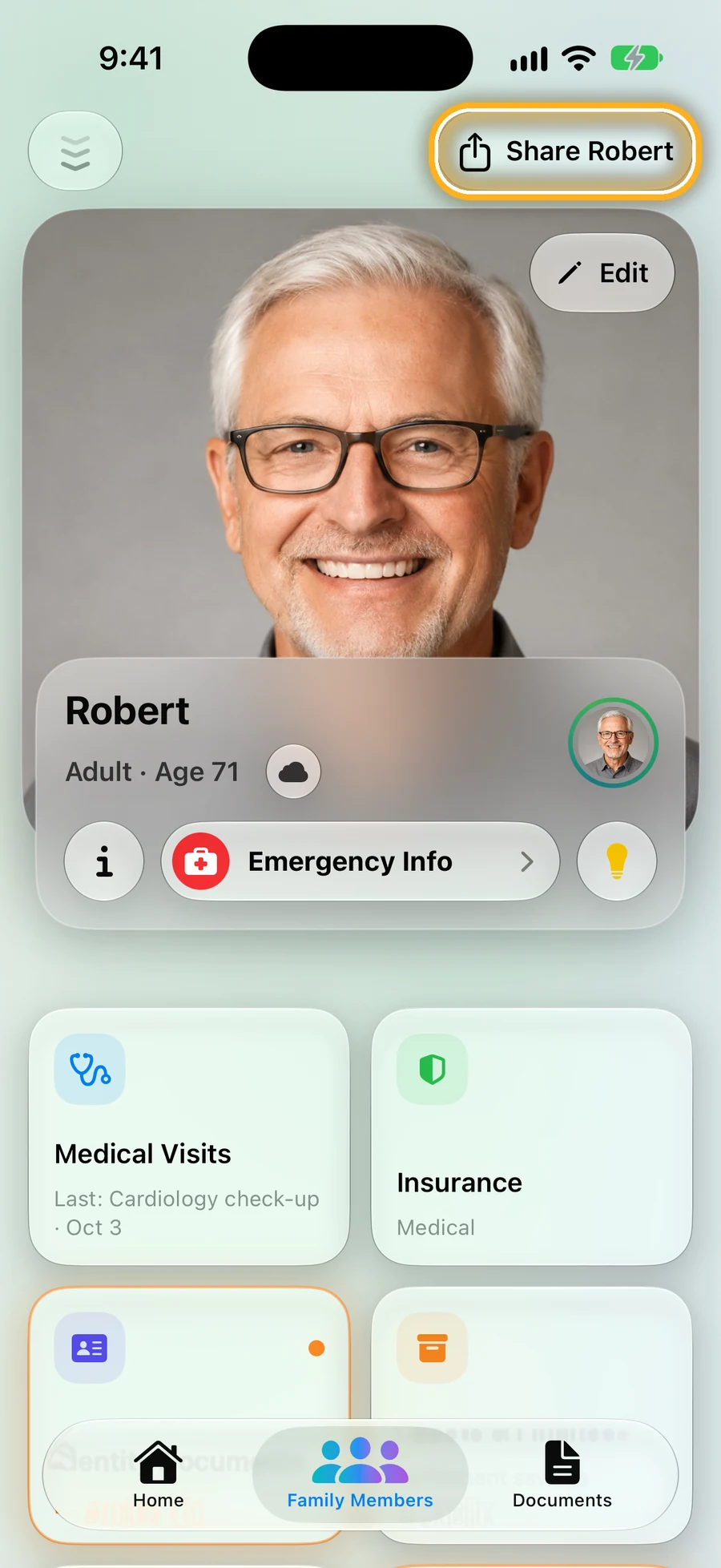
Step 1: Open the person and tap Share
It's at the top right of every person's page.
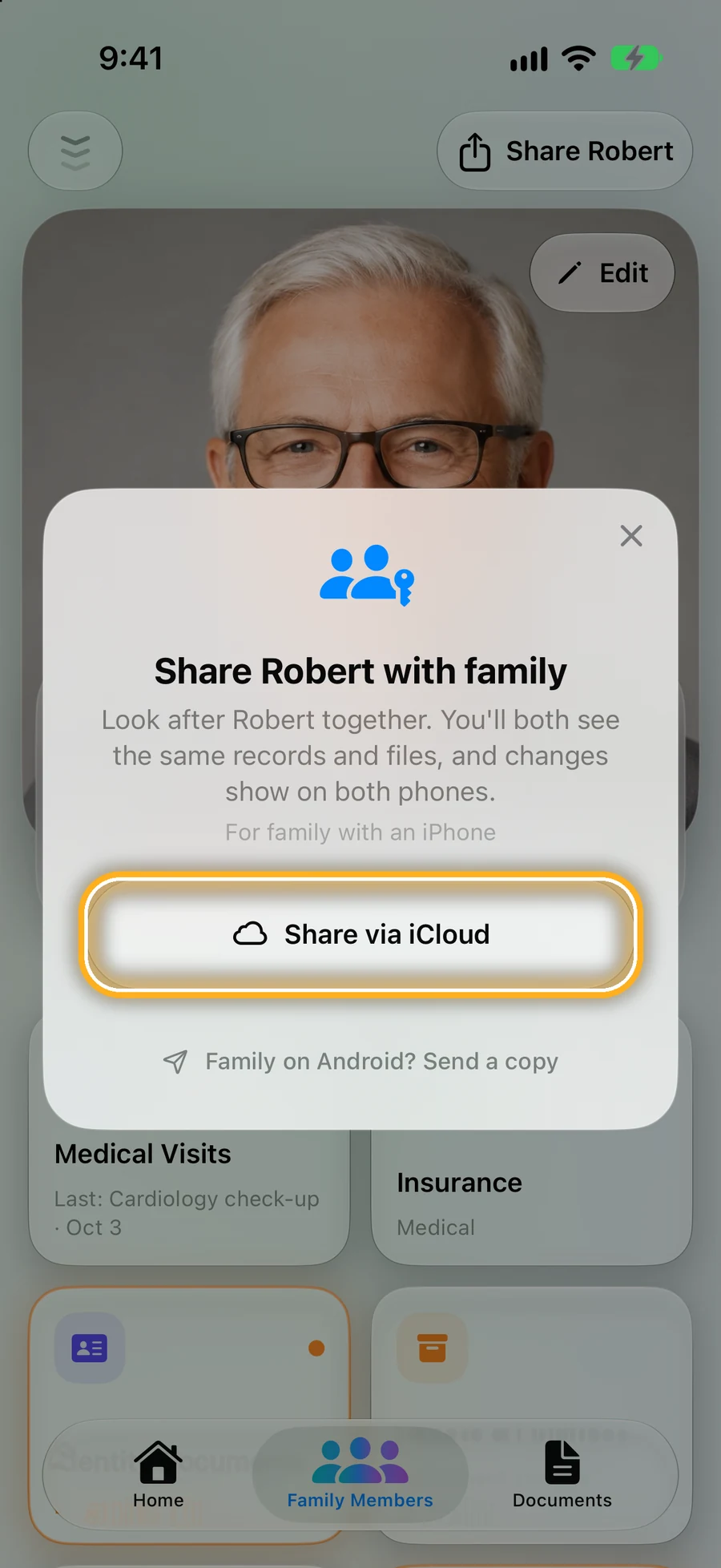
Step 2: Family on iPhone: Share via iCloud
Send a private invite. Changes show on both phones from then on.
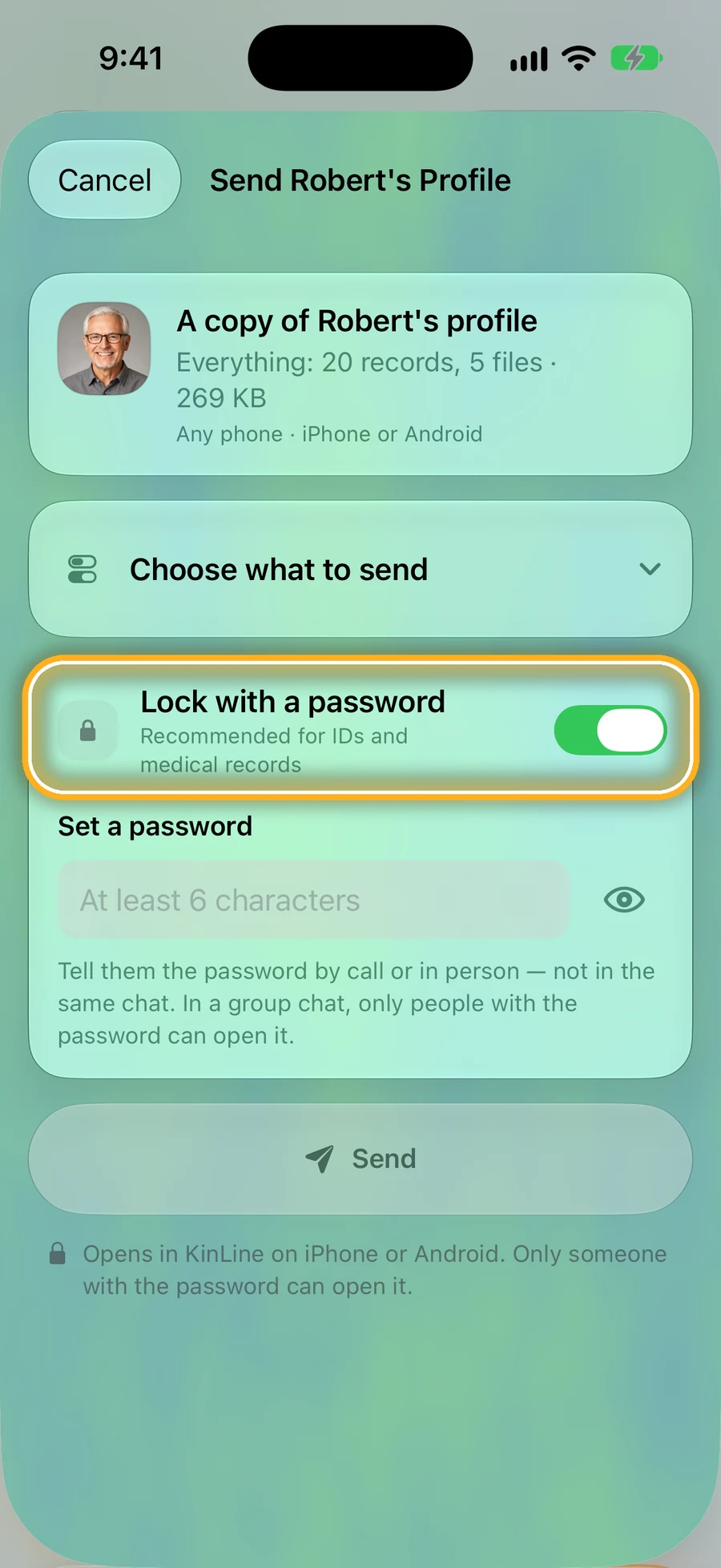
Step 3: Family on Android: Send a copy
Choose what to send, lock it with a password, and tell them the password by phone.
Quick questions
- Do I share my whole family?
- No. You share one person at a time. Share Dad with your sister, and she sees Dad, not your kids.
- Does KinLine keep a copy of what I share?
- No. Sharing goes through your own iCloud or Google Drive, or straight from your phone to theirs. KinLine is not in the middle.
- Do they need an account?
- No KinLine account, ever. For iCloud sharing they need an iPhone signed in to iCloud.
Look after them together.
KinLine is free to start. No account, no sign-up.


Free to download · No account needed