























Feature · About 2 minutes
The whole family's month, on one page
The dentist on Monday, Grandpa's license running out, the insurance renewal. You saved them once in KinLine. The calendar puts them all on one month.
By the KinLine team · Updated
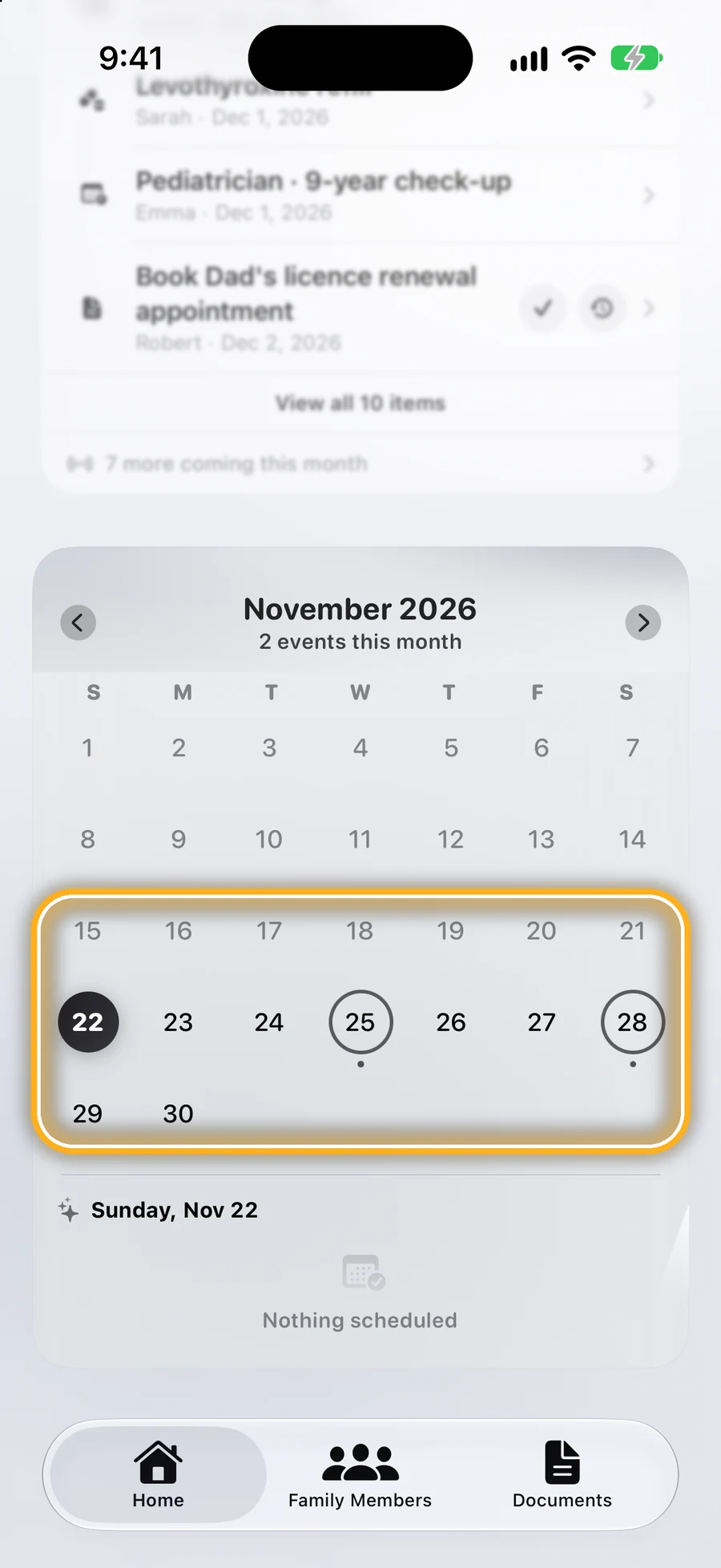
Step 1: On Home, scroll down to the calendar
On iPhone, it's under Priorities. A ring around a day means something is on that day.
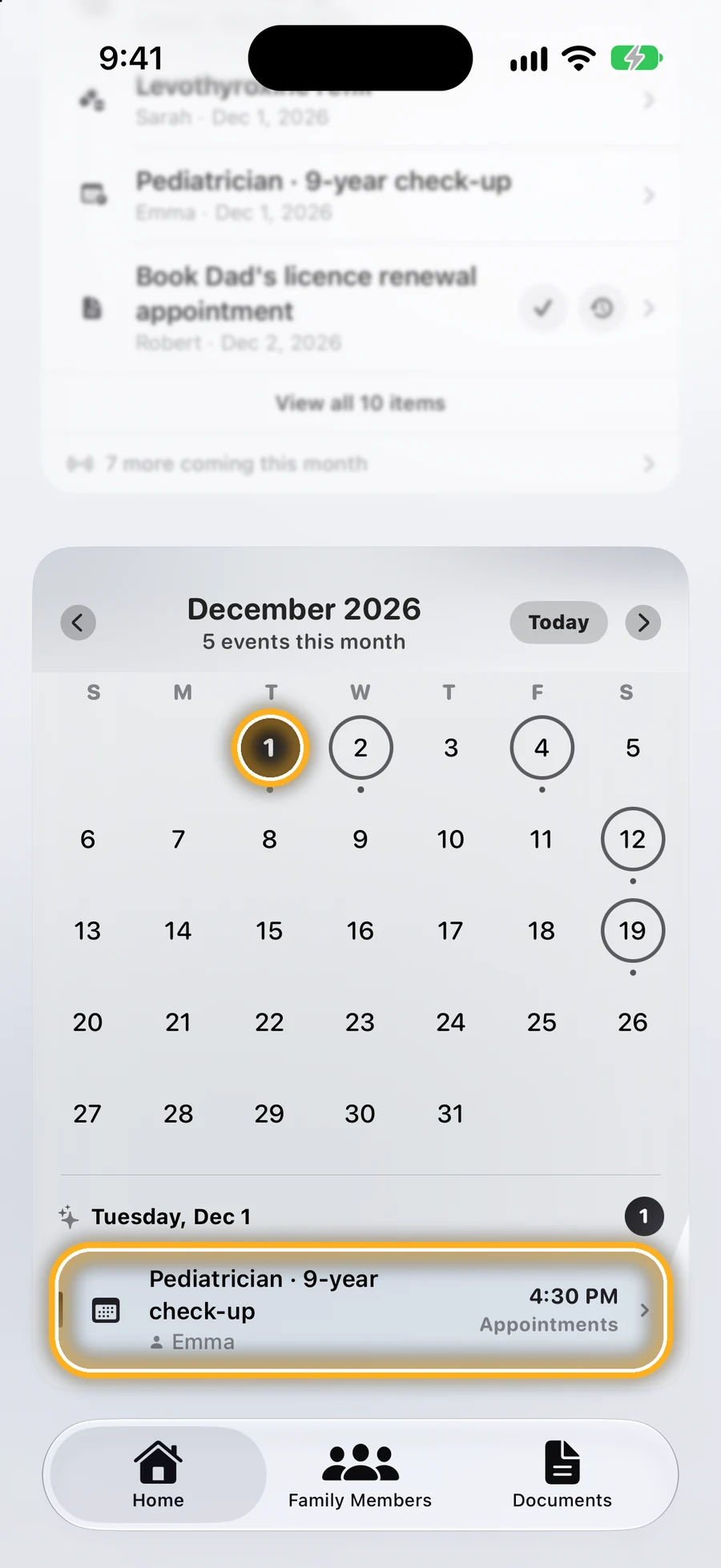
Step 2: Tap a day to see what's on it
Tap the event to open it. Use the arrows for the next month, and Today to come back.
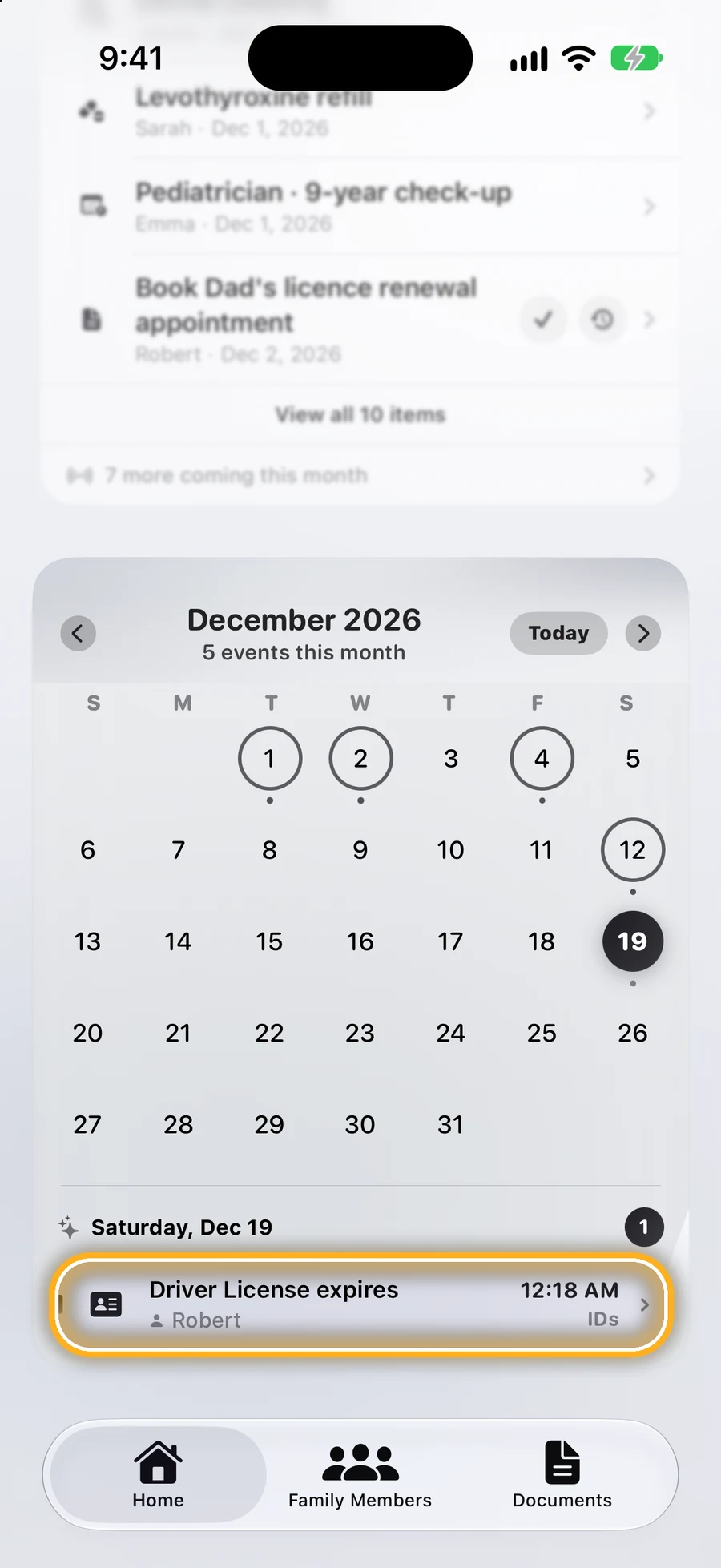
Step 3: Expiry dates show up by themselves
Save an ID with its expiry date, and the day it runs out is on the calendar. So are insurance renewals and birthdays.
Quick questions
- What shows up on the calendar?
- Appointments, birthdays and other special dates, insurance renewals, ID expiry dates, reminders and follow-ups from doctor visits. You don't add anything twice.
- Does it add events to my iPhone Calendar?
- No. The KinLine calendar stays inside KinLine, built from what you've already saved there.
- Is it on Android?
- Not yet. The month calendar is on iPhone. On Android, Home shows what's coming up next.
One look, and you know what's coming.
KinLine is free to start. No account, no sign-up.


Free to download · No account needed