






















Feature · About 2 minutes
The house, the car, the accounts, and who to call
If something happened to you, would your family know which bank, which policy, which car title? Keep a short list of what each person owns.
By the KinLine team · Updated
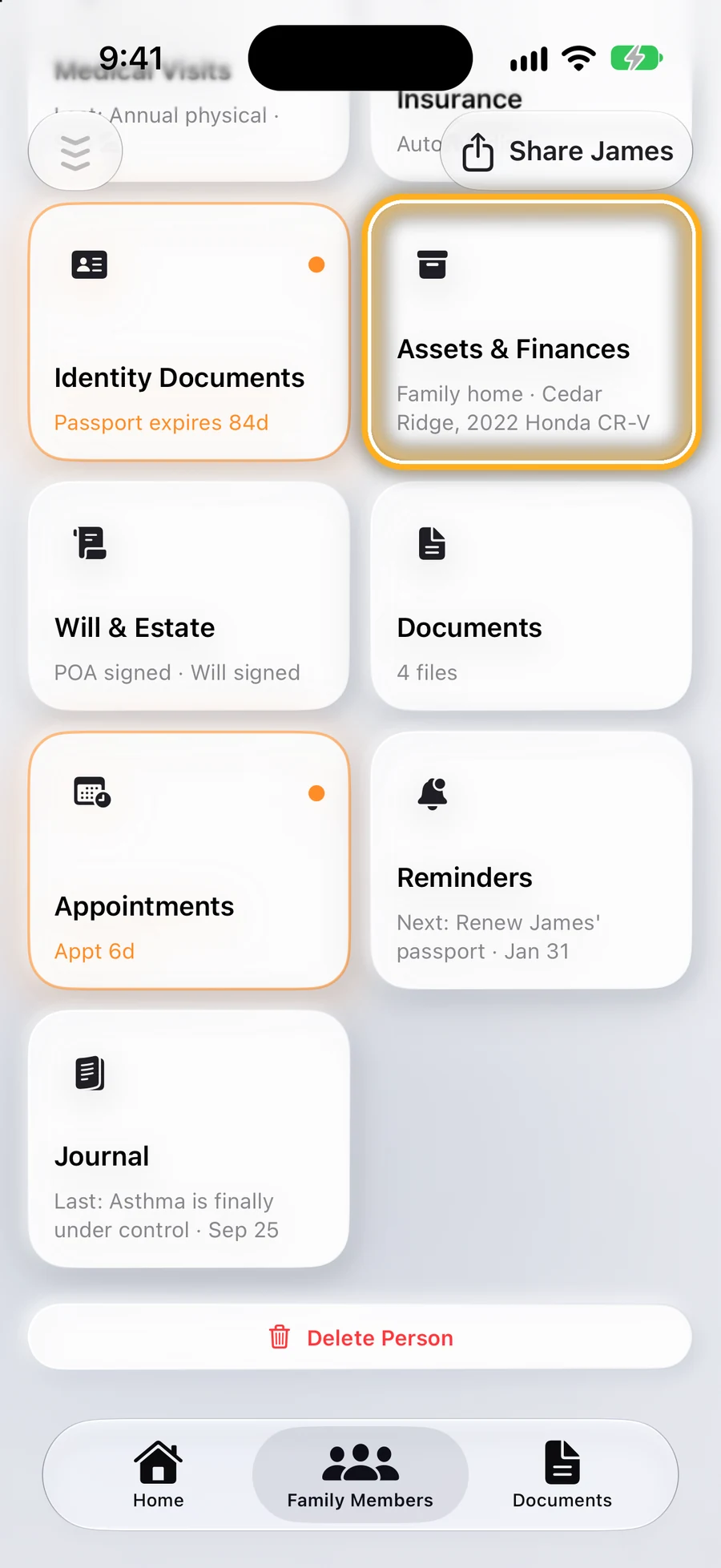
Step 1: One card for what each person owns
Open someone and tap Assets & Finances, then Add Asset: property, vehicle, jewelry, electronics or a bank account.
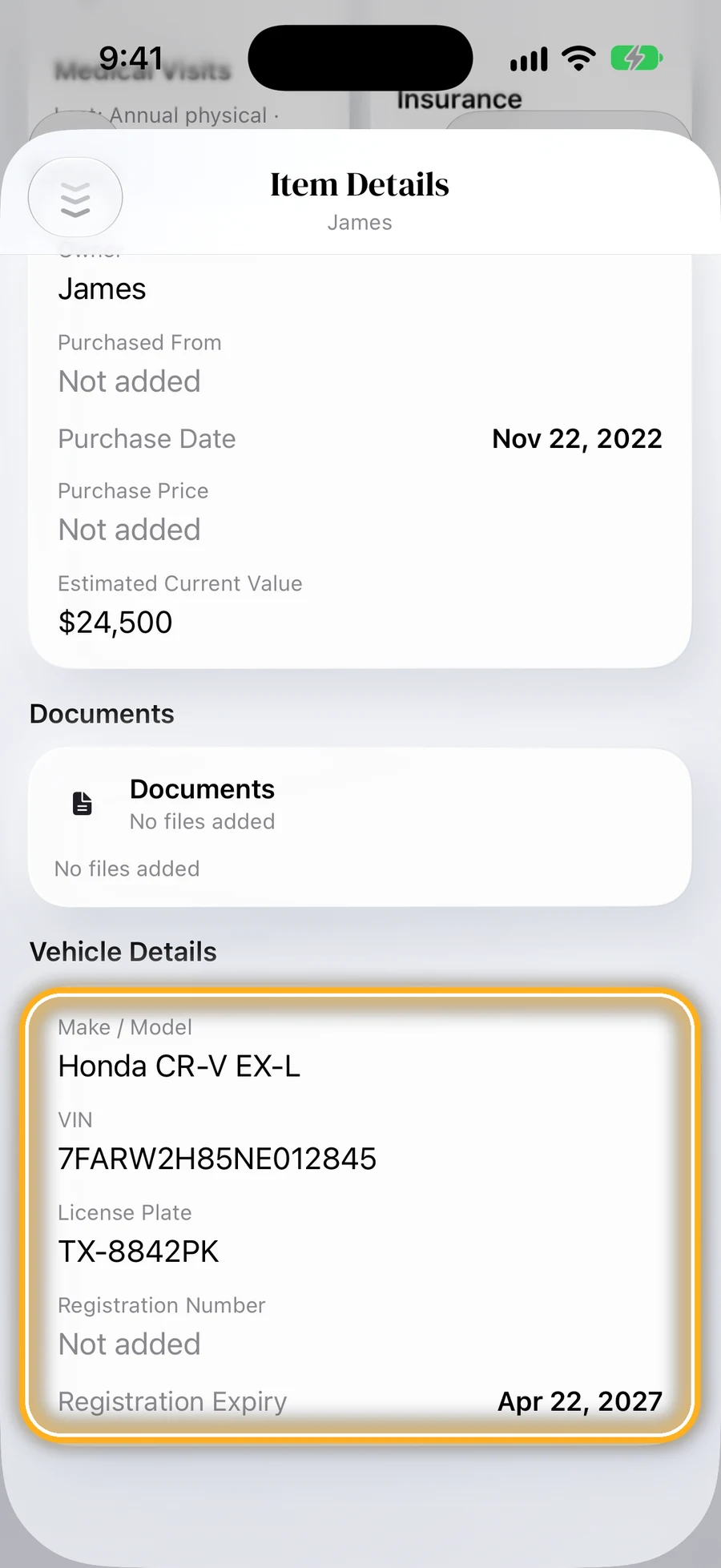
Step 2: The details you'd need for a claim
A car keeps the VIN, the plate and the registration date. Add the receipt, a photo and the insurance paper to each one.
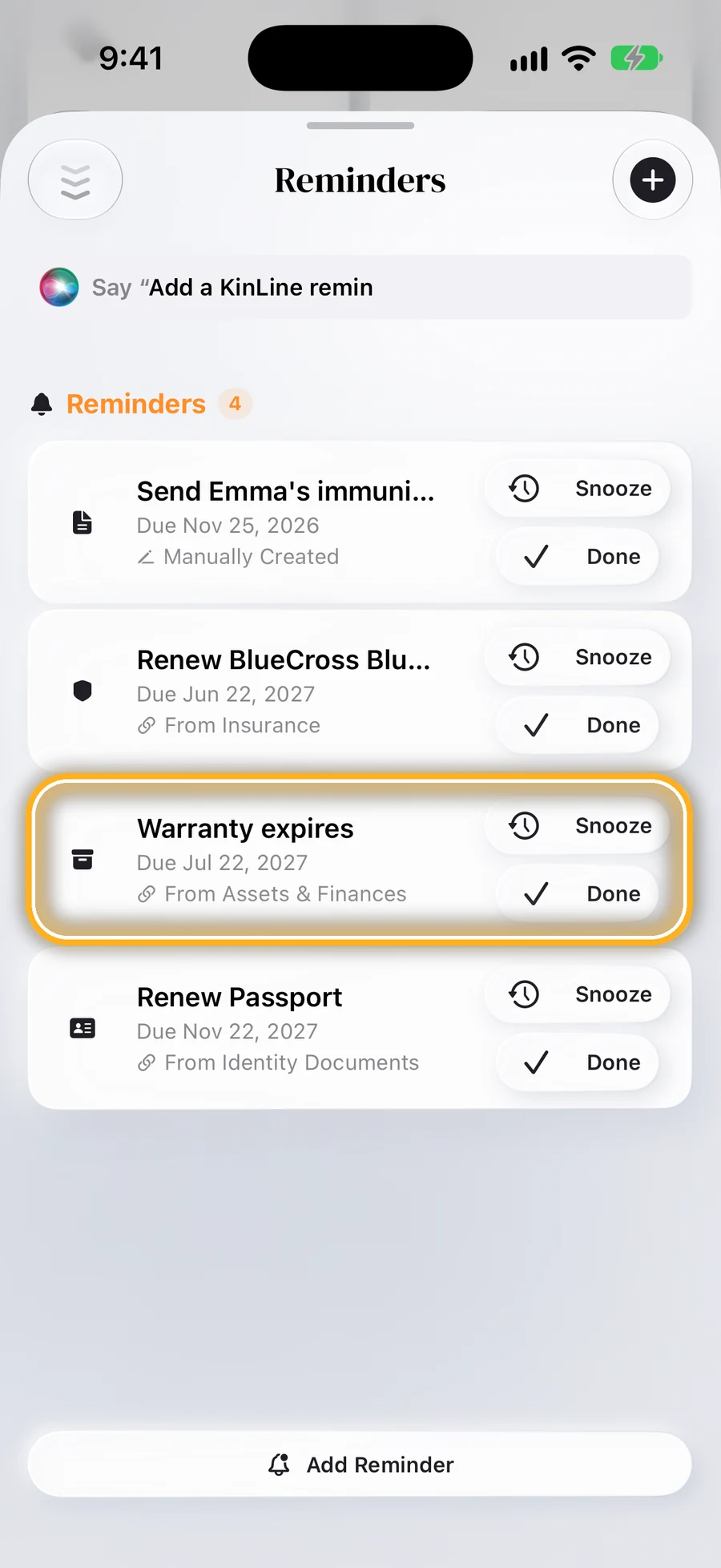
Step 3: A reminder before the warranty ends
Save a warranty end date, and it shows up in Reminders by itself. Tap Snooze or Done.
Quick questions
- What can I keep in Assets & Finances?
- The house, the car, jewelry, electronics and appliances, bank and retirement accounts, and anything else worth writing down. Each one goes on the person who owns it.
- Does KinLine connect to my bank?
- No. You type in only what you want your family to know: the bank's name, the last 4 digits of the account and who to call. KinLine never asks for your bank login.
- Why only the last 4 digits?
- That's enough for your family to know which account it is, without the full number sitting on a phone.
- Will it remind me when a warranty ends?
- Yes. Add the warranty end date and a reminder shows up before it's due.
What you own, and where to find it.
KinLine is free to start. No account, no sign-up.


Free to download · No account needed