















Compare · About 3 minutes
KinLine vs Medical ID and the Notes app
Your phone already has Medical ID and a Notes app. Do you need anything else? Here's what each one is good at, honestly.
By the KinLine team · Updated
The short answer
Set up Medical ID for yourself. It's the only one paramedics can open from your lock screen. Our Medical ID guide shows how.
Notes is fine for a quick list you jot down once.
KinLine is for the people you look after: a parent, a child, a partner. Each gets the same page, with reminders and a PDF you can hand over.
Who it's for
KinLine: Everyone you look after, one page each
Medical ID: You, the phone's owner
Notes: Whatever you type
From a locked phone
KinLine: Not shown, but on iPhone Siri can read out Emergency Info
Medical ID: Yes, with Show When Locked
Notes: No
Shared on a 911 call
KinLine: No
Medical ID: Yes, in the US and Canada, if you allow it
Notes: No
Medicines, allergies, insurance, IDs
KinLine: Each in its own place, the same for every person
Medical ID: Your conditions, medicines and allergies
Notes: As free text, however you write it
Reminders before things are due
KinLine: Yes: refills, renewals, expiring IDs
Medical ID: No
Notes: No
A page for the ER, a sitter or school
KinLine: Yes, a one-page PDF (on iPhone)
Medical ID: No
Notes: You can print or share a note
Locked
KinLine: Behind your phone's lock, apart from what Siri reads in an emergency
Medical ID: Visible on purpose, if you choose
Notes: Notes can be locked with a password or Face ID
Medical ID and Notes details are from Apple Support on November 20, 2026. Android has its own Emergency information, which works much like Medical ID.
What KinLine adds
Screens from our sample family.
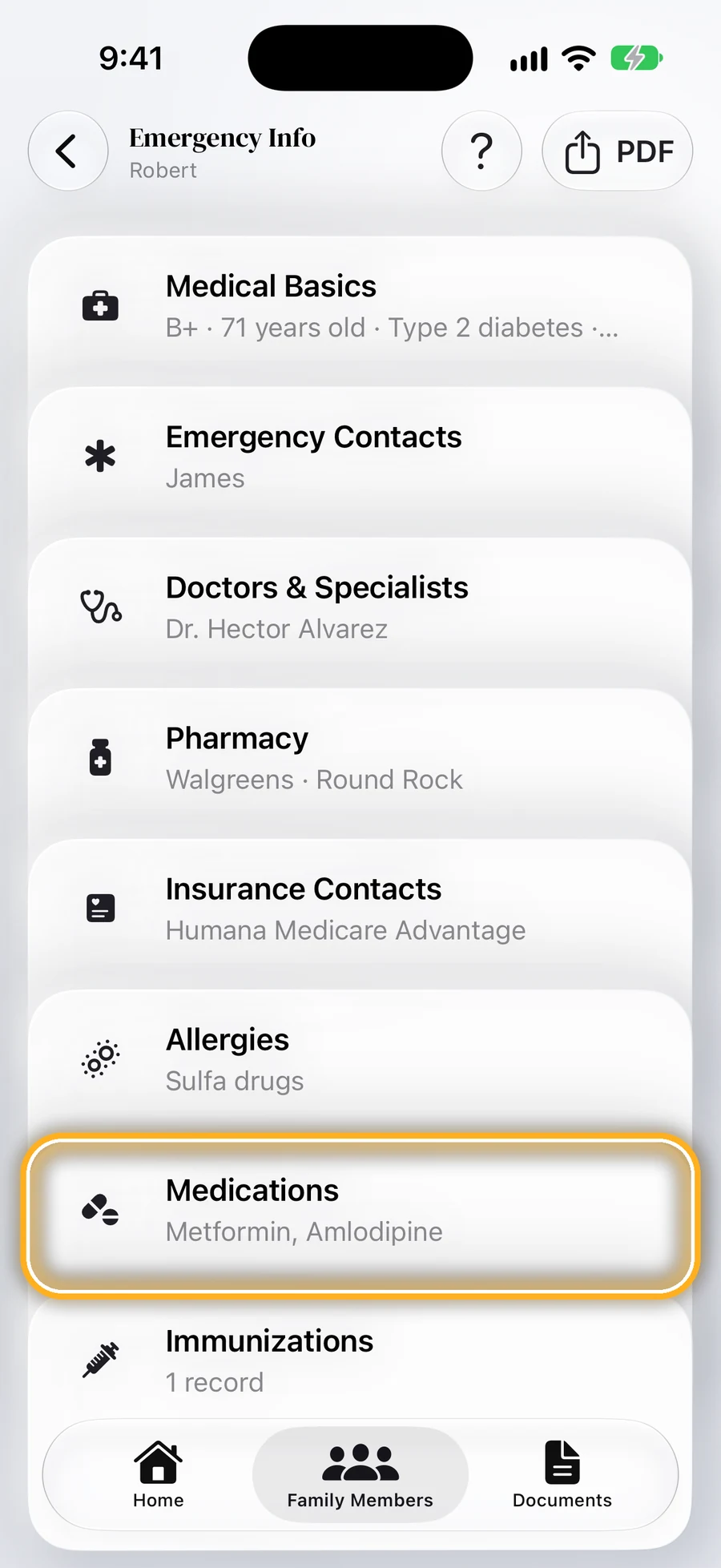
Step 1: The same page for every person
Contacts, doctors, pharmacy, insurance, allergies, medicines and shots, in the same places for Robert, Emma and everyone else.
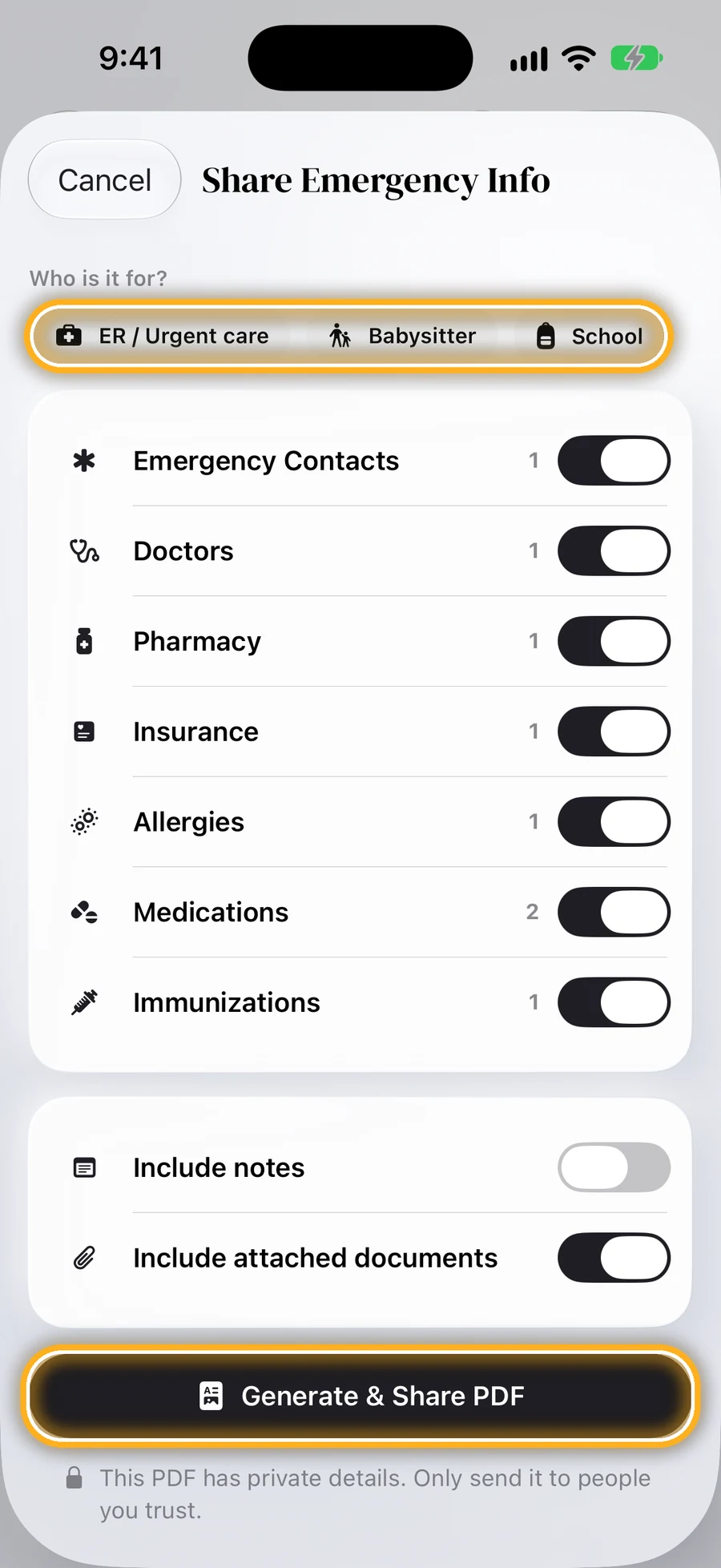
Step 2: A page you can hand to someone
On iPhone, make a one-page PDF for the ER, a babysitter or the school.
Quick questions
- Should I set up Medical ID if I use KinLine?
- Yes. Medical ID is the only one paramedics can open from your lock screen. Set it up for yourself, and use KinLine for the people you look after.
- Is the Notes app enough for my family's medical info?
- For a short list, it can be. It gets harder as the list grows: there are no set places for doses or policy numbers, and nothing reminds you when a refill or ID is due.
- Can I keep my mom's Medical ID on my phone?
- No. Medical ID is about the phone's owner. Your mom can set up her own on her phone, and you can keep her details in KinLine on yours.
Read next
Sources
This page is general information, not medical advice. Ask a doctor, nurse or pharmacist about your own situation.
Medical ID for you. KinLine for everyone you look after.
KinLine is free to start. No account, no sign-up.

Free to download · No account needed