


Feature · About 2 minutes
Every insurance policy, ready at the front desk
The receptionist asks for Dad's member number. The car needs a claim. The life policy is in a drawer somewhere. Keep them all in one place.
By the KinLine team · Updated
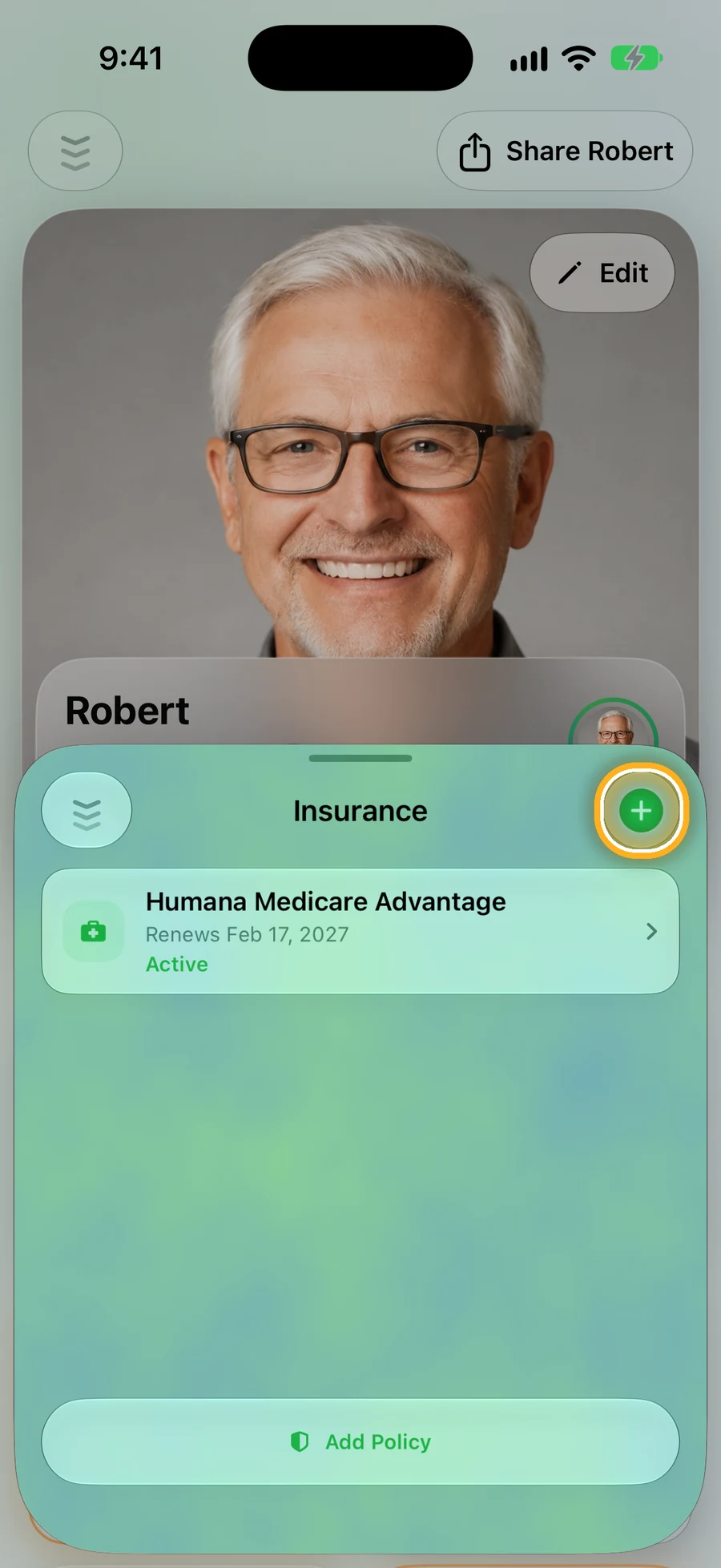
Step 1: Each person's policies
Open someone and tap Insurance. Tap + to add a policy.
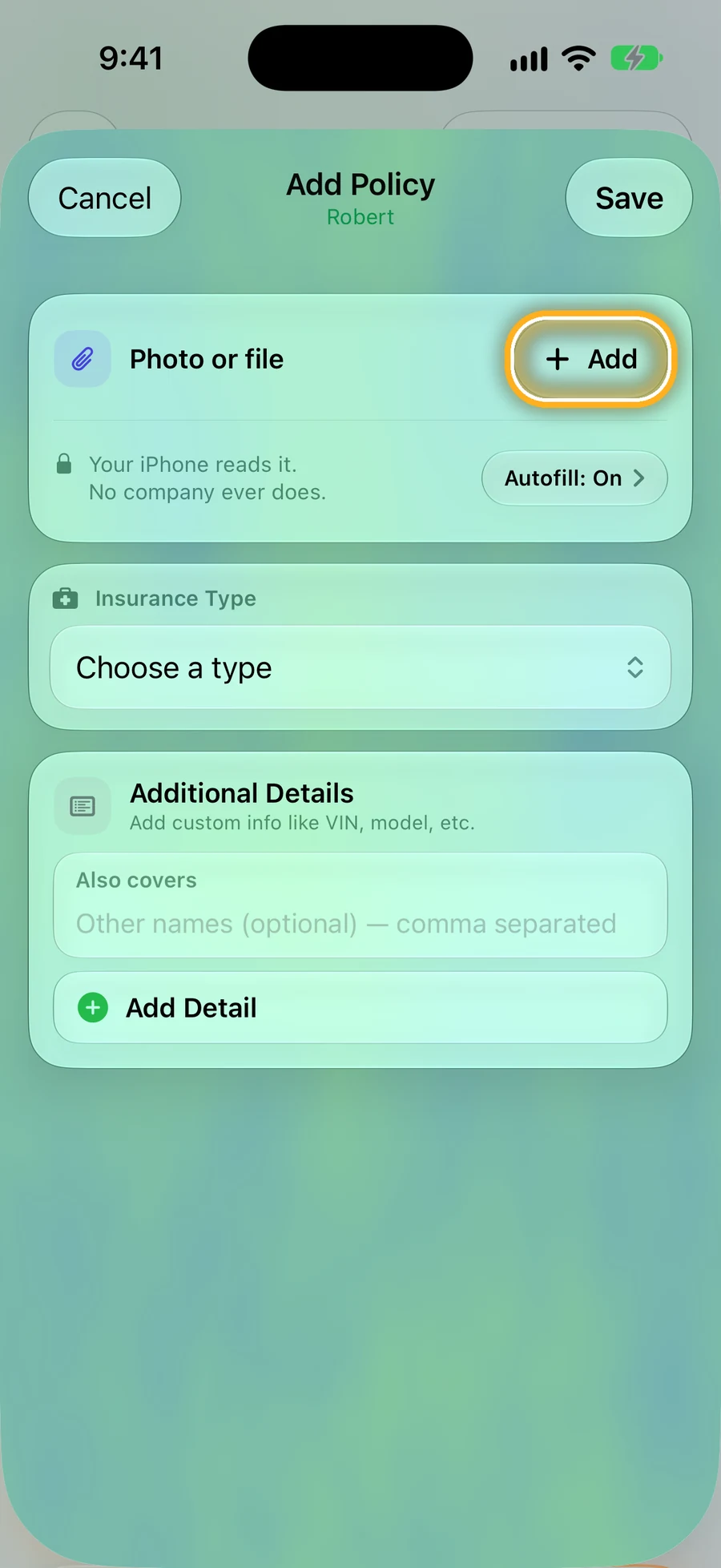
Step 2: Start from a photo of the card
Tap Add next to Photo or file. On newer iPhones, KinLine reads it and fills in the details. Your iPhone does the reading, not a company.
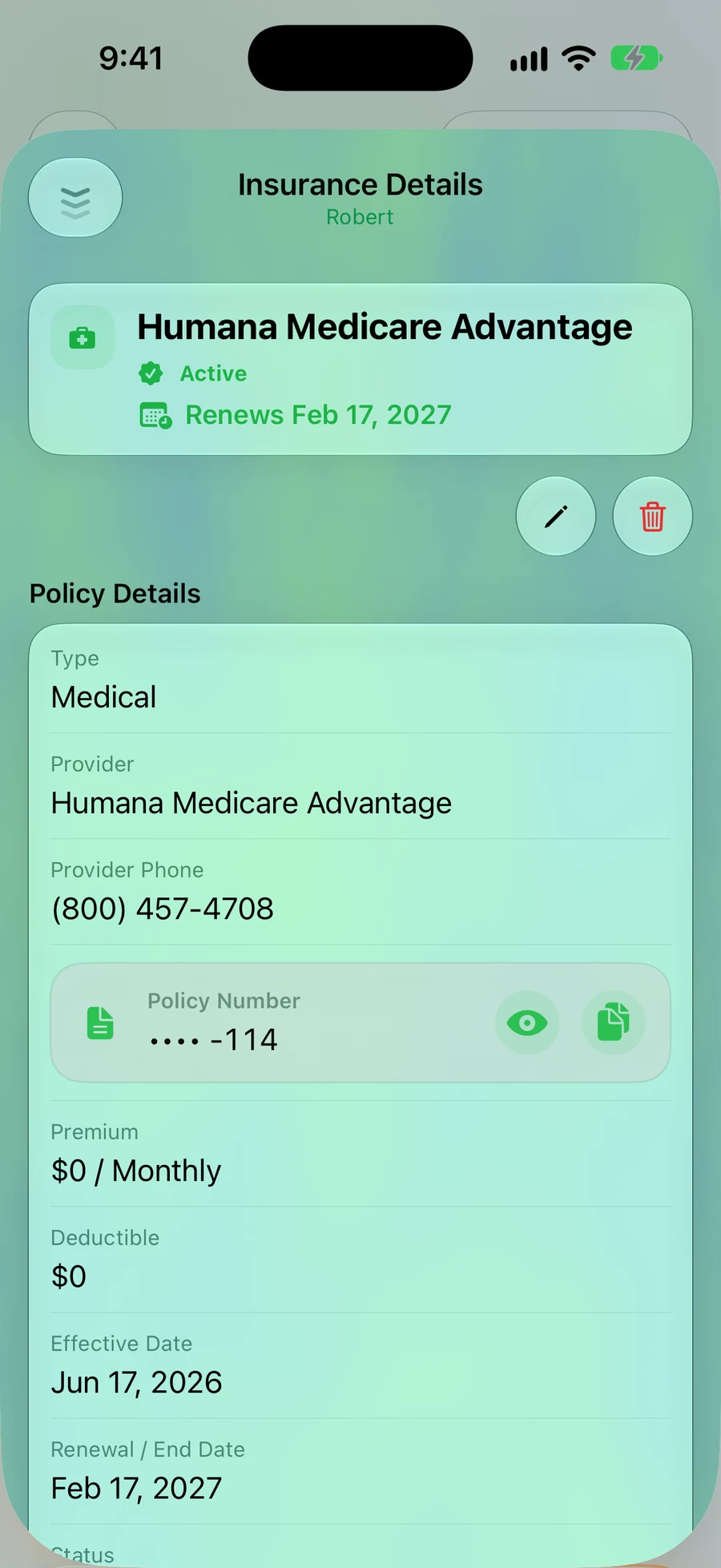
Step 3: Phone, policy number and dates
The policy number stays hidden until you tap the eye. Add the renewal date, and KinLine shows it before it's due.
Quick questions
- What kinds of insurance can I add?
- Health, dental, vision, life, car, home, renters, travel, pet and more. Each person has their own list.
- Is my policy number safe on screen?
- It stays hidden until you tap the eye, so it isn't on show when someone looks at your phone.
- Does KinLine remind me before a policy renews?
- Yes. Add the renewal date and it shows up before it's due.
The right card, every time someone asks.
KinLine is free to start. No account, no sign-up.


Free to download · No account needed