


Guide · About 4 minutes
How to find a parent's life insurance policy
Your parent may have had life insurance, but nobody knows which company. There's no national list, so here's where to look, and a free tool that can help.
By the KinLine team · Updated
Six places to look
- Look through their papers. Policies, letters from insurance companies, old statements. Check the desk, the file cabinet and any home safe.
- Check bank statements and the checkbook. A payment to an insurance company every month or every year is a strong clue. Look at online banking too.
- Watch the mail. When payments stop, insurers often send letters. That letter tells you the company's name.
- Ask their employer, union or old employers. Many jobs come with group life insurance. Ask HR or the benefits office.
- Use the free NAIC Life Insurance Policy Locator. Run by the state insurance regulators. Details below.
- Search unclaimed property. Money from an unpaid policy can end up with the state. Search where your parent lived; unclaimed.org lists every state's office.
Using the NAIC locator
The National Association of Insurance Commissioners runs it for free. Have the death certificate in front of you. You'll enter:
- Their Social Security number
- Their legal first and last name
- Date of birth and date of death
- Whether they were a veteran
- Your name, address, and how you're related
The companies that take part check their records. If one finds a policy and you're the beneficiary, that company contacts you. If not, you won't hear back. NAIC itself doesn't see any policies.
While you're sorting things out, our list of documents you'll need can help.
Save your own kids the search
Write every policy down once, and share it with the people who'll need it. Here's Robert, 71, from our sample family.
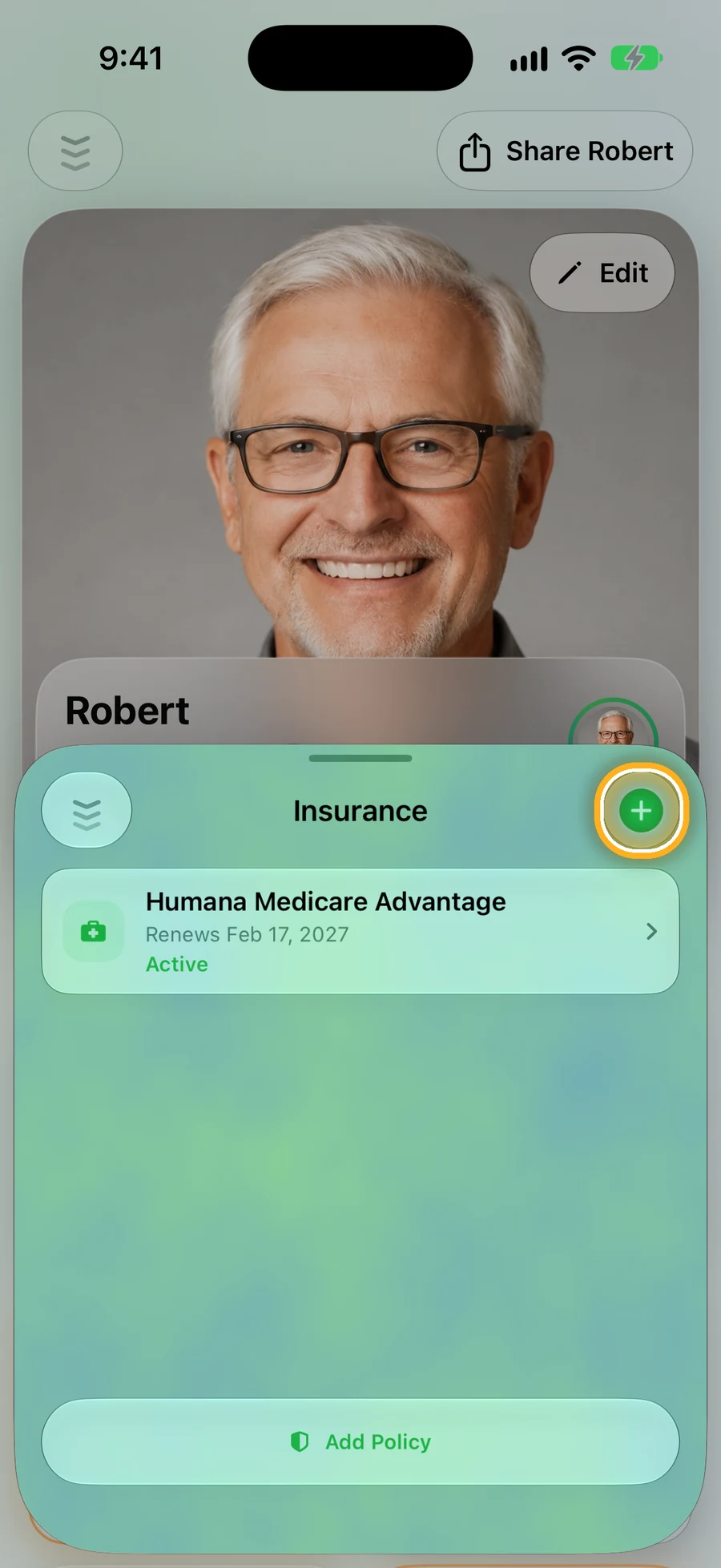
Step 1: Open the person, then Insurance
Tap + to add a policy: life, health, home, car and more.
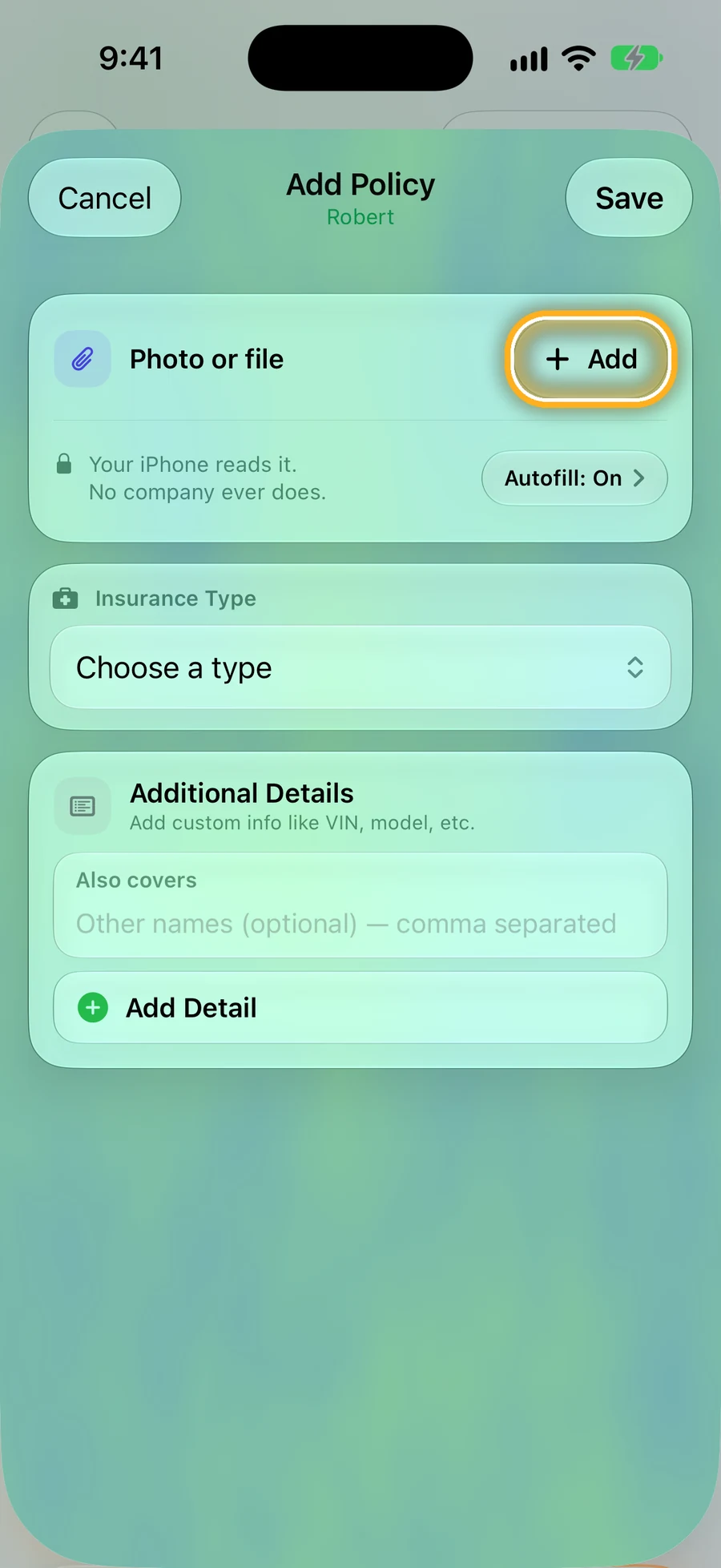
Step 2: Add a photo of the policy
Tap Add next to Photo or file. On newer iPhones, KinLine can read it and fill in the details for you.
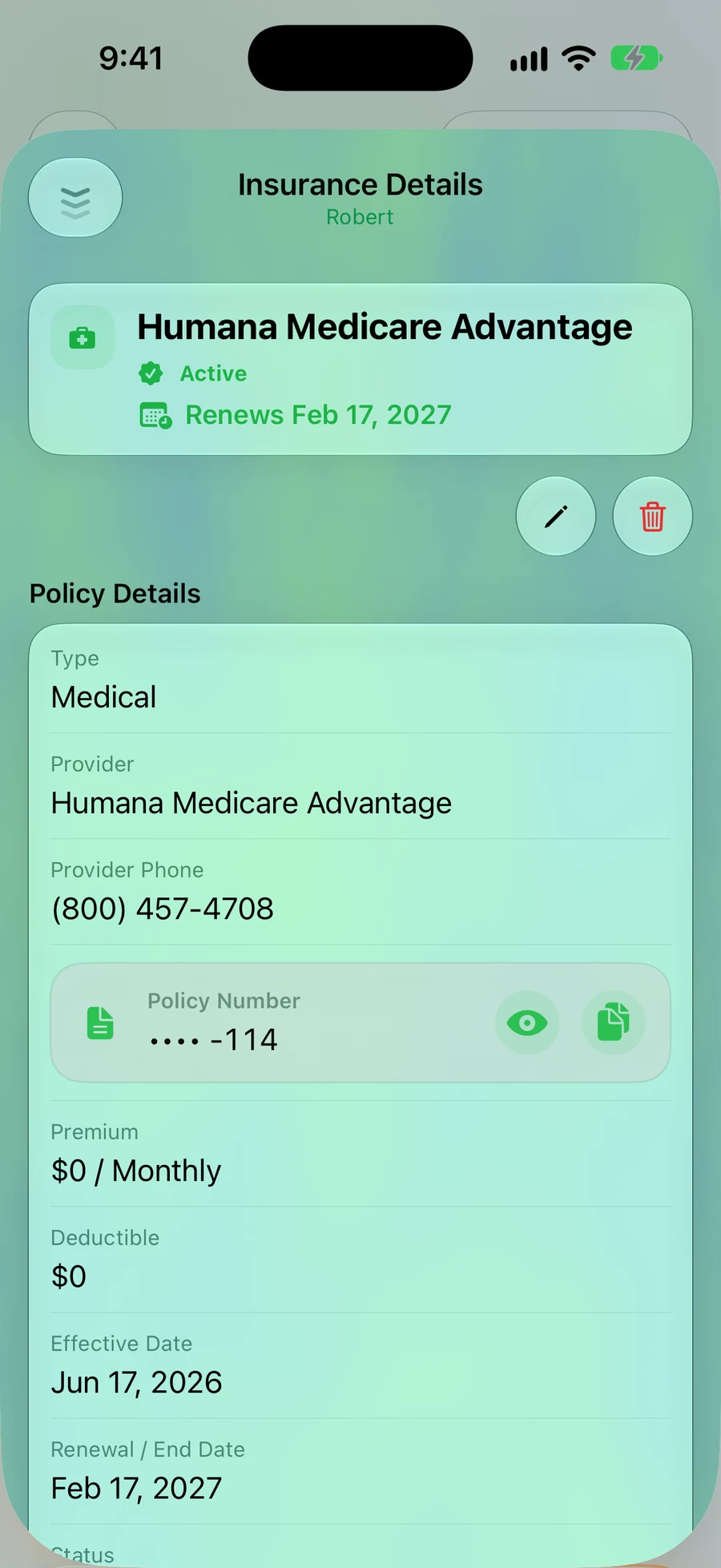
Step 3: Company, phone and policy number, in one place
The policy number stays hidden until you tap the eye. Share the person with a grown child, and they'll know which company to call.
Quick questions
- Is there one national list of life insurance policies?
- No. That's why the NAIC locator exists: it sends your search to the insurance companies that take part, and they check their own records.
- Does the NAIC locator cost anything?
- No, it's free. Be careful with anyone who charges to find a policy for you.
- How will I hear back?
- If a company finds a policy and you're the beneficiary, the company contacts you directly. If there's no policy, or you're not the beneficiary, you won't hear anything.
- Can I search for someone who is still alive?
- No. The locator only searches for people who have died.
Read next
Sources
- NAIC Life Insurance Policy Locator
- Arkansas Insurance Department: How to use the locator
- AARP: Finding lost life insurance policies
This page is general information, not legal or financial advice. Ask a lawyer about your own situation.
Your family shouldn't have to search.
KinLine is free to start. No account, no sign-up.


Free to download · No account needed