























Feature · About 2 minutes
The right phone number, for the right person
Mom's cardiologist, Dad's pharmacy, the kids' pediatrician, and who to call first in an emergency. Each person's numbers, on their own page.
By the KinLine team · Updated
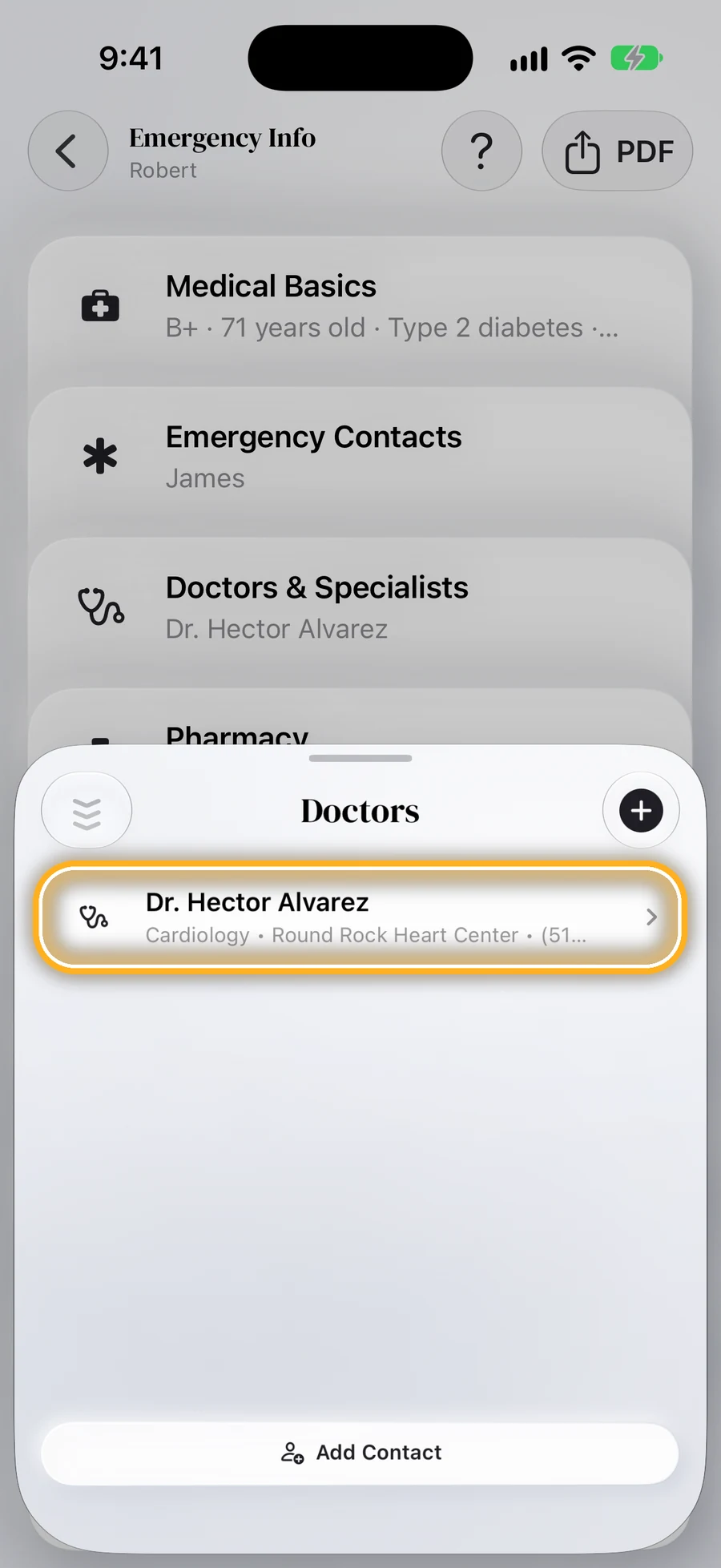
Step 1: Emergency Info, then Doctors & Specialists
Open someone and tap Emergency Info. Doctors, pharmacy, insurance and emergency contacts each have a list.
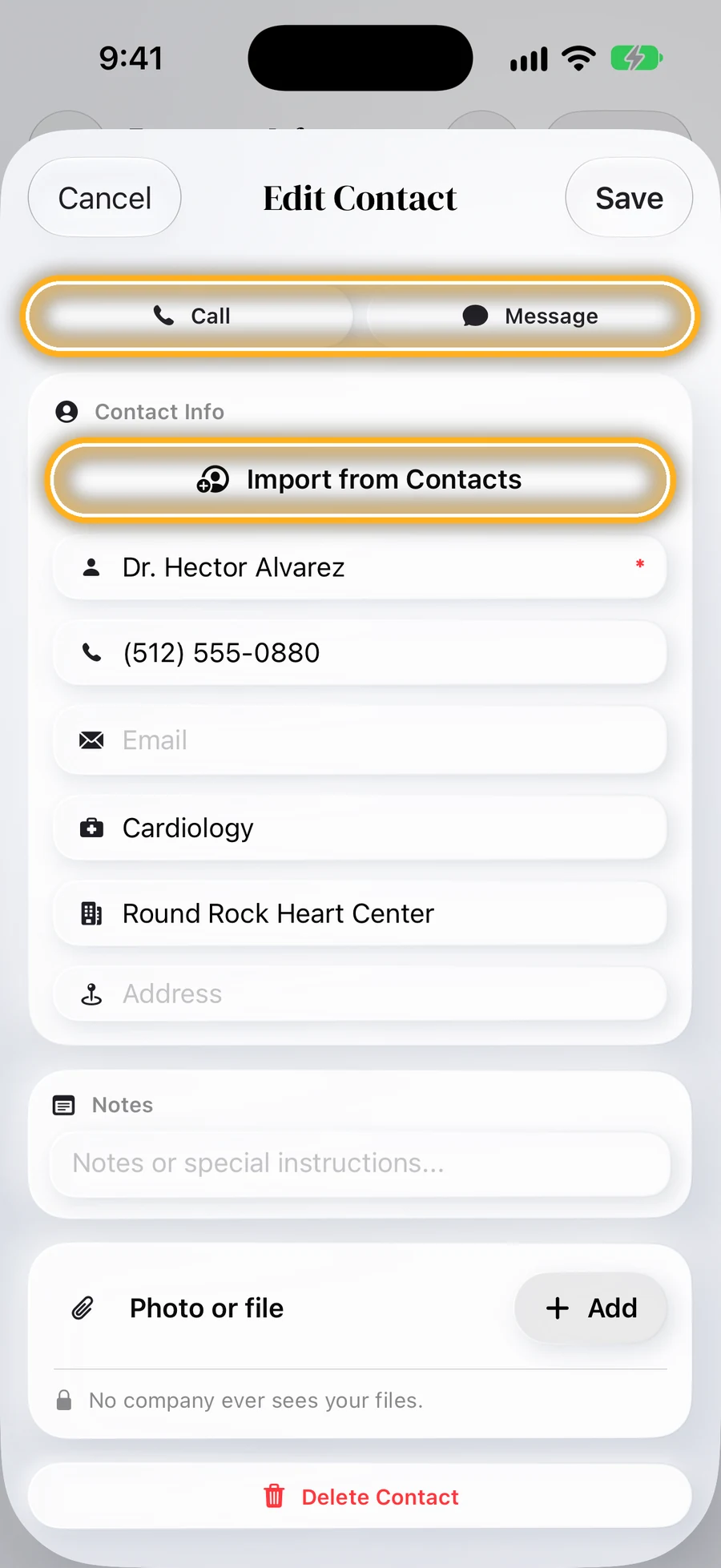
Step 2: Import from Contacts, then tap to call
Tap Add Contact, then Import from Contacts. Later, tap Call or Message.
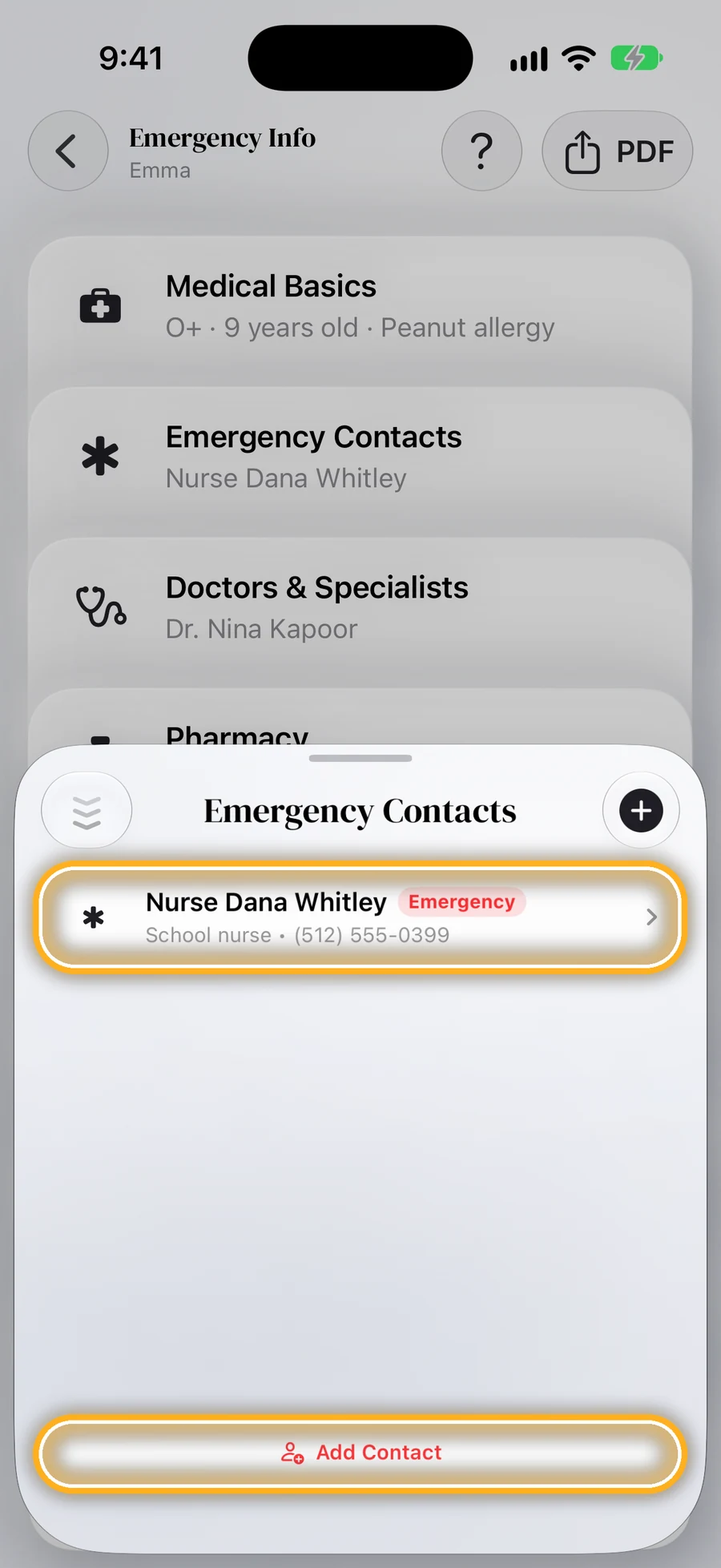
Step 3: Who to call first
Add each person's emergency contacts, like the school nurse for a child. They go on the emergency PDF too.
Quick questions
- Do I have to type every phone number?
- No. Tap Add Contact, then Import from Contacts, and pick the person from your phone's contacts.
- Can I call the doctor from KinLine?
- Yes. Open the contact and tap Call or Message.
- Who goes in each list?
- Emergency Contacts for the people to call first, Doctors & Specialists for each doctor, plus the pharmacy and the insurance company. Each person has their own.
- Do the contacts go on the emergency PDF?
- Yes. On iPhone, the Emergency Info PDF lists the emergency contacts and doctors.
One tap, and you're calling the right doctor.
KinLine is free to start. No account, no sign-up.


Free to download · No account needed