























Feature · About 2 minutes
Never miss a birthday again
Grandpa's birthday, your parents' anniversary, the kids' big days. Add each date once, and KinLine reminds you ahead of time and again on the day.
By the KinLine team · Updated
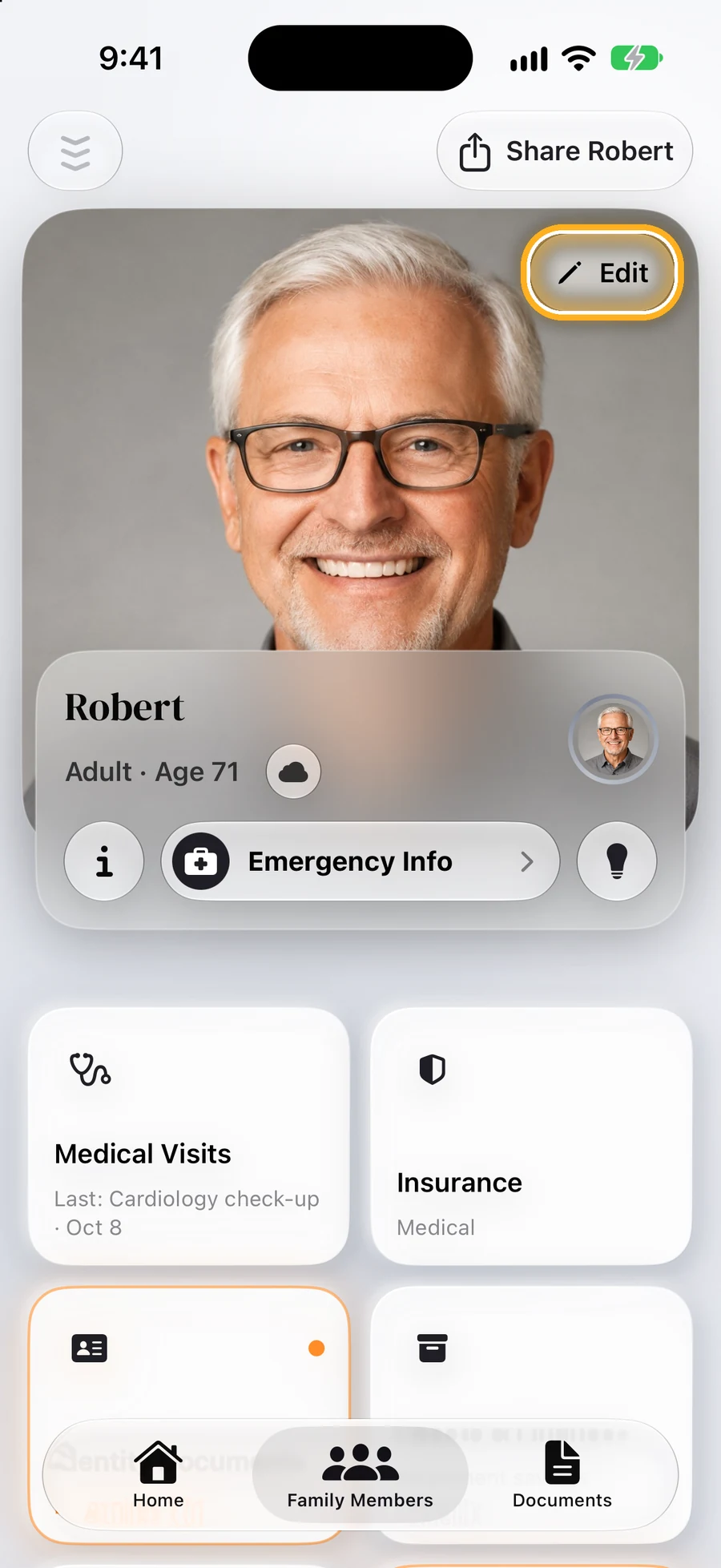
Step 1: Open the person and tap Edit
Special dates belong to a person. Here it's Robert, 71, from our sample family.
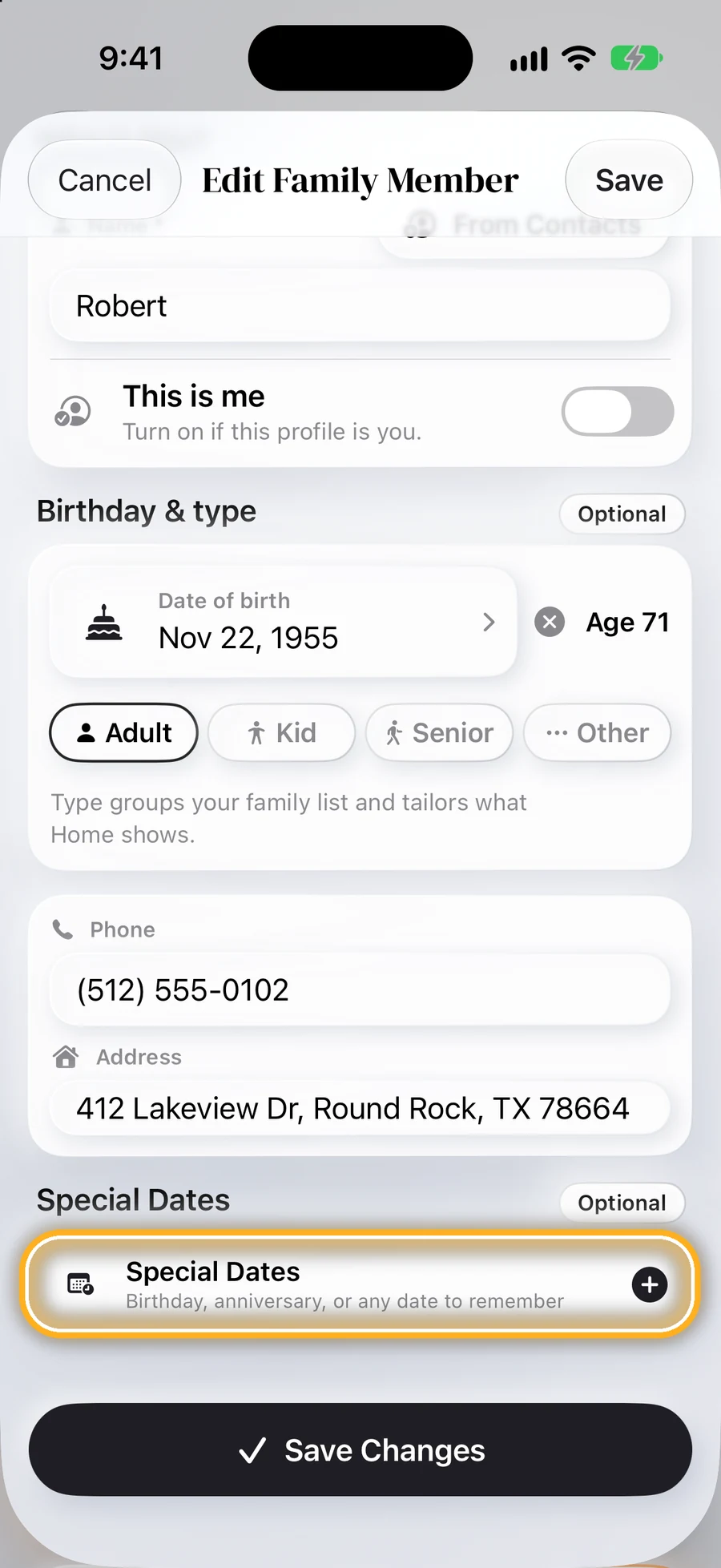
Step 2: Scroll down to Special Dates and tap +
It's under the phone and address. When you're done, tap Save Changes.
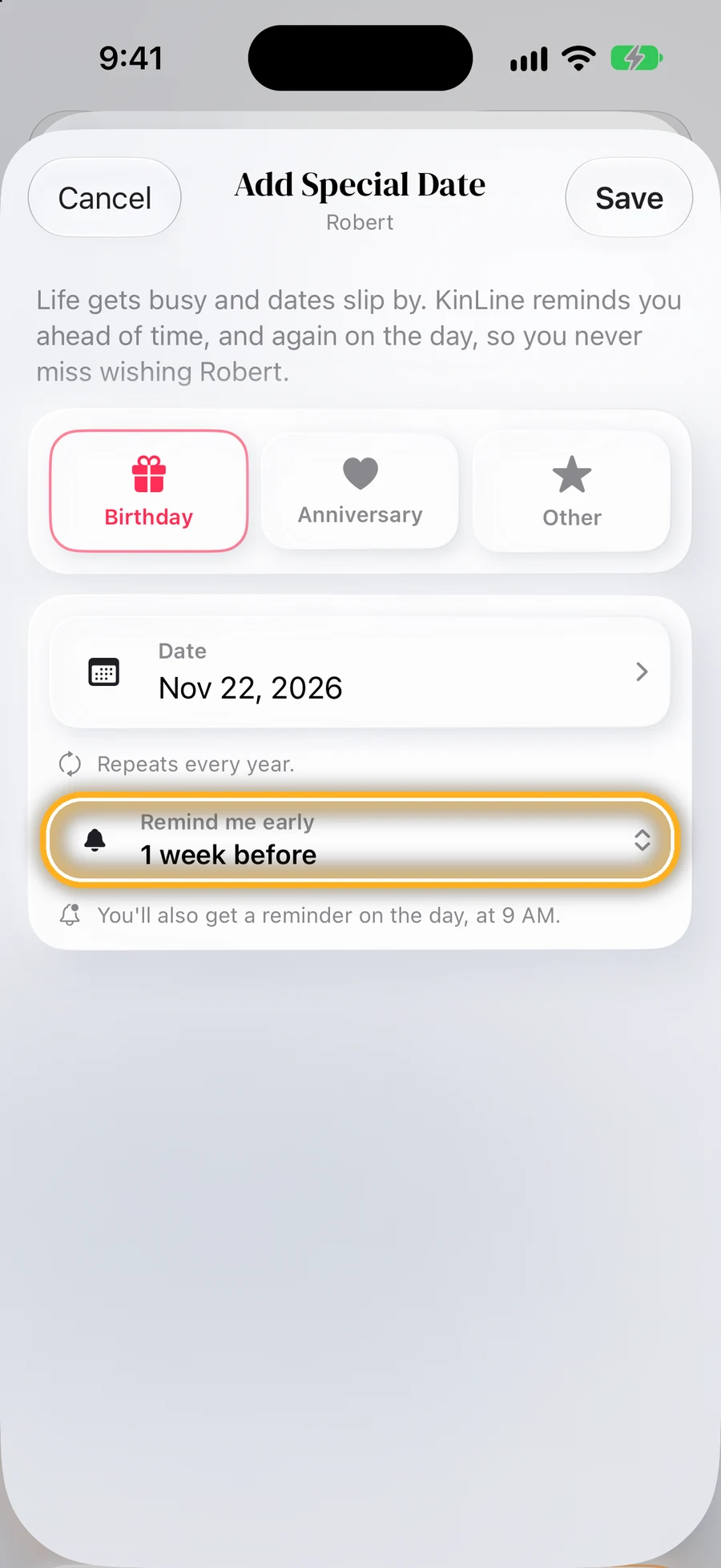
Step 3: Pick the day, and how early to remind you
Choose Birthday, Anniversary or Other. It repeats every year, with a reminder early and another at 9 AM on the day.
Quick questions
- Is it only for birthdays?
- No. Add anniversaries, or any date you want to remember, like a graduation or the day someone moved in.
- When does the reminder come?
- You pick how early: 1 day, 3 days, 1 week or 2 weeks before. You also get a reminder on the day, at 9 AM.
- Do I have to add it again next year?
- No. It repeats every year by itself.
- I didn't get a reminder. Why?
- Check that notifications are on for KinLine in your phone's Settings.
Call on the day. Every year.
KinLine is free to start. No account, no sign-up.


Free to download · No account needed